

As I wrote last week, message or request concurrency is probably the single most common source of client questions in JasperFx Software consulting and support work around the Critter Stack. Wolverine is a powerful tool for command and event message processing, and it comes with a lot of built in options for wide range of usage scenarios that provider the answers for a lot of the questions we routinely field from clients and other users. More specifically, Wolverine provides a lot of adjustable knobs to limit or expand:
- Message processing parallelism. I.e., how many messages can be executed simultaneously
- Message ordering when you need messages to be processed in sequence, or a lack thereof when you don’t
- Delivery guarantees ranging from fire and forget, at least once, exactly once, and at most once
For better or worse, Wolverine has built up quite a few options over the years, and that can be admittedly confusing. Also, there are real performance or correctness tradeoffs with the choices you make around message ordering and processing parallelism. To that end, let’s go through a little whirlwind tour of Wolverine’s options for concurrency, parallelism, and delivery guarantees.
Listener Endpoints
Note that Wolverine standardizes the fluent interface options for endpoint type, message ordering, and parallel execution are consistent across all of its messaging transport types (Rabbit MQ, Azure Service Bus, Kafka, Pulsar, etc.), though not every option is available for every transport.
All messages handled in a Wolverine application come from a constantly running listener “Endpoint” that then delegates the incoming messages to the right message handler. A Wolverine “Endpoint” could be a local, in process queue, a Rabbit MQ queue, a Kafka topic, or an Azure Service Bus subscription (see Wolverine’s documentation on asynchronous messaging for the entire list of messaging options).
This does vary a bit by messaging broker or transport, but there are three modes for Wolverine endpoints, starting with Inline endpoints:
// Configuring a Wolverine application to listen to
// an Azure Service Bus queue with the "Inline" mode
opts.ListenToAzureServiceBusQueue(queueName, q => q.Options.AutoDeleteOnIdle = 5.Minutes()).ProcessInline();
With an Inline endpoint, messages are pulled off the receiving queue or topic one message at a time, and “ack-ed” back to the original queue or topic only on the successful completion of the message handler. This mode completely eschews any kind of durable, transactional inbox, but does still give you an at-least-once delivery guarantee as it’s possible that the “ack” process could fail after the message is successfully handled, potentially resulting in the message being resent from the external messaging broker. Know though that this is rare, and Wolverine puts some error retries around the “ack-ing” process.
As you would assume, using the Inline mode gives you sequential processing of messages within a single node, but limits parallel handling. You can opt into running parallel listeners for any given listening endpoint:
opts.ListenToRabbitQueue("inline")
    // Process inline, default is with one listener
    .ProcessInline()

    // But, you can use multiple, parallel listeners
    .ListenerCount(5);
The second endpoint mode is Buffered where messages are pulled off the external messaging queue or topic as quickly as they can be, and immediately put into an in memory queue and “ack-ed” to any external broker.
// I overrode the buffering limits just to show
// that they exist for "back pressure"
opts.ListenToAzureServiceBusQueue("incoming")
    .BufferedInMemory(new BufferingLimits(1000, 200));
In the sample above, I’m showing how you can override the defaults for how many messages can be buffered in memory for this listening endpoint before the endpoint is paused. Wolverine has some support for back pressure within its Buffered or Durable endpoints to prevent memory from being overrun.
With Buffered or the Durable endpoints I’ll describe next, you can specify the maximum number of parallel messages that can be processed at one time within a listener endpoint on a single node like this:
opts.LocalQueueFor<Message1>()
    .MaximumParallelMessages(6, ProcessingOrder.UnOrdered);
Or you can choose to run messages in a strict sequential order, one at a time like this:
// Make any kind of Wolverine configuration
options
    .PublishMessage<Module1Message>()
    .ToLocalQueue("module1-high-priority")
    .Sequential();
The last endpoint type is Durable, which behaves identical to the Buffered approach except that messages received from external message brokers are persisted to a backing database first before processing, then deleted when the messages are successfully processed or discarded or moved to dead letter queues by error handling policies:
opts.ListenToAzureServiceBusQueue("incoming")
    .UseDurableInbox(new BufferingLimits(1000, 200));
Using the Durable mode enrolls the listening endpoint into Wolverine’s transactional inbox. This is the single most robust option for delivery guarantees with Wolverine, and even adds some protection for idempotent receipt of messages such that Wolverine will quietly reject the same message being received multiple times. Durable endpoints are more robust in terms of delivery guarantees and resilient in the face of system hiccups than the Buffered mode, but does incur a little bit of extra overhead making calls to a database — but I should mention that Wolverine is trying really hard to batch up calls to the database whenever it can for better runtime efficiency, and there are retry loops in all the internals for resiliency as well.
If you really read this post you should hopefully be badly abused of the flippant advice floating around .NET circles right now after the MassTransit commercialization announcement that you can “just” write your own abstractions over messaging brokers instead of using a robust, off the shelf toolset that will have far more engineering for resiliency and observability than most folks realize.
Scenarios
Alright, let’s talk about some common messaging scenarios and look at possible Wolverine options. It’s important to note that there is some real tension between throughput (how many messages can you process over time), message ordering requirements, and delivery guarantees and I’ll try to call those compromises as we go.
You have a constant flood of small messages coming in that are relatively cheap to process…
In this case I would choose a Buffered endpoint and allow it to run messages in parallel:
opts.LocalQueueFor<Message1>()
    .BufferedInMemory()
    .MaximumParallelMessages(6, ProcessingOrder.UnOrdered);
Letting messages run without any strict ordering will allow the endpoint to process messages faster. Using the Buffered approach will allow the endpoint to utilize any kind of message batching that external message brokers might support, and does a lot to remove the messaging broker as a bottle neck for message processing. The Buffered approach isn’t durable of course, but if you care about throughput more than guarantees or message ordering, it’s the best option.
Note that any Buffered or Durable endpoint automatically allows for parallel message processing capped by the number of processor cores for the host process.
A message is expensive to process…
If you have a message type that turns out to require a lot of resources to process, you probably want to limit the parallelization to restrict how many resources the system uses for this message type. I would say to either use an Inline endpoint:
opts.ListenToRabbitQueue("expensive")
    // Process inline, default is with one listener
    .ProcessInline()

    // Cap it to no more than two messages in parallel at any
    // one time
    .ListenerCount(2);
or a Buffered or Durable endpoint, but cap the parallelization.
Messages should be processed in order, at least on each node…
Use either a ProcessInline endpoint, or use the Sequential() option on any other kind of endpoint to limit the local processing to single file:
opts.ListenToAzureServiceBusQueue("incoming")
    .Sequential();
A certain type of message should be processed in order across the entire application…
Sometimes there’s a need to say that a certain set of messages within your system need to be handled in strict order across the entire application. While some specific messaging brokers have some specific functionality for this scenario, Wolverine has this option to ensure that a listening endpoint for a certain location only runs on a single node within the application at any one time, and always processes in strict sequential order:
var host = await Host.CreateDefaultBuilder().UseWolverine(opts =>
{
    opts.UseRabbitMq().EnableWolverineControlQueues();
    opts.PersistMessagesWithPostgresql(Servers.PostgresConnectionString, "listeners");

    opts.ListenToRabbitQueue("ordered")

        // This option is available on all types of Wolverine
        // endpoints that can be configured to be a listener
        .ListenWithStrictOrdering();
}).StartAsync();
Watch out of course, because this throttles the processing of messages to single file on exactly one node. That’s perfect for cases where you’re not too concerned about throughput, but sequencing is very important. A JasperFx Software client is using this for messages to a stateful Saga that coordinates work across their application.
Do note that Wolverine will both ensure a listener with this option is only running on one node, and will redistribute any strict ordering listeners to better distribute work across a cluster. Wolverine will also be able to detect when it needs to switch the listening over to a different node if a node is taken down.
Messages should be processed in order within a logical group, but we need better throughput otherwise…
Let’s say that you have a case where you know the system would work much more efficiently if Wolverine could process messages related to a single business entity of some sort (an Invoice? a Purchase Order? an Incident?) in strict order. You still need more throughput than you can achieve through a strictly ordered listener that only runs on one node, but you do need the messages to be handled in order or maybe just one at a time for a single business entity to arrive at consistent state or to prevent errors due to concurrent access.
If you happened to be using Azure Service Bus as your messaging transport, you can utilize Session Identifiers and FIFO Queues with Wolverine to do exactly this:
_host = await Host.CreateDefaultBuilder()
    .UseWolverine(opts =>
    {
        opts.UseAzureServiceBusTesting()
            .AutoProvision().AutoPurgeOnStartup();

        opts.ListenToAzureServiceBusQueue("send_and_receive");
        opts.PublishMessage<AsbMessage1>().ToAzureServiceBusQueue("send_and_receive");

        opts.ListenToAzureServiceBusQueue("fifo1")

            // Require session identifiers with this queue
            .RequireSessions()

            // This controls the Wolverine handling to force it to process
            // messages sequentially
            .Sequential();

        opts.PublishMessage<AsbMessage2>()
            .ToAzureServiceBusQueue("fifo1");

        opts.PublishMessage<AsbMessage3>().ToAzureServiceBusTopic("asb3");
        opts.ListenToAzureServiceBusSubscription("asb3")
            .FromTopic("asb3")

            // Require sessions on this subscription
            .RequireSessions(1)

            .ProcessInline();
    }).StartAsync();
But, there’s a little bit more to publishing because you’ll need to tell Wolverine what the GroupId value is for your message:
I think we’ll try to make this a little more automatic in the near future with Wolverine.
// bus is an IMessageBus
await bus.SendAsync(new AsbMessage3("Red"), new DeliveryOptions { GroupId = "2" });
await bus.SendAsync(new AsbMessage3("Green"), new DeliveryOptions { GroupId = "2" });
await bus.SendAsync(new AsbMessage3("Refactor"), new DeliveryOptions { GroupId = "2" });
Of course, if you don’t have Azure Service Bus, you still have some other options. I think I’m going to save this for a later post, hopefully after building out some formal support for this, but another option is to:
- Plan on having several different listeners for a subset of messages that all have the strictly ordered semantics as shown in the previous section. Each listener can at least process information independently
- Use some kind of logic that can look at a message being published by Wolverine and use some kind of deterministic rule that will assign that message to one of the strictly ordered messaging destinations
Like I said, more to come on this in the hopefully near future, and this might be part of a JasperFx Software engagement soon.
What about handling events in Wolverine that are captured to Marten (or future Critter Event Stores)?
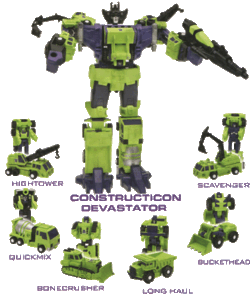
I’m Gen X, so the idea of Marten & Wolverine assembling to create the ultimate Event Driven Architecture stack makes me think of Transformers cartoons:)
It’s been a few years, but what is now Wolverine was originally called “Jasper” and was admittedly a failed project until we decided to reorient it to being a complement to Event Sourcing with Marten and renamed it “Wolverine” to continue the “Critter Stack” theme. A huge part of that strategy was having first class mechanisms to either publish or handle events captured by Marten’s Event Sourcing through Wolverine’s robust message execution and message publishing capabilities.
You have two basic mechanisms for this. The first, and original option is “Event Forwarding” where events captured by Marten are published to Wolverine upon the successful completion of the Marten transaction:
builder.Services.AddMarten(opts =>
    {
        var connString = builder
            .Configuration
            .GetConnectionString("marten");

        opts.Connection(connString);

        // There will be more here later...

        opts.Projections
            .Add<AppointmentDurationProjection>(ProjectionLifecycle.Async);

        // OR ???

        // opts.Projections
        //     .Add<AppointmentDurationProjection>(ProjectionLifecycle.Inline);

        opts.Projections.Add<AppointmentProjection>(ProjectionLifecycle.Inline);
        opts.Projections
            .Snapshot<ProviderShift>(SnapshotLifecycle.Async);
    })

    // This adds a hosted service to run
    // asynchronous projections in a background process
    .AddAsyncDaemon(DaemonMode.HotCold)

    // I added this to enroll Marten in the Wolverine outbox
    .IntegrateWithWolverine()

    // I also added this to opt into events being forward to
    // the Wolverine outbox during SaveChangesAsync()
    .EventForwardingToWolverine();
Event forwarding gives you no ordering guarantees of any kind, but will push events as messages to Wolverine immediately. Event forwarding may give you significantly better throughput then the subscription model we’ll look at next because there’s less latency between persisting the event to Marten and the event being published to Wolverine. Moreover, using “Event Forwarding” means that the event publishing happens throughout any application cluster.
However, if you need strictly ordered handling of the events being persisted to Marten, you instead need to use the Event Subscriptions model where Wolverine is handling or relaying Marten events as messages in the strict order in which they are appended to Marten, and on a single running node. This is analogous to the strictly ordered listener option explained above.
What about my scenario you didn’t discuss here?
See the Wolverine documentation, or come ask us on Discord.
Summary
There’s a real tradeoff between message ordering, processing throughput, and message delivery guarantees. Fortunately, Wolverine gives you plenty of options to meet a variety of different project requirements.
And one last time, you’re just not going to want to sign up for the level of robust options and infrastructure that’s under the covers of a tool like Wolverine can “just roll your own messaging abstractions” because you’re angry and think that community OSS tools can’t be trusted. And also, Wolverine is also a moving target that constantly improves based on the problems, needs, suggestions, and code contributions from our core team, community, and JasperFx Software customers. Your homegrown tooling will never receive that level of feedback, and probably won’t ever match Wolverine’s quality of documentation either.
 The Shade Tree Developer