Marten V7.35 Drops for a Little Post Christmas Cheer

And of course, JasperFx Software is available for any kind of consulting engagement around the Critter Stack tools, event sourcing, event driven architecture, test automation, or just any kind of server side .NET architecture.

Absurdly enough, the Marten community made one major release (7.0 was a big change) and 35 different releases of new functionality. Some significant, some just including a new tactical convenience method or two. I think Marten ends the 2024 calendar year with the 7.35.0 release today.

The big highlight is some work for a JasperFx Software client who needs to run some multi-stream projections asynchronously (as one probably should), but needs their user interface client in some scenarios to be showing the very latest information. That’s now possible with the QueryForNonStaleData<T>()` API shown below:

var builder = Host.CreateApplicationBuilder();
builder.Services.AddMarten(opts =>
{
    opts.Connection(builder.Configuration.GetConnectionString("marten"));
    opts.Projections.Add<TripProjection>(ProjectionLifecycle.Async);
}).AddAsyncDaemon(DaemonMode.HotCold);

using var host = builder.Build();
await host.StartAsync();

// DocumentStore() is an extension method in Marten just
// as a convenience method for test automation
await using var session = host.DocumentStore().LightweightSession();

// This query operation will first "wait" for the asynchronous projection building the
// Trip aggregate document to catch up to at least the highest event sequence number assigned
// at the time this method is called
var latest = await session.QueryForNonStaleData<Trip>(5.Seconds())
    .OrderByDescending(x => x.Started)
    .Take(10)
    .ToListAsync();

Of course, there is a non-zero risk of that operation timing out, so it’s not a silver bullet and you’ll need to be aware of that in your usage, but hey, it’s a way around needing to adopt eventual consistency while also providing a good user experience in your client by not appearing to have lost data.

See the documentation on this feature for more information.

The highlight for me personally is that as of this second, the open issue count for Marten on GitHub is sitting at 37 (bugs, enhancement requests, 8.0 planning, documentation TODOs), which is the lowest that number has been for 7/8 years. Feels good.

Marten Improvements in 7.34

Through a combination of Marten community members and in collaboration with some JasperFx Software clients, we’re able to push some new fixes and functionality in Marten 7.34 just today.

For the F# Person in your Life

You can now use F# Option types in LINQ Where() clauses in Marten. Check out the pull request for that to see samples. The LINQ provider code is just a difficult problem domain, and I can’t tell you how grateful I am to have gotten the community pull request for this.

Fetch the Latest Aggregate

Marten has had the FetchForWriting() API for awhile now as our recommended way to build CQRS command handlers with Marten event sourcing as I wrote about recently in CQRS Command Handlers with Marten. Great, but…

  1. What if you just want a read only view of the current data for an aggregate projection over a single event stream and wouldn’t mind a lighter weight API than FetchForWriting()?
  2. What if in your command handler you used FetchForWriting(), but now you want to return the now updated version of your aggregate projection for the caller of the command? And by the way, you want this to be as performant as possible no matter how the projection is configured.

Now you’re in luck, because Marten 7.34 adds the new FetchLatest() API for both of the bullets above.

Let’s pretend we’re building an invoicing system with Marten event sourcing and have this “self-aggregating” version of an Invoice:

public record InvoiceCreated(string Description, decimal Amount);

public record InvoiceApproved;
public record InvoiceCancelled;
public record InvoicePaid;
public record InvoiceRejected;

public class Invoice
{
    public Invoice()
    {
    }

    public static Invoice Create(IEvent<InvoiceCreated> created)
    {
        return new Invoice
        {
            Amount = created.Data.Amount,
            Description = created.Data.Description,

            // Capture the timestamp from the event
            // metadata captured by Marten
            Created = created.Timestamp,
            Status = InvoiceStatus.Created
        };
    }

    public int Version { get; set; }

    public decimal Amount { get; set; }
    public string Description { get; set; }
    public Guid Id { get; set; }
    public DateTimeOffset Created { get; set; }
    public InvoiceStatus Status { get; set; }

    public void Apply(InvoiceCancelled _) => Status = InvoiceStatus.Cancelled;
    public void Apply(InvoiceRejected _) => Status = InvoiceStatus.Rejected;
    public void Apply(InvoicePaid _) => Status = InvoiceStatus.Paid;
    public void Apply(InvoiceApproved _) => Status = InvoiceStatus.Approved;
}

And for now, we’re going to let our command handlers just use a Live aggregation of the Invoice from the raw events on demand:

var builder = Host.CreateApplicationBuilder();
builder.Services.AddMarten(opts =>
{
    opts.Connection(builder.Configuration.GetConnectionString("marten"));

    // Just telling Marten upfront that we will use
    // live aggregation for the Invoice aggregate
    // This would be the default anyway if you didn't explicitly
    // register Invoice this way, but doing so let's
    // Marten "know" about Invoice for code generation
    opts.Projections.LiveStreamAggregation<Projections.Invoice>();
});

Now we can get at the latest, greatest, current view of the Invoice that is consistent with the captured events for that invoice stream at this very moment with this usage:

public static async Task read_latest(
    // Watch this, only available on the full IDocumentSession
    IDocumentSession session,
    Guid invoiceId)
{
    var invoice = await session
        .Events.FetchLatest<Projections.Invoice>(invoiceId);
}

The usage of the API above would be completely unchanged if you were to switch the projection lifecycle of the Invoice to be either Inline (where the view is updated in the database at the same time new events are captured) or Async. That usage gives you a little bit of what we called “reversibility” in the XP days, which just means that you’re easily able to change your mind later about exactly what projection lifecycle you want to use for Invoice views.

The main reason that FetchLatest() was envisioned, however, was to pair up with FetchForWriting() in command handlers. It’s turned out to be a common use case that folks want their command handlers to:

  1. Use the current state of the projected aggregate for the event stream to…
  2. “Decide” what new events should be appended to this stream based on the incoming command and existing state of the aggregate
  3. Save the changes
  4. Return a now updated version of the projected aggregate for the event stream with the newly captured events reflected in the projected aggregate.

There is going to be a slicker integration of this with Wolverine’s aggregate handler workflow with Marten by early next week, but for now, let’s pretend we’re working with Marten from within maybe ASP.Net Minimal API and want to just work that way. Let’s say that we have a little helper method for a mini-“Decider” pattern implementation for our Invoice event streams like this one:

public static class MutationExtensions
{
    public static async Task<Projections.Invoice> MutateInvoice(this IDocumentSession session, Guid id, Func<Projections.Invoice, IEnumerable<object>> decider,
        CancellationToken token = default)
    {
        var stream = await session.Events.FetchForWriting<Projections.Invoice>(id, token);

        // Decide what new events should be appended based on the current
        // state of the aggregate and application logic
        var events = decider(stream.Aggregate);
        stream.AppendMany(events);

        // Persist any new events
        await session.SaveChangesAsync(token);

        return await session.Events.FetchLatest<Projections.Invoice>(id, token);
    }
}

Which could be used something like:

public static Task Approve(IDocumentSession session, Guid invoiceId)
{
    // I'd maybe suggest taking the lambda being passed in
    // here out somewhere where it's easy to test
    // Wolverine does that for you, so maybe just use that!
    return session.MutateInvoice(invoiceId, invoice =>
    {
        if (invoice.Status != InvoiceStatus.Approved)
        {
            return [new InvoiceApproved()];
        }

        return [];
    });
}

New Marten System Level “Archived” Event

Much more on this soon with an example more end to end with Wolverine explaining how this would add value for performance and testability.

Marten now has a built in event named Archived that can be appended to any event stream:

namespace Marten.Events;

/// <summary>
/// The presence of this event marks a stream as "archived" when it is processed
/// by a single stream projection of any sort
/// </summary>
public record Archived(string Reason);

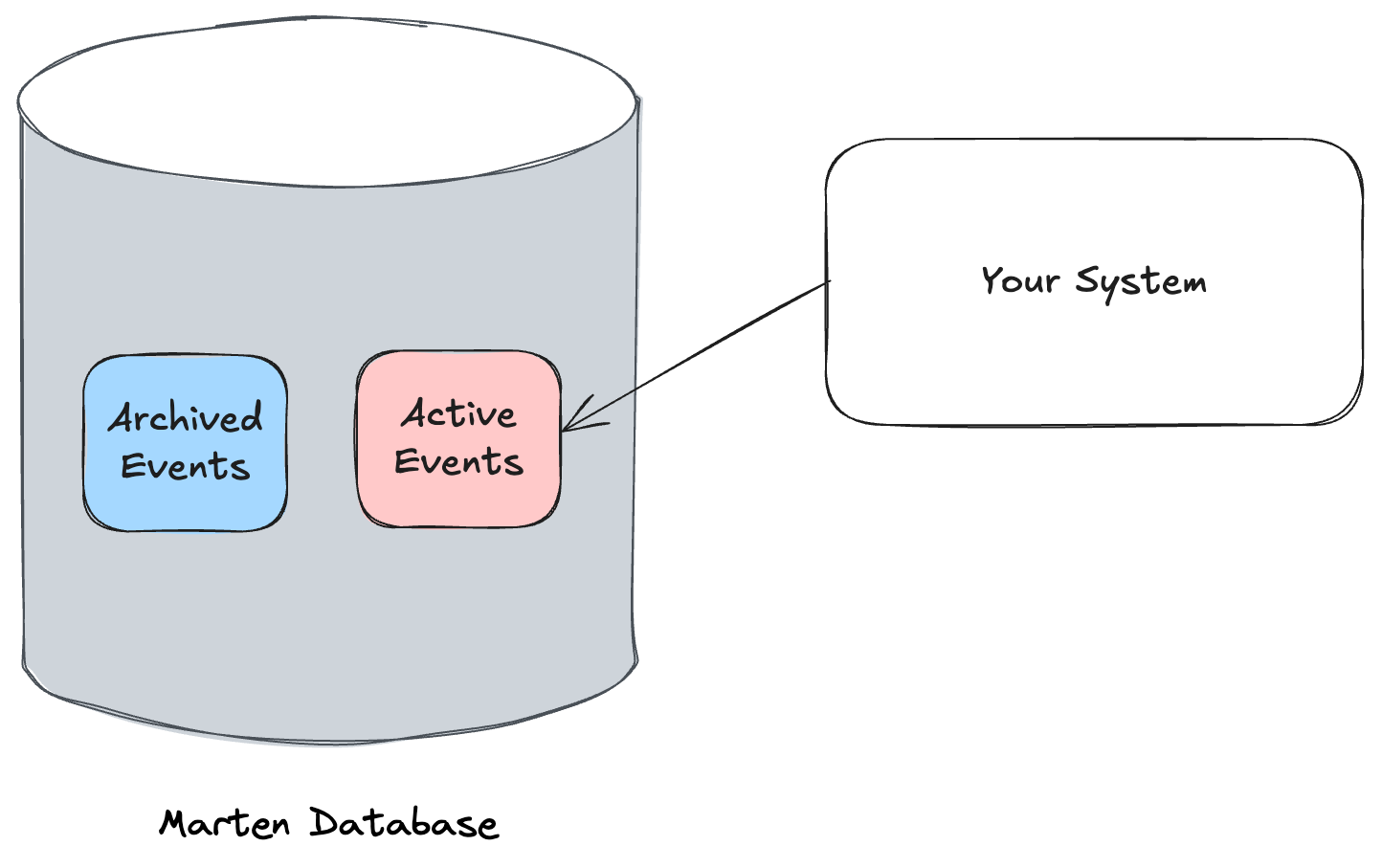
When this event is appended to an event stream and that event is processed through any type of single stream projection for that event stream (snapshot or what we used to call a “self-aggregate”, SingleStreamProjection, or CustomProjection with the AggregateByStream option), Marten will automatically mark that entire event stream as archived as part of processing the projection. This applies for both Inline and Async execution of projections.

Let’s try to make this concrete by building a simple order processing system that might include this aggregate:

public class Item
{
    public string Name { get; set; }
    public bool Ready { get; set; }
}

public class Order
{
    // This would be the stream id
    public Guid Id { get; set; }

    // This is important, by Marten convention this would
    // be the
    public int Version { get; set; }

    public Order(OrderCreated created)
    {
        foreach (var item in created.Items)
        {
            Items[item.Name] = item;
        }
    }

    public void Apply(IEvent<OrderShipped> shipped) => Shipped = shipped.Timestamp;
    public void Apply(ItemReady ready) => Items[ready.Name].Ready = true;

    public DateTimeOffset? Shipped { get; private set; }

    public Dictionary<string, Item> Items { get; set; } = new();

    public bool IsReadyToShip()
    {
        return Shipped == null && Items.Values.All(x => x.Ready);
    }
}

Next, let’s say we’re having the Order aggregate snapshotted so that it’s updated every time new events are captured like so:

var builder = Host.CreateApplicationBuilder();
builder.Services.AddMarten(opts =>
{
    opts.Connection("some connection string");

    // The Order aggregate is updated Inline inside the
    // same transaction as the events being appended
    opts.Projections.Snapshot<Order>(SnapshotLifecycle.Inline);

    // Opt into an optimization for the inline aggregates
    // used with FetchForWriting()
    opts.Projections.UseIdentityMapForAggregates = true;
})

// This is also a performance optimization in Marten to disable the
// identity map tracking overall in Marten sessions if you don't
// need that tracking at runtime
.UseLightweightSessions();

Now, let’s say as a way to keep our application performing as well as possible, we’d like to be aggressive about archiving shipped orders to keep the “hot” event storage table small. One way we can do that is to append the Archived event as part of processing a command to ship an order like so:

public static async Task HandleAsync(ShipOrder command, IDocumentSession session)
{
    var stream = await session.Events.FetchForWriting<Order>(command.OrderId);
    var order = stream.Aggregate;

    if (!order.Shipped.HasValue)
    {
        // Mark it as shipped
        stream.AppendOne(new OrderShipped());

        // But also, the order is done, so let's mark it as archived too!
        stream.AppendOne(new Archived("Shipped"));

        await session.SaveChangesAsync();
    }
}

If an Order hasn’t already shipped, one of the outcomes of that command handler executing is that the entire event stream for the Order will be marked as archived.

Marten Event Sourcing Gets Some New Tools

JasperFx Software has gotten the chance this work to build out several strategic improvements to both Marten and Wolverine through collaborations with our clients who have had some specific needs. This has been highly advantageous because it’s helped push some significant, long planned technical improvements while getting all important feedback as clients integrate the new features. Today I’d like to throw out a couple valuable features and capabilities that Marten has gained as part of recent client work.

“Side Effects” in Projections

In a recent post called Multi Step Workflows with the Critter Stack I talked about using Wolverine sagas (really process managers if you have to be precise about the pattern name because I’m slopping about interchanging “saga” and “process manager”) for long running workflows. In that post I talked about how an incoming file would be:

  1. Broken up into batches of rows
  2. Each batch would be validated as a separately handled message for some parallelization and more granular retries
  3. When there were validation results recorded for each record batch, the file processing itself would either stop with a call back message summarizing the failures to the upstream sender or continue to the next stage.

As it turns out, event sourcing with a projected aggregate document for the state of the file import turns out to be another good way to implement this workflow, especially with the new “side effects” model recently introduced in Marten at the behest of a JasperFx client.

In this usage. let’s say that we have this aggregated state for a file being imported:

public class FileImportState
{

    // Identity for this saga within our system
    public Guid Id { get; set; }
    public string FileName { get; set; }
    public string PartnerTrackingNumber { get; set; }
    public DateTimeOffset Created { get; set; } = DateTimeOffset.UtcNow;
    public List<RecordBatchTracker> RecordBatches { get; set; } = new();

    public FileImportStage Stage { get; set; } = FileImportStage.Validating;
}

The FileImportState would be updated by appending events like BatchValidated, with Marten “projecting” those events in the rolled up state of the entire file. In Marten’s async daemon process that runs projections in a background process, Marten is processing a certain range (think events 10000 to 11000) at a time. As the daemon processes events into a projection for the FileImportState, it’s grouping the events in that range into event “slices” that are grouped by file id.

For managing the workflow, we can now append all new events as a “side effect” of processing an event slice in the daemon as the aggregation data is updated in the background. Let’s say that we have a single stream projection for our FileImportState aggregation like this below:

public class FileImportProjection : SingleStreamProjection<FileImportState>
{
    // Other Apply / Create methods to update the state of the 
    // FileImportState aggregate document

    public override ValueTask RaiseSideEffects(IDocumentOperations operations, IEventSlice<FileImportState> slice)
    {
        var state = slice.Aggregate;
        if (state.Stage == FileImportStage.Validating &&
            state.RecordBatches.All(x => x.ValidationStatus != RecordStatus.Pending))
        {
            // At this point, the file is completely validated, and we can decide what should happen next with the
            // file
            
            // Are there any validation message failures?
            var rejected = state.RecordBatches.SelectMany(x => x.ValidationMessages).ToArray();
            if (rejected.Any())
            {
                // Append a validation failed event to the stream
                slice.AppendEvent(new ValidationFailed());
                
                // Also, send an outgoing command message that summarizes
                // the validation failures
                var message = new FileRejectionSummary()
                {
                    FileName = state.FileName,
                    Messages = rejected,
                    TrackingNumber = state.PartnerTrackingNumber
                };
                
                // This will "publish" a message once the daemon
                // has successfully committed all changes for the 
                // current batch of events
                // Unsurprisingly, there's a Wolverine integration 
                // for this
                slice.PublishMessage(message);
            }
            else
            {
                slice.AppendEvent(new ValidationSucceeded());
            }
        }

        return new ValueTask();
    }
}

And unsurprisingly, there is also the ability to “publish” outgoing messages as part of processing through asynchronous projections with an integration to Wolverine available.

This feature has long, long been planned and I was glad to get the chance to build it out this fall for a client. I’m happy to say that this is in production for them — after the obligatory shakedown cruise and some bug fixes.

Optimized Projection Rebuilds

Another JasperFx client has a system where they retrofitted Marten into an in flight system using event sourcing for a very large data set, but didn’t take advantage of many Marten capabilities including the ability to effectively pre-build or “snapshot” projected data to optimize system state reads.

With a little bit of work in their system, we knew we would be able to introduce the new projection snapshotting into their system with Marten’s blue/green deployment model for projections where Marten would immediately start trying to pre-build a new projection (or new version of an existing projection) from scratch. Great! Except we knew that was potentially going to be a major performance problem until the projection caught up to the current “high water mark” of the event store.

To ease the cost of introducing a new, persisted projection on top of ~100 million events, we built out Marten’s new optimized projection rebuild feature. To demonstrate what I mean, let’s first opt into using this feature (it had to be opt in because it forces users to made additive changes to existing database tables):

builder.Services.AddMarten(opts =>
{
    opts.Connection("some connection string");

    // Opts into a mode where Marten is able to rebuild single
    // stream projections faster by building one stream at a time
    // Does require new table migrations for Marten 7 users though
    opts.Events.UseOptimizedProjectionRebuilds = true; 
});

Now, when our users redeploy their system with the new snapshotted projection running with Marten’s Async workflow for the first time Marten will see that the projection has not been processed before, so will try to use an “optimized rebuild mode.” Since we’ve turned on optimized projection rebuilds, for a single stream projection, Marten runs the projection in “rebuild” mode by:

  1. First building a new table to track each event stream that relates to the aggregate type in question, but builds this table in reverse order of when each stream has been changed. The whole point of that is to make sure our optimized rebuild process is dealing with the most recently changed event streams so that the system can perform well even while the rebuild process in running
  2. The rebuild process rebuilds the aggregates event stream by event stream as a way of minimizing the number of database reads and writes it takes to rebuild the single stream projection. Compare that to the previous, naive “left fold” approach where it just works from event sequence = 1 to the high water mark and constantly writes and reads back the same projection document as its encountered throughout the event store
  3. When the optimized rebuild is complete, it switches the projection to running in its normal, continuous mode from the point at which the rebuild started

That’s a lot of words and maybe some complicated explanation, but the point is that Marten makes it possible to introduce new projections to a large, in flight system without incurring system downtime or even inconsistent data showing up to users.

Other Recent Improvements for Clients

Some other recent work that JasperFx has done for our clients includes:

Summary

I was part of a discussion slash argument a couple weeks ago about whether or not it was necessary to use an off the shelf event sourcing library or framework like Marten, or if you were just fine rolling your own. While I’d gladly admit that you can easily build purely a storage subsystem for events, it’s not even remotely feasible to quickly roll your own tooling that matches advanced features in Marten such as the work I presented here.

Message Broker per Tenant with Wolverine

The new feature shown in this post was built by JasperFx Software as part of a client engagement. This is exactly the kind of novel or challenging issue we frequently help our clients solve. If there’s something in your shop’s ongoing efforts where you could use some extra technical help, reach out to sales@jasperfx.net and we’ll be happy to talk with you.

Wolverine 3.4 was released today with a large new feature for multi-tenancy through asynchronous messaging. This feature set was envisioned for usage in an IoT system using the full “Critter Stack” (Marten and Wolverine) where “our system” is centralized in the cloud, but has to communicate asynchronously with physical devices deployed at different client sites:

The system in question already uses Marten’s support for separating per tenant information into separate PostgreSQL databases. Wolverine itself works with Marten’s multi-tenancy to make that a seamless process within Wolverine messaging workflows. All of that arguably quite robust already support was envisioned to be running within either HTTP web services or asynchronous messaging workflows completely controlled by the deployed application and its peer services. What’s new with Wolverine 3.4 is the ability to isolate the communication with remote client (tenant) devices and the centralized, cloud deployed “our system.”

We can isolate the traffic between each client site and our system first by using a separate Rabbit MQ broker or at least a separate virtual host per tenant as implied in the code sample from the docs below:

var builder = Host.CreateApplicationBuilder();

builder.UseWolverine(opts =>
{
    // At this point, you still have to have a *default* broker connection to be used for 
    // messaging. 
    opts.UseRabbitMq(new Uri(builder.Configuration.GetConnectionString("main")))
        
        // This will be respected across *all* the tenant specific
        // virtual hosts and separate broker connections
        .AutoProvision()

        // This is the default, if there is no tenant id on an outgoing message,
        // use the default broker
        .TenantIdBehavior(TenantedIdBehavior.FallbackToDefault)

        // Or tell Wolverine instead to just quietly ignore messages sent
        // to unrecognized tenant ids
        .TenantIdBehavior(TenantedIdBehavior.IgnoreUnknownTenants)

        // Or be draconian and make Wolverine assert and throw an exception
        // if an outgoing message does not have a tenant id
        .TenantIdBehavior(TenantedIdBehavior.TenantIdRequired)

        // Add specific tenants for separate virtual host names
        // on the same broker as the default connection
        .AddTenant("one", "vh1")
        .AddTenant("two", "vh2")
        .AddTenant("three", "vh3")

        // Or, you can add a broker connection to something completel
        // different for a tenant
        .AddTenant("four", new Uri(builder.Configuration.GetConnectionString("rabbit_four")));

    // This Wolverine application would be listening to a queue
    // named "incoming" on all virtual hosts and/or tenant specific message
    // brokers
    opts.ListenToRabbitQueue("incoming");

    opts.ListenToRabbitQueue("incoming_global")
        
        // This opts this queue out from being per-tenant, such that
        // there will only be the single "incoming_global" queue for the default
        // broker connection
        .GlobalListener();

    // More on this in the docs....
    opts.PublishMessage<Message1>()
        .ToRabbitQueue("outgoing").GlobalSender();
});

With this solution, we now have a “global” Rabbit MQ broker we can use for all internal communication or queueing within “our system”, and a separate Rabbit MQ virtual host for each tenant. At runtime, when a message tagged with a tenant id is published out of “our system” to a “per tenant” queue or exchange, Wolverine is able to route it to the correct virtual host for that tenant id. Likewise, Wolverine is listening to the queue named “incoming” on each virtual host (plus the global one), and automatically tags messages coming from the per tenant virtual host queues with the correct tenant id to facilitate the full Marten/Wolverine workflow downstream as the incoming messages are handled.

Now, let’s switch it up and use Azure Service Bus instead to basically do the same thing. This time though, we can register additional tenants to use a separate Azure Service Bus fully qualified namespace or connection string:

var builder = Host.CreateApplicationBuilder();

builder.UseWolverine(opts =>
{
    // One way or another, you're probably pulling the Azure Service Bus
    // connection string out of configuration
    var azureServiceBusConnectionString = builder
        .Configuration
        .GetConnectionString("azure-service-bus");

    // Connect to the broker in the simplest possible way
    opts.UseAzureServiceBus(azureServiceBusConnectionString)

        // This is the default, if there is no tenant id on an outgoing message,
        // use the default broker
        .TenantIdBehavior(TenantedIdBehavior.FallbackToDefault)

        // Or tell Wolverine instead to just quietly ignore messages sent
        // to unrecognized tenant ids
        .TenantIdBehavior(TenantedIdBehavior.IgnoreUnknownTenants)

        // Or be draconian and make Wolverine assert and throw an exception
        // if an outgoing message does not have a tenant id
        .TenantIdBehavior(TenantedIdBehavior.TenantIdRequired)

        // Add new tenants by registering the tenant id and a separate fully qualified namespace
        // to a different Azure Service Bus connection
        .AddTenantByNamespace("one", builder.Configuration.GetValue<string>("asb_ns_one"))
        .AddTenantByNamespace("two", builder.Configuration.GetValue<string>("asb_ns_two"))
        .AddTenantByNamespace("three", builder.Configuration.GetValue<string>("asb_ns_three"))

        // OR, instead, add tenants by registering the tenant id and a separate connection string
        // to a different Azure Service Bus connection
        .AddTenantByConnectionString("four", builder.Configuration.GetConnectionString("asb_four"))
        .AddTenantByConnectionString("five", builder.Configuration.GetConnectionString("asb_five"))
        .AddTenantByConnectionString("six", builder.Configuration.GetConnectionString("asb_six"));
    
    // This Wolverine application would be listening to a queue
    // named "incoming" on all Azure Service Bus connections, including the default
    opts.ListenToAzureServiceBusQueue("incoming");

    // This Wolverine application would listen to a single queue
    // at the default connection regardless of tenant
    opts.ListenToAzureServiceBusQueue("incoming_global")
        .GlobalListener();
    
    // Likewise, you can override the queue, subscription, and topic behavior
    // to be "global" for all tenants with this syntax:
    opts.PublishMessage<Message1>()
        .ToAzureServiceBusQueue("message1")
        .GlobalSender();

    opts.PublishMessage<Message2>()
        .ToAzureServiceBusTopic("message2")
        .GlobalSender();
});

This is a lot to take in, but the major point is to keep client messages completely separate from each other while also enabling the seamless usage of multi-tenanted workflows all the way through the Wolverine & Marten pipeline. As we deal with the inevitable teething pains, the hope is that the behavioral code within the Wolverine message handlers never has to be concerned with any kind of per-tenant bookkeeping. For more information, see:

And as I typed all of that out, I do fully realize that there would be some value in having a comprehensive “Multi-Tenancy with the Critter Stack” guide in one place.

Summary

I honestly don’t know if this feature set gets a lot of usage, but it came out of what’s been a very productive collaboration with JasperFx’s original customer as we’ve worked together on their IoT system. Quite a bit of improvements to Wolverine have come about as a direct reaction to friction or opportunities that we’ve spotted with our collaboration.

As far as multi-tenancy goes, I think the challenges for the Critter Stack toolset has been to give our users all the power they need to keep data and now messaging completely separate across tenants while relentlessly removing repetitive code ceremony or usability issues. My personal philosophy is that lower ceremony code is an important enabler of successful software development efforts over time.

Messaging with Wolverine using Apache Pulsar

As part of the Wolverine 3.0 release a couple weeks back, Wolverine gained a lightweight messaging transport option with Apache Pulsar.

“Lightweight” just meaning “it doesn’t have a lot of features yet”

To get started, first add this Nuget to your system:

dotnet add WolverineFx.Pulsar

And just like that, you’re ready to start adding publishing rules and subscriptions to Pulsar topics in a very idiomatic Wolverine way:

var builder = Host.CreateApplicationBuilder();
builder.UseWolverine(opts =>
{
    opts.UsePulsar(c =>
    {
        var pulsarUri = builder.Configuration.GetValue<Uri>("pulsar");
        c.ServiceUrl(pulsarUri);
        
        // Any other configuration you want to apply to your
        // Pulsar client
    });

    // Publish messages to a particular Pulsar topic
    opts.PublishMessage<Message1>()
        .ToPulsarTopic("persistent://public/default/one")
        
        // And all the normal Wolverine options...
        .SendInline();

    // Listen for incoming messages from a Pulsar topic
    opts.ListenToPulsarTopic("persistent://public/default/two")
        
        // And all the normal Wolverine options...
        .Sequential();
});

It’s a minimal implementation for right now (no conventional routing topology for example), but we’ll happily enhance this transport option if there’s interest. To be honest, the Pulsar transport has been hanging out inside the Wolverine codebase for years, but never got released for whatever reason. Someone asked about this awhile back, so here we go!

Assuming that the US still exists tomorrow and I’m not trying to move my family to Canada, I’ll follow up with Wolverine’s new, fully robust transport option for Google Pubsub.

Network Round Trips are Evil, So Batch Your Queries When You Can

JasperFx Software frequently helps our customers wring better performance or scalability out of our customer’s systems. A somewhat frequent opportunity for improving the responsiveness and throughput of systems is merely identifying ways to batch up requests from middle tier, server side code to the backing database or databases. There’s a certain amount of overhead in making any network round trips between processes, and it often pays off in terms of performance to batch up queries or commands to reduce the number of network round trips.

Today I’m merely going to focus on Marten as a persistence tool and a bit on Wolverine as “Mediator” and show some ways that Marten reduces network round trips. Just know though that this general idea of reducing network round trips by batching up database queries or commands is certainly going to apply to improving performance with any other persistence tooling.

Batching Writes

First off, let’s just look at doing a mixed bag of “writes” with a Marten session to add, delete, or modify user data:

    public static async Task modify_some_users(IDocumentSession session)
    {
        // Mixed bag of document operations
        session.Insert(new User{FirstName = "Hans", LastName = "Gruber"});
        session.Store(new User{FirstName = "John", LastName = "McClane"});
        session.DeleteWhere<User>(x => x.LastName == "Miller");

        session.Patch<User>(x => x.LastName == "May").Set(x => x.Nickname, "Mayday");

        // Let's append some events too just for fun!
        session.Events.StartStream<User>(new UserCreated("Harry", "Ellis"));

        // Commit all the changes
        await session.SaveChangesAsync();
    }

What’s important to note in the code up above is that all the logical operations to insert, “upsert”, delete, patch, or start event streams is batched up into a single database round trip when session.SaveChangesAsync() is called. In the early days of Marten we tried a lot of different things to improve throughput in Marten, including alternative serializers, reducing string concatenation, code generation techniques, and alternative data structures internally. Our consistent finding was that the single biggest improvements always came from reducing network round trips, with alternative JSON serializers being a distant second, and every other factor far behind that.

If you’re curious about the technical underpinnings, Marten 7+ is creating a single NpgsqlBatch for all the commands and even using positional parameters because that’s a touch more efficient for the interaction with PostgreSQL.

Moving to another example, let’s say that you have workflow where you need to apply logical changes to a batch of Item entities using a mix of Marten and Wolverine. Here’s a first, naive cut at this handler:

public static class ApproveItemsHandler
{
    // I'm passing in CancellationToken because:
    // a. It's probably a good idea anyway
    // b. That's how Wolverine "enforces" message timeouts
    public static async Task HandleAsync(
        ApproveItems message,
        IDocumentSession session,
        CancellationToken token)
    {
        foreach (var id in message.Ids)
        {
            var existing = await session.LoadAsync<Item>(id, token);
            if (existing != null)
            {
                existing.Approved = true;
                session.Store(existing);
            }
        }

        await session.SaveChangesAsync(token);
    }
}

Now, let’s assume that we could easily be getting 100-1000 different ids of Item entities to approve at any one time, which would make this operation chatty and potentially slow. Let’s make it a little worse though and add in Wolverine as a “mediator” to handle each individual Item inline:

public static class ApproveItemHandler
{
    public static async Task HandleAsync(
        ApproveItem message, 
        IDocumentSession session, 
        CancellationToken token)
    {
        var existing = await session.LoadAsync<Item>(message.Id, token);
        if (existing == null) return;

        existing.Approved = true;

        await session.SaveChangesAsync(token);
    }
}

public static class ApproveItemsHandler
{
    // I'm passing in CancellationToken because:
    // a. It's probably a good idea anyway
    // b. That's how Wolverine "enforces" message timeouts
    public static async Task HandleAsync(
        ApproveItems message,
        IMessageBus bus,
        CancellationToken token)
    {
        foreach (var id in message.Ids)
        {
            await bus.InvokeAsync(new ApproveItem(id), token);
        }
    }
}

In terms of performance, the second version is even worse. We compounded the existing chattiness problem with looking up each Item individually by separating out the database “writes” to separate database calls and separate transactions within “Wolverine as Mediator” usage through that InvokeAsync()call. You should be aware that when you use any kind of in process “Mediator” tool like Wolverine, MediatR, Brighter, or MassTransit’s in process mediator functionality that each call to InvokeAsync() involves a certain amount of overhead and very likely means a nested transaction that gets committed independently from the parent message handling or HTTP request that triggered the InvokeAsync() call. I think I might go so far as to say that calling IMessageBus.InvokeAsync() from another message handler is a “guilty until proven innocent” type of approach.

I’d of course argue here that the performance may or may not end up being a big deal, but not having a transactional boundary around the original message processing can easily lead to inconsistent state in our system if any of the individual Item updates fail.

Let’s make one last version of this batch approve item handler with an eye toward reducing network round trips and keeping a strongly consistent transaction boundary around all the approvals (meaning they all succeed or all fail, no in between “who knows what really happened” state):

public static class ApproveItemsHandler
{
    // I'm passing in CancellationToken because:
    // a. It's probably a good idea anyway
    // b. That's how Wolverine "enforces" message timeouts
    public static async Task HandleAsync(
        ApproveItems message,
        IDocumentSession session,
        CancellationToken token)
    {
        // Find all the related items in *one* network round trip
        var items = await session.LoadManyAsync<Item>(token, message.Ids);
        foreach (var item in items)
        {
            item.Approved = true;
            session.Store(item);
        }

        await session.SaveChangesAsync().ConfigureAwait(false);
    }
}

In the usage above, we’re making one database call to fetch the matching Item entities, and updating all of the impacted Item entities in a single batched database command within the IDocumentSession.SaveChangesAsync(). This version should almost always be much faster than the earlier versions where we issued individual queries for each Item, plus we have better transactional consistency in the case of system errors.

Lastly of course for the sake of completeness, we could just do this with one network round trip:

public static class ApproveItemsHandler
{
    // Assuming here that Wolverine "auto-transaction"
    // middleware is in place
    public static void Handle(
        ApproveItems message,
        IDocumentSession session)
    {
        session
            .Patch<Item>(x => x.Id.IsOneOf(message.Ids))
            .Set(x => x.Approved, true);
    }
}

That last version eliminates the usage of current state to validate the operation first or give us any indication of what exactly was changed, but hey, that’s the fastest possible way to code this with Marten and it might be suitable sometimes in your own system.

Batch Querying

Marten has strong support for batch querying where you can combine any number of disparate queries in a batch to the database, and read the results one at a time afterward. Here’s an example from the Marten documentation, but just know that session in this case is a Marten IQuerySession:

// Start a new IBatchQuery from an active session
var batch = session.CreateBatchQuery();

// Fetch a single document by its Id
var user1 = batch.Load<User>("username");

// Fetch multiple documents by their id's
var admins = batch.LoadMany<User>().ById("user2", "user3");

// User-supplied sql
var toms = batch.Query<User>("where first_name == ?", "Tom");

// Where with Linq
var jills = batch.Query<User>().Where(x => x.FirstName == "Jill").ToList();

// Any() queries
var anyBills = batch.Query<User>().Any(x => x.FirstName == "Bill");

// Count() queries
var countJims = batch.Query<User>().Count(x => x.FirstName == "Jim");

// The Batch querying supports First/FirstOrDefault/Single/SingleOrDefault() selectors:
var firstInternal = batch.Query<User>().OrderBy(x => x.LastName).First(x => x.Internal);

// Kick off the batch query
await batch.Execute();

// All of the query mechanisms of the BatchQuery return
// Task's that are completed by the Execute() method above
var internalUser = await firstInternal;
Debug.WriteLine($"The first internal user is {internalUser.FirstName} {internalUser.LastName}");

That’s a little more code and complexity than you might have otherwise if you just make the queries independently, but there’s some significant performance gains to be made from batching queries.

This is a much, much longer discussion than I have ambition for today, but the rampant usage of repository abstractions around raw persistence tooling like Marten has a tendency to knock out more powerful functionality like query batching. That’s especially compounded with “noun-centric” code organization where you may have IOrderRepository and IInvoiceRepository wrapping your raw persistence tooling, but yet frequently have logical operations that deal with both Order and Invoice data at the same time. With Wolverine especially, I’m pushing JasperFx clients and our users to try to get away with eschewing these kinds of abstractions and leaning hard into Wolverine’s “A-Frame Architecture” approach so you can utilize the full power of Marten (or EF Core or RavenDb or whatever else you actually use).

What I can tell you is that for a current JasperFx client, we’re looking in the long run to collapse and simplify and inline their current usage of Railway Programming and MediatR-calling-other-MediatR handlers as a way to enable us to utilize query batching to optimize some of their very complicated operations that today end up being very chatty between the server and database.

Including Related Entities when Querying

There are plenty of times you’ll have an operation in your system that needs information from multiple, related entity types. Marten provides its version of Include() in its LINQ provider as a way to batch query related documents in fewer network round trips, and hence better performance like this example from the tests:

[Fact]
public async Task simple_include_for_a_single_document()
{
    var user = new User();
    var issue = new Issue { AssigneeId = user.Id, Title = "Garage Door is busted" };

    using var session = theStore.IdentitySession();
    session.Store<object>(user, issue);
    await session.SaveChangesAsync();

    using var query = theStore.QuerySession();

    // The following query will fetch both the Issue document
    // and the related User document for the Issue in one
    // network round trip
    User included = null;
    var issue2 = query
        .Query<Issue>()
        .Include<User>(x => included = x).On(x => x.AssigneeId)
        .Single(x => x.Title == issue.Title);

    included.ShouldNotBeNull();
    included.Id.ShouldBe(user.Id);

    issue2.ShouldNotBeNull();
}

I’ll refer you to the documentation for more alternative usages, but just know that Marten has this capability and it’s a valuable way to improve performance in your system by reducing the number of network roundtrips between your code and the backend.

Marten’s Include() functionality was originally inspired/copied from RavenDb. We’ve unfortunately had some confusion in the past from folks coming over from EF Core where its Include() means something very different. Oh, and just to pull aside the curtain, it’s not doing any kind of JOIN behind the scenes, but a temporary table + multiple SELECT() statements.

Summary

I just wanted to get a handful of things across in this post:

  1. Network round trips can easily be expensive and a contributing factor in poor system performance. Reducing the number of network round trips by batching queries can sometimes pay off overall even if that sometimes means more complex code
  2. Marten has several features specifically meant to improve system performance by batching database queries that you can utilize. Both Marten and Wolverine are absolutely built with this philosophy of reducing network round trips as much as possible
  3. Any coding or architectural strategy that results in excessive layering, long call stacks (A calls B that calls C that calls D that finally calls to a database), or really just obfuscates your understanding of how system operations lead to increased numbers of network round trips can easily be harmful to your system’s performance because you can’t easily “see” what your system is really doing

Never mind, Lamar is going to continue

A couple months ago I wrote Retiring Lamar and the Ghost of IoC Containers Past as we were closing in on decoupling Wolverine 3.0 from Lamar (since completed) and I was already getting sick of edge case bugs introduced by Microsoft from their inexplicably wacky approach for keyed services. Since releasing Wolverine 3.0 without its previous coupling to Lamar, I’ve recommended to several users and clients to just go put back Lamar because of various annoyances with .NET’s built in ServiceProvider. There’s just too many places where Lamar is significantly less finicky than ServiceProvider and I’m personally missing Lamar’s “it should just work” attitude when being forced to use ServiceProvider or helping other folks who just upgraded to Wolverine 3.0.

Long story short, I change my mind about ending Lamar support and I’m actually starting Lamar 14 today as part of the Critter Stack 2025 initiative. Sorry for the churn folks.

Personal Identifiable Information Masking in Marten

JasperFx Software helps our customers be more successful with their usage of the “Critter Stack” tools (or any other server side .NET tooling you might be using). The work in this post was delivered for a JasperFx customer to help protect their customer’s private information. If you need or want any help with event sourcing, Event Driven Architecture, or automated testing, drop us a note and we’d be happy to talk with you about what JasperFx can do for you.

I defy you to say the title of this post out loud in rapid succession without stumbling over it.

According to the U.S. Department of Labor, “Personal Identifiable Information” (PII) is defined as:

Any representation of information that permits the identity of an individual to whom the information applies to be reasonably inferred by either direct or indirect means.

Increasingly, Marten users are running into requirements to be able to “forget” PII that is persisted within a Marten database. For the document storage, I think this is relatively easy to do with a host of existing functionality including the partial update functionality that Marten got (back) in V7. For the event store though, there wasn’t anything built in that would have made it easy to erase or “mask” protected information within the persisted event data — until now!

The Marten 7.31 adds a new capability to erase or mask PII data within the event store.

For a variety of reasons, you may wish to remove or mask sensitive data elements in a Marten database without necessarily deleting the information as a whole. Documents can be amended with Marten’s Patching API. With event data, you now have options to reach into the event data and rewrite selected members as well as to add custom headers. First, start by defining data masking rules by event type like so:

var builder = Host.CreateApplicationBuilder();
builder.Services.AddMarten(opts =>
{
    opts.Connection(builder.Configuration.GetConnectionString("marten"));

    // By a single, concrete type
    opts.Events.AddMaskingRuleForProtectedInformation<AccountChanged>(x =>
    {
        // I'm only masking a single property here, but you could do as much as you want
        x.Name = "****";
    });

    // Maybe you have an interface that multiple event types implement that would help
    // make these rules easier by applying to any event type that implements this interface
    opts.Events.AddMaskingRuleForProtectedInformation<IAccountEvent>(x => x.Name = "****");

    // Little fancier
    opts.Events.AddMaskingRuleForProtectedInformation<MembersJoined>(x =>
    {
        for (int i = 0; i < x.Members.Length; i++)
        {
            x.Members[i] = "*****";
        }
    });
});

That’s strictly a configuration time effort. Next, you can apply the masking on demand to any subset of events with the IDocumentStore.Advanced.ApplyEventDataMasking() API. First, you can apply the masking for a single stream:

public static Task apply_masking_to_streams(IDocumentStore store, Guid streamId, CancellationToken token)
{
    return store
        .Advanced
        .ApplyEventDataMasking(x =>
        {
            x.IncludeStream(streamId);

            // You can add or modify event metadata headers as well
            // BUT, you'll of course need event header tracking to be enabled
            x.AddHeader("masked", DateTimeOffset.UtcNow);
        }, token);
}

As a finer grained operation, you can specify an event filter (Func<IEvent, bool>) within an event stream to be masked with this overload:

public static Task apply_masking_to_streams_and_filter(IDocumentStore store, Guid streamId, CancellationToken token)
{
    return store
        .Advanced
        .ApplyEventDataMasking(x =>
        {
            // Mask selected events within a single stream by a user defined criteria
            x.IncludeStream(streamId, e => e.EventTypesAre(typeof(MembersJoined), typeof(MembersDeparted)));

            // You can add or modify event metadata headers as well
            // BUT, you'll of course need event header tracking to be enabled
            x.AddHeader("masked", DateTimeOffset.UtcNow);
        }, token);
}

Note that regardless of what events you specify, only events that match a pre-registered masking rule will have the header changes applied.

To apply the event data masking across streams on an arbitrary grouping, you can use a LINQ expression as well:

public static Task apply_masking_by_filter(IDocumentStore store, Guid[] streamIds)
{
    return store.Advanced.ApplyEventDataMasking(x =>
        {
            x.IncludeEvents(e => e.EventTypesAre(typeof(QuestStarted)) && e.StreamId.IsOneOf(streamIds));
        });
}

Finally, if you are using multi-tenancy, you can specify the tenant id as part of the same fluent interface:

public static Task apply_masking_by_tenant(IDocumentStore store, string tenantId, Guid streamId)
{
    return store
        .Advanced
        .ApplyEventDataMasking(x =>
        {
            x.IncludeStream(streamId);

            // Specify the tenant id, and it doesn't matter
            // in what order this appears in
            x.ForTenant(tenantId);
        });
}

Here’s a couple more facts you might need to know:

  • The masking rules can only be done at configuration time (as of right now)
  • You can apply multiple masking rules for certain event types, and all will be applied when you use the masking API
  • The masking has absolutely no impact on event archiving or projected data — unless you rebuild the projection data after applying the data masking of course

Summary

The Marten team is at least considering support for crypto-shredding in Marten 8.0, but no definite plans have been made yet. It might fit into the “Critter Stack 2025” release cycle that we’re just barely starting.

Sending Messages to the Original Sender with Wolverine

Yesterday I blogged about a small, convenience feature we snuck into he release of Wolverine 3.0 last week for a JasperFx Software customer I wrote about in Combo HTTP Endpoint and Message Handler with Wolverine 3.0. Today I’d like to show some additions to Wolverine 3.0 just to improve its ability to send responses back to the original sending application or raise other messages in response to problems.

One of Wolverine’s main functions is to be an asynchronous messaging framework where we expect messages to come into our Wolverine systems through messaging brokers like Azure Service Bus or Rabbit MQ or AWS SQS from another system (or you can message to yourself too of course). A frequent question from users is what if there’s a message that can’t be processed for some reason and there’s a need to send a message back to the originating system or to create some kind of alert message to a support person to intervene?

Let’s start with the assumption that at least some problems can be found with validation rules early in message processing such that you can determine early that a message is not able to be processed — and if this happens, send a message back to the original sender telling it (or a person) so. In the Wolverine documentation, we have this middleware for looking up account information for any message that implements an IAccountCommand interface:

// This is *a* way to build middleware in Wolverine by basically just
// writing functions/methods. There's a naming convention that
// looks for Before/BeforeAsync or After/AfterAsync
public static class AccountLookupMiddleware
{
    // The message *has* to be first in the parameter list
    // Before or BeforeAsync tells Wolverine this method should be called before the actual action
    public static async Task<(HandlerContinuation, Account?)> LoadAsync(
        IAccountCommand command,
        ILogger logger,

        // This app is using Marten for persistence
        IDocumentSession session,

        CancellationToken cancellation)
    {
        var account = await session.LoadAsync<Account>(command.AccountId, cancellation);
        if (account == null)
        {
            logger.LogInformation("Unable to find an account for {AccountId}, aborting the requested operation", command.AccountId);
        }

        return (account == null ? HandlerContinuation.Stop : HandlerContinuation.Continue, account);
    }
}

Now, let’s change the middleware up above to send a notification message back to whatever the original sender is if the referenced account cannot be found. For the first attempt, let’s do it by directly injecting IMessageContext (IMessageBus, but with some specific API additions we need in this case) from Wolverine like so:

public static class AccountLookupMiddleware
{
    // The message *has* to be first in the parameter list
    // Before or BeforeAsync tells Wolverine this method should be called before the actual action
    public static async Task<(HandlerContinuation, Account?)> LoadAsync(
        IAccountCommand command,
        ILogger logger,

        // This app is using Marten for persistence
        IDocumentSession session,
        
        IMessageContext bus,

        CancellationToken cancellation)
    {
        var account = await session.LoadAsync<Account>(command.AccountId, cancellation);
        if (account == null)
        {
            logger.LogInformation("Unable to find an account for {AccountId}, aborting the requested operation", command.AccountId);

            // Send a message back to the original sender, whatever that happens to be
            await bus.RespondToSenderAsync(new InvalidAccount(command.AccountId));

            return (HandlerContinuation.Stop, null);
        }

        return (HandlerContinuation.Continue, account);
    }
}

Okay, hopefully not that bad. Now though, let’s utilize Wolverine’s OutgoingMessages type to relay that message with this functionally equivalent code:

public static class AccountLookupMiddleware
{
    // The message *has* to be first in the parameter list
    // Before or BeforeAsync tells Wolverine this method should be called before the actual action
    public static async Task<(HandlerContinuation, Account?, OutgoingMessages)> LoadAsync(
        IAccountCommand command,
        ILogger logger,

        // This app is using Marten for persistence
        IDocumentSession session,

        CancellationToken cancellation)
    {
        var messages = new OutgoingMessages();
        var account = await session.LoadAsync<Account>(command.AccountId, cancellation);
        if (account == null)
        {
            logger.LogInformation("Unable to find an account for {AccountId}, aborting the requested operation", command.AccountId);

            messages.RespondToSender(new InvalidAccount(command.AccountId));
            return (HandlerContinuation.Stop, null, messages);
        }

        // messages would be empty here
        return (HandlerContinuation.Continue, account, messages);
    }
}

As of Wolverine 3.0, you’re now able to send messages from “before / validate” middleware by either using IMessageBus/IMessageContext or OutgoingMessages. This is in addition to the older functionality to possibly send messages on certain message failures, as shown below in a sample from the Wolverine documentation on custom error handling policies:

theReceiver = await Host.CreateDefaultBuilder()
    .UseWolverine(opts =>
    {
        opts.ListenAtPort(receiverPort);
        opts.ServiceName = "Receiver";

        opts.Policies.OnException<ShippingFailedException>()
            .Discard().And(async (_, context, _) =>
            {
                if (context.Envelope?.Message is ShipOrder cmd)
                {
                    await context.RespondToSenderAsync(new ShippingFailed(cmd.OrderId));
                }
            });
    }).StartAsync();

Summary

You’ve got options! Wolverine does have a concept of “respond to sender” if you’re sending messages between Wolverine applications that will let you easily send a new message inside a message handler or message handler exception handling policy back to the original sender. This functionality also works, admittedly in a limited capacity, with interoperability between MassTransit and Wolverine through Rabbit MQ.

Combo HTTP Endpoint and Message Handler with Wolverine 3.0

With the release of Wolverine 3.0 last week, we snuck in a small feature at the last minute that was a request from a JasperFx Software customer. Specifically, they had a couple instances of a logical message type that needed to be handled both from Wolverine’s Rabbit MQ message transport, and also from the request body of an HTTP endpoint inside their BFF application.

You can certainly beat this problem a couple different ways:

  1. Use the Wolverine message handler as a mediator from within an HTTP endpoint. I’m not a fan of this approach because of the complexity, but it’s very common in .NET world of course.
  2. Just delegate from an HTTP endpoint in Wolverine directly to the (in this case) static method message handler. Simpler mechanically, and we’ve done that a few times, but there’s a wrinkle coming of course.

One of the things that Wolverine’s HTTP endpoint model does is allow you to quickly make little one off validation rules using the ProblemDetails specification that’s great for one off validations that don’t fit cleanly into Fluent Validation usage (which is also supported by Wolverine for both message handlers and HTTP endpoints). Our client was using that pattern on HTTP endpoints, but wanted to expose the same logic — and validation logic — as a message handler while still retaining the validation rules and ProblemDetails response for HTTP.

As of the Wolverine 3.0 release last week, you can now use the ProblemDetails logic with message handlers as a one off validation test if you are using Wolverine.Http as well as Wolverine core. Let’s jump right to an example of a class to both handle a message as a message handler in Wolverine and handle the same message body as an HTTP web service with a custom validation rule using ProblemDetails for the results:

public record NumberMessage(int Number);

public static class NumberMessageHandler
{
    // More likely, these one off validation rules do some kind of database
    // lookup or use other services, otherwise you'd just use Fluent Validation
    public static ProblemDetails Validate(NumberMessage message)
    {
        // Hey, this is contrived, but this is directly from
        // Wolverine.Http test suite code:)
        if (message.Number > 5)
        {
            return new ProblemDetails
            {
                Detail = "Number is bigger than 5",
                Status = 400
            };
        }
        
        // All good, keep on going!
        return WolverineContinue.NoProblems;
    }
    
    // Look at this! You can use this as an HTTP endpoint too!
    [WolverinePost("/problems2")]
    public static void Handle(NumberMessage message)
    {
        Debug.WriteLine("Handled " + message);
        Handled = true;
    }

    public static bool Handled { get; set; }
}

What’s significant about this class is that it’s a perfectly valid message handler that will be discovered by Wolverine as a message handler. Because of the presence of the [WolverinePost] attribute, Wolverine.HTTP will discover this as well and independently create an AspNetCore Endpoint route for this method.

If the Validate method returns a non-“No problems” response:

  • As a message handler, Wolverine will log a JSON serialized value of the ProblemDetails and stop all further processing
  • As an HTTP endpoint, Wolverine.HTTP will write the ProblemDetails out to the HTTP response, set the status code and content-type headers appropriately, and stop all further processing

Arguably, Wolverine’s entire schtick and raison d’être is to provide a much lower code ceremony development experience than other .NET server side development tools. I think the code above is a great example of how Wolverine really does this. Especially if you know that Wolverine.HTTP is able to glean and enhance the OpenAPI metadata created for the endpoint above to reflect the possible status code 400 and application/problem+json content type response, compare the Wolverine approach above to a more typical .NET “vertical slice architecture” approach that is probably using MVC Core controllers or Minimal API registrations with plenty of OpenAPI-related code noise to delegate to MediatR message handlers with all of its attendant code ceremony.

Besides code ceremony, I’d also point out that the functions you write for Wolverine up above are much more often going to be pure functions and/or synchronous for much easier unit testing than you can with other tools. Lastly, and I’ll try to show this in a follow up blog post about Wolverine’s middleware strategy, Wolverine’s execution pipeline results in fewer object allocations than IoC-centric tools like MediatR or MassTransit or MVC Core / Minimal API do at runtime.