Real Life TDD Example

Continuing a new blog series that I started yesterday on the application and usage of Test Driven Development.

Other posts in this series (so far):

In this post I’m going to walk through how I used TDD myself to build a feature and try to explain why I wrote the tests I did, and why I sequenced things as I did. Along the way, I dropped in short descriptions of ideas or techniques to best use TDD that I’ll hopefully revisit in longer form later in subsequent posts.

I do generally use Test Driven Development (TDD) in the course of my own coding work, but these days the mass majority of my coding work is in open source projects off to the side. One of the active open source projects I’m actively contributing to is a tool named “Wolverine” that is going to be a new command bus / mediator / messaging tool for .NET (it’s “Jasper” rebranded with a lot of improvements). I’ll be using Wolverine code for the code samples in this post going forward.

TDD’ing “Back Pressure” in Wolverine

One of the optional features of Wolverine is to buffer incoming messages from an external queue like Rabbit MQ in a local, in-process queue (through TPL Dataflow if you’re curious) before these messages are processed by the application’s message handlers. That’s sometimes great because it can sometimes speed up processing throughput quite a bit. It can also be bad if the local queue gets backed up and there are too many messages floating around that create memory pressure in your application.

To alleviate that concern, Wolverine uses the idea of “back pressure” to temporarily shut off local message listening from external message brokers if the local queue gets too big, and turn message listening back on only when the local queues get smaller as messages are successfully handled.

Here’s more information about “back pressure” from Derek Comartin.

Here’s a little diagram of the final structure of that back pressure subsystem and where it sits in the greater scope of things:

The diagram above reflects the final product only after I used Test Driven Development along the way to help shape the code. Rewinding a little bit, let me talk about the intermediate steps I took to get to this final, fully tested structure by going through some of my internal rules for TDD.

The first, most important step though is to just commit to actually doing TDD as you work. Everything else follows from that.

Writing that First Test

Like a lot of other things in life, coding is sometimes a matter of momentum or lack thereof. Developers can easily psych themselves into a state of analysis paralysis if they can’t immediately decide on exactly how the code should be designed from end to end. TDD can help here by letting you concentrate on a small area of the code you do know how to build, and verify that the new code works before you set it aside to work on the next step.

When I started the back pressure work, the very first test I wrote was to simply verify the ability for users to configure thresholds for when the messaging listener should be stopped and restarted on an endpoint by endpoint basis (think Rabbit MQ queue or a named, local in memory queue). I also wrote a test for default thresholds (which I made up on the spot) in cases when there was no explicit override.

Here’s the “Arrange” part of the first test suite:

public class configuring_endpoints : IDisposable
{
    private readonly IHost _host;
    private WolverineOptions theOptions;
    private readonly IWolverineRuntime theRuntime;

    public configuring_endpoints()
    {
        // This bootstraps a simple Wolverine system
        _host = Host.CreateDefaultBuilder().UseWolverine(x =>
        {
            // I'm configuring some known endpoints in the system. This is the "Arrange"
            // part of the system
            x.ListenForMessagesFrom("local://one").Sequential().Named("one");
            x.ListenForMessagesFrom("local://two").MaximumParallelMessages(11);
            x.ListenForMessagesFrom("local://three").UseDurableInbox();
            x.ListenForMessagesFrom("local://four").UseDurableInbox().BufferedInMemory();
            x.ListenForMessagesFrom("local://five").ProcessInline();

            x.ListenForMessagesFrom("local://durable1").UseDurableInbox(new BufferingLimits(500, 250));
            x.ListenForMessagesFrom("local://buffered1").BufferedInMemory(new BufferingLimits(250, 100));
        }).Build();

        theOptions = _host.Get<WolverineOptions>();
        theRuntime = _host.Get<IWolverineRuntime>();
    }

I’m a very long term usage of ReSharper and now Rider from JetBrains, so I happily added the new BufferingLimits argument to the previously existing BufferedInMemory() method in the unit test and let Rider add the argument to the method based on your inferred usage within the unit test. It’s not really the point of this post, but absolutely lean on your IDE when writing code “test first” to generate stub methods or change existing methods based on the inferred usage from your test code. It’s frequently a way to go a little faster when doing TDD.

And next, here’s some of the little tests that I used to verify both the buffering limit defaults and overrides based on the new syntax above:

    [Fact]
    public void has_default_buffering_options_on_buffered()
    {
        var queue = localQueue("four");
        queue.BufferingLimits.Maximum.ShouldBe(1000);
        queue.BufferingLimits.Restart.ShouldBe(500);
    }

    [Fact]
    public void override_buffering_limits_on_buffered()
    {
        var queue = localQueue("buffered1");
        queue.BufferingLimits.Maximum.ShouldBe(250);
        queue.BufferingLimits.Restart.ShouldBe(100);
    }

It’s just a couple simple tests with a little bit of admittedly non-trivial setup code, but you have to start somewhere. A few notes about why I started with those particular tests and how I decided to test that way:

  • Test Small before Testing Big — One of my old rules of doing TDD is to start by testing the building blocks of a new user story/feature/bug fix before trying to attempt to write a test that spans the entire flow of the new code. In this case, I want to prove out that just the configuration element of this complicated new functionality works before I even think about running the full stack. Using this rule should help you keep your debugger on the sidelines. More on this in later posts
  • Bottom Up or Top Down — You can either start by trying to code the controlling workflow and create method stubs or interface stubs for dependencies as you discover exactly what’s necessary. That’s working top down. In contrast, I frequently work “bottom up” when I understand some of the individual tasks within the larger feature, but maybe don’t yet understand how the entire workflow should be yet. More on this in a later post, but the key is always to start with what you already understand.
  • Sociable vs solitary tests — The tests above are “sociable” in that they use a “full” Wolverine application to test the new configuration code within the full cycle of the application bootstrapping process. This is opposed to being a “solitary” test that tests a very small, isolated part of the code. My decision to do this was based on my feeling that that test would be simple enough to write, and that a more isolated test in this particular case wasn’t really useful anyway.

The code tested by these first couple tests was pretty trivial, but it has to work before the whole feature can work, so it deserves a test. By and large, I like the advice that you write tests for any code that could conceivably be wrong.

I should also note that I did not in this case do a full design upfront of how this entire back pressure feature would be structured before I wrote that first couple tests.

One of the advantages of working in a TDD style is that it forces you (or should) to work incrementally in smaller pieces of code, which can hopefully be rearranged later when your initial ideas about how the code should be structured turn out to be wrong.

Using Responsibility Driven Design

I don’t always do this in a formal way, but by and large my first step in developing a new feature is to just think through the responsibilities within the new feature. To help discover those responsibilities I like to use object role stereotypes to quickly suggest splitting up the feature into different elements of the code by responsibility in order to make the code easier to test and proceed from there.

Back to building the back pressure feature, from experience I knew that it’s often helpful to separate out the responsibility to make a decision to take an action away from actually performing that action. To that end I chose to separate out a small, separate class called BackPressureAgent that will be responsible for deciding when to pause or restart listening based on the conditions of the current endpoint (how many messages are queued locally, and is the listener actively pulling in new messages from the external resource).

In object role stereotype terms, BackPressureAgent becomes a “controller” that controls and directs the actions of other objects and decides what those other objects should be doing. In this case, BackPressureAgent is telling an IListeningAgent object whether to pause or restart as shown in this “happy path, all is good, do nothing” test case shown below below:

    [Fact]
    public void do_nothing_when_accepting_and_under_the_threshold()
    {
        theListeningAgent.Status
            .Returns(ListeningStatus.Accepting);
        theListeningAgent.QueueCount
            .Returns(theEndpoint.BufferingLimits.Maximum - 1);
        
        // Evaluate whether or not the listening should be paused
        // based on the current queued item count, the current status
        // of the listening agent, and the configured buffering limits
        // for the endpoint
        theBackPressureAgent.CheckNowAsync();

        // Should decide NOT to do anything in this particular case
        theListeningAgent.DidNotReceive().MarkAsTooBusyAndStopReceivingAsync();
        theListeningAgent.DidNotReceive().StartAsync();
    }

In the tests above, I’m using a dynamic mock using NSubstitute for the listening agent just to simulate the current queue size and status, then evaluate whether or not the code under test decided to stop the listening or not. In the case above, the listening agent is running fine, and no action should take place.

Some notes on the test above:

  • In object role stereotype terms, the IListeningAgent is both an “interfacer” that we can use to provide information about the local queue and a “service provider” that can in this case “mark a listening endpoint as too busy and stop receiving external messages” and also restart the message listening later
  • The test above is an example of “interaction-based testing” that I’ll expound on and contrast with “state-based testing” in the following section
  • IListeningAgent already existed at this point, but I added new elements for QueueCount and the clumsily named `MarkAsTooBusyAndStopReceivingAsync()` method while writing the test. Again, I defined the new method and property names within the test itself, then let Rider generate the methods behind the scenes. We’ll come back to those later.
  • Isolate the Ugly Stuff — Early on I decided that I’d probably have BackPressureAgent use a background timer to occasionally sample the state of the listening agent and take action accordingly. Writing tests against code that uses a timer or really any asynchronous code is frequently a pain, so I bypassed that for now by isolating the logic on deciding to stop or restart external message listening away from the background timer, the active message broker infrastructure (again, think Rabbit MQ or AWS SNS or Azure Service Bus).
  • Keep a Short Tail — Again, the decision making logic is easy to test without having to pull in the background timer, the local queue infrastructure, or any kind of external infrastructure. Another way to think about that I learned years ago was this simple test of your code’s testability: “if I try to write a test for your code/method/function, what else do I have to pull off the shelf in order to run that test?” You ideally want that answer to be “not very much” or at least “nothing that’s hard to set up or control.”
  • Mocks are a red pepper flake test ingredient. Just like cooking with red pepper flakes, some judicial usage of dynamic mock objects can sometimes be a good thing, but using too many mock objects is pretty much always going to ruin the test in terms of readability, test setup work, and harmful coupling between the test and the implementation details

I highly recommend Rebecca Wirfs-Brock’s online A Brief Tour of Responsibility Driven Development for more background on this.

I didn’t test this

I needed to add an actual implementation of IListeningAgent.QueueCount that just reflected the current state of a listening endpoint based on the local queue within that endpoint like so:

    public int QueueCount => _receiver is ILocalQueue q ? q.QueueCount : 0;

I made the judgement call that that code above was simple enough — and also too much trouble to test anyway — that it was low risk to not write any test whatsoever.

Making a required code coverage number is not a first class goal. Neither is using pure, unadulterated TDD for every line of code you write (but definitely test as you work rather than waiting until the very end to test no matter how you work). The real goal is being able to use TDD as a very rapid feedback cycle and as a way to arrive as code that exhibits the desirable qualities of high cohesion and low coupling.

Introducing the first integration test

Earlier I said that one of my rules was “test small before testing big.” At this point I still wasn’t ready to try to just code the rest of the back pressure and try to run it all because I hadn’t yet coded the functionality to actually pause listening to external messages. That new method in ListeningAgent is shown below:

    public async ValueTask MarkAsTooBusyAndStopReceivingAsync()
    {
        if (Status != ListeningStatus.Accepting || _listener == null) return;
        await _listener.StopAsync();
        await _listener.DisposeAsync();
        _listener = null;
        
        Status = ListeningStatus.TooBusy;
        _runtime.ListenerTracker.Publish(new ListenerState(Uri, Endpoint.Name, Status));

        _logger.LogInformation("Marked listener at {Uri} as too busy and stopped receiving", Uri);
    }

It’s not very much code, and to be honest, I sketched out the code without first writing a test. Now, I could have written a unit test for this method, but my ultimate “zeroth rule” of testing is:

Test with the finest grained mechanism that tells you something important

Me!

I did not believe that a “solitary” unit test — probably using mock objects? — would provide the slightest bit of value and would simply replicate the implementation of the method in mock object expectations. Instead, I wrote an integration test in Wolverine’s “transport compliance” test suite like so:

[Fact]
public async Task can_stop_receiving_when_too_busy_and_restart_listeners()
{
    var receiving = (theReceiver ?? theSender);
    var runtime = receiving.Get<IWolverineRuntime>();

    foreach (var listener in runtime.Endpoints.ActiveListeners().Where(x => x.Endpoint.Role == EndpointRole.Application))
    {
        await listener.MarkAsTooBusyAndStopReceivingAsync();

        listener.Status.ShouldBe(ListeningStatus.TooBusy);
    }

    foreach (var listener in runtime.Endpoints.ActiveListeners().Where(x => x.Endpoint.Role == EndpointRole.Application))
    {
        await listener.StartAsync();

        listener.Status.ShouldBe(ListeningStatus.Accepting);
    }

    var session = await theSender.TrackActivity(Fixture.DefaultTimeout)
        .AlsoTrack(theReceiver)
        .DoNotAssertOnExceptionsDetected()
        .ExecuteAndWaitAsync(c => c.SendAsync(theOutboundAddress, new Message1()));


    session.FindSingleTrackedMessageOfType<Message1>(EventType.MessageSucceeded)
        .ShouldNotBeNull();
}

The test above reaches into the listening endpoints within a receiving Wolverine application:

  1. Pauses the external message listening
  2. Restarts the external message listening
  3. Publishes a new message from a sender to a receiving application
  4. Verifies that, yep, that message really got to where it was supposed to go

As the test above is applied to every current transport type in Wolverine (Rabbit MQ, Pulsar, TCP), I had to then run a whole bunch of integration tests against external infrastructure (running locally in Docker containers, isn’t it a great time to be alive?).

Once that test passed for all transports — and I felt that was important because there had been previous issues making a similar circuit breaker feature work without “losing” in flight messages — I was able to move on.

Almost there, but when should back pressure be applied?

At this point I was so close to being ready to make that last step and finish it all off by running end to end with everything! But at this point I remembered that back pressure should only be checked for certain types of messaging endpoints with what ultimately became these rules:\

  • It’s not a local queue. I know this might be a touch confusing, but Wolverine let’s you use named, local queues as well as using local queues internally for the listening endpoint from external message brokers like Rabbit MQ queues. If the endpoint is a named, local queue, there’s no point in using back pressure (at least in its current incarnation).
  • The listening endpoint is configured to be what Wolverine calls “buffered” mode as opposed to “inline” mode where a message has be be completely processed inline with being delivered by external message brokers before you acknowledge the receipt to the message broker
  • Or the listening endpoint is enrolled in Wolverine’s durable inbox

After fiddling with the logic to make that determination inline inside of ListeningAgent or BufferingAgent, I decided for a variety of reasons that that little bit of logic really belonged in its own method on Wolverine’s Endpoint class that is the configuration model for all communication endpoints. The base method is just this:

    public virtual bool ShouldEnforceBackPressure()
    {
        return Mode != EndpointMode.Inline;
    }

In this particular case, I probably jumped right into the code, but immediately wrote tests for the code for Rabbit MQ endpoints:

        [Theory]
        [InlineData(EndpointMode.BufferedInMemory, true)]
        [InlineData(EndpointMode.Durable, true)]
        [InlineData(EndpointMode.Inline, false)]
        public void should_enforce_back_pressure(EndpointMode mode, bool shouldEnforce)
        {
            var endpoint = new RabbitMqEndpoint(new RabbitMqTransport());
            endpoint.Mode = mode;
            endpoint.ShouldEnforceBackPressure().ShouldBe(shouldEnforce);
        }

and also for endpoints that model local queue endpoints that should of course never have back pressure applied in the current model:

    [Theory]
    [InlineData(EndpointMode.Durable)]
    [InlineData(EndpointMode.Inline)]
    [InlineData(EndpointMode.BufferedInMemory)]
    public void should_not_enforce_back_pressure_no_matter_what(EndpointMode mode)
    {
        var endpoint = new LocalQueueSettings("foo")
        {
            Mode = mode
        };
        
        endpoint.ShouldEnforceBackPressure().ShouldBeFalse();
    }

That’s nearly trivial code, and I wasn’t that worried about the code not working. I did write tests for that code — even if later — because the test made a statement about how the code should work and keeps someone else from accidentally breaking the back pressure subsystem by changing that method. In a way, putting that test in the code acts as documentation for later developers.

Before wrapping up with a giant integration test, let’s talk about…

State vs Interaction Testing

One way or another, most automated tests are going to fall into the rough structure of Arrange-Act-Assert where you connect known inputs to expected outcomes for some kind of action or determination within your codebase. Focusing on assertions, most of the time developers are using state-based testing where the tests are validating the expected value of:

  • A return value from a method or function
  • The state of an object
  • Changes to a database or file

Here’s a simple example from Wolverine that tests some exception handling code with a state-based test:

    [Fact]
    public void type_match()
    {
        var match = new TypeMatch<BadImageFormatException>();
        match.Matches(new BadImageFormatException()).ShouldBeTrue();
        match.Matches(new DivideByZeroException()).ShouldBeFalse();
    }

In contrast, interaction-based testing involves asserting on the expected signals passed or messages passed between two or more elements of code. You probably already know this from mock library usage. Here’s an example from Wolverine code that I’ll explain and discuss more below:

    [Fact]
    public async Task do_not_actually_send_outgoing_batched_when_the_system_is_trying_to_shut_down()
    {
        // This is a cancellation token for the subsystem being tested
        theCancellation.Cancel();

        // This is the "action"
        await theSender.SendBatchAsync(theBatch);

        // Do not send on the batch of messages if the
        // underlying cancellation token has been marked
        // as cancelled
        await theProtocol.DidNotReceive()
            .SendBatchAsync(theSenderCallback, theBatch);
    }

Part of Wolverine’s mission is to be a messaging tool between two or more processes. The code being tested above takes part of sending outgoing messages in a background test. When the application has signaled that it is shutting down through the usage of a CancellationToken, the BatchSender class being tested above should not send any more outgoing messages. I’m asserting that behavior by checking that a certain interaction between BatchSender and a raw socket handling class was not called with new messages, and therefore, no outgoing messages were sent.

A common criticism of the testing technique I used above is something to the effect of “why do I care whether or not a method was called, I only care about the actual impact of the code!” This is a bit semantic, but my advice here is to say (and think to yourself) that you are asserting on the decision whether or not to send outgoing messages when the system itself is trying to shut down.

As to whether or not to use state-based vs interaction-based testing, I’d say that is a case by case decision. If you can easily verify the expected change of state or expected result of an action, definitely opt for state-based testing. I’d also use state-based testing anytime that the necessary interactions are unclear or confusing, even if that means opting for a bigger more “sociable” test or a full blown integration test.

However, to repeat an earlier theme, there are plenty of times when it’s easiest in code to separate the decision made to take an action from testing the result of that action in code. Here’s an example from my own work from just last week adding some back pressure protection to the message listening subsystem in Wolverine.

Summary of Test Driven Development So Far

My goal with this post was to introduce a lot of ideas and concepts I like to use with TDD in the context of a non-trivial, but still not too big, development of a real life feature that was built with TDD.

I briefly mentioned some of my old “Jeremy’s Rules of Test Driven Development” that really just amount to some heuristic tools to think through separation of concerns through the lens of what makes unit testing easier or at least possible:

  • Test Small before Testing Big
  • Isolate the Ugly Stuff
  • Keep a Short Tail
  • Push, don’t Pull — I didn’t have an example for this in the back pressure work, but I’ll introduce this in its own post some day soon

I also discussed state-based vs interaction-based testing. I think you need both in your mental toolbox and have some idea of when to apply both.

I also introduced responsibility driven design with an eye toward how that can help TDD efforts.

In my next post I think I’ll revisit the back pressure feature from Wolverine and show how I ultimately created an end to end integration test that got cut from this post because it’s big, hugely complicated, and worthy of its own little post.

After that, I’ll do some deeper dives on some of the design techniques and testing concepts that I touched on in this post.

Until later, Jeremy out…
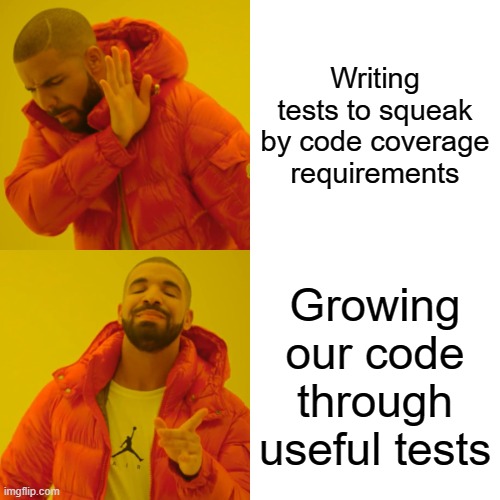
Effective Test Driven Development

I wrote a lot about Test Driven Development back in the days of the now defunct CodeBetter site. You can read a little of the old precursor content from this old MSDN Magazine article I wrote in 2008. As time permits or my ambition level waxes and wanes, I’ll be resurrecting and rewriting some of my old “Shade Tree Developer” content on team dynamics, design fundamentals, and Agile software practices from those days. This is just a preface to a new blog series on my thinking about how to effectively do TDD in your daily coding work.

The series so far:

I’m giving an internal talk at work this week about applying Test Driven Development (TDD) within one of our largest systems. Our developers today certainly build tests for new code today with a mix of unit tests and integration tests, but there’s room for improvement to help our developers do more effective unit testing with less effort and end up with more useful tests.

That being said, it’s not all that helpful to just yell at your developers and tell them they should “just” write more or better tests or say that they should “just do TDD.” So instead of yelling, let’s talk through some possible strategies and mental tools for applying TDD in real world code. But first, here’s a quick rundown of…

What we don’t want:

  • Tests that require a lot of setup code just to establish inputs. Not only does that keep developers from being productive when writing tests, it’s a clear sign that you may have harmful coupling problems within your code structure.
  • Tests that only duplicate the implementation of the code under test. This frequently happens from overusing mock objects. Tests written this way are often brittle when the actual code needs to be refactored, and can even serve to prevent developers from trying to make code improvements through refactoring. These tests are also commonly caused by attempts to “shut up the code coverage check” in CI with tests retrofitted onto existing code.
  • Tests that “blink,” meaning that they do not consistently pass or fail even if the actual functionality is correct. This is all too painfully common with integration tests that deal with asynchronous code. Selenium tests are notoriously bad for this.
  • Slow feedback cycles between writing code and knowing whether or not that code actually works
  • Developers needing to spend a lot of time in the debugger trying to trace down problems in the code.

Instead, let’s talk about…

What we do want:

  • Fast feedback cycles for development. It’s hard to overstate how important that is for developers to be productive.
  • Developers to be able to efficiently use their time while constantly switching between writing tests and the code to make those tests pass
  • The tests are fine-grained enough to allow our developers to find and remove problems in the code
  • The existing tests are useful for refactoring. Or at least not a significant cause of friction when trying to refactor code.
  • Test tests clearly express the intent of the code and act as a form of documentation.
  • The code should generally exhibit useful qualities of cohesion and coupling between various pieces of code

And more than anything, I would like developers to be able to use TDD to help them think through their code as they build it. TDD is a couple things, but the most important two things to me are as a heuristic to think through code structure and as a rapid feedback cycle. Having the tests around later to facilitate safe refactoring in the codebase is important too, especially if you’re going to be working on a codebase for years that’s likely going to outgrow its original purpose.

So what’s next?

I’ve already started working on the actual content of how to do TDD with examples mostly pulled from my open source projects. Right now, I’m thinking about writing over the next couple months about:

  • Using responsibility driven design as a way to structure code in a way that’s conducive to easier unit testing
  • Some real world examples of building open source features with TDD
  • My old “Jeremy’s Rules of TDD” which really just amount to some heuristics for improving the properties of cohesion or coupling in your code based on testability. I’m going to supplement that by stealing from Jim Shore’s excellent book on Testing without Mocks
  • A discussion of state-based vs interaction based testing and when you would choose either
  • Switching between top down code construction or bottom up coding using TDD
  • What code deserves a test, and what could you let slide without?
  • Choosing between solitary unit tests, sociable unit tests, or pulling in infrastructure to write integration tests on a case by case basis
  • Dealing with data intensive testing. Kind of a big deal working for a company whose raison d’etre is data analytics
  • Not really TDD per se, but I think I’d like to also revisit my old article about succeeding with automated testing
  • And lastly, what the hell, let’s talk about judicious usage of mock objects and other fakes because that never seems to ever stop being a real problem

I’m happy to take requests, especially from colleagues. But I absolutely will not promise prompt publishing of said requests:)

Developing Error Handling Strategies for Asynchronous Messaging

I’m furiously working on what I hope is the last sprint toward a big new Jasper 2.0 release. Part of that work has been a big overhaul of the error handling strategies with an eye toward solving the real world problems I’ve personally experienced over the years doing asynchronous messaging in enterprise applications.

Whether you’re purposely using micro-services, having to integrate with 3rd party systems, or just the team down the hall’s services, it’s almost inevitable that an enterprise system will have to communicate with something else. Or at the very least have a need to do some kind of background processing within the same logical system. For all those reasons, it’s not unlikely that you’ll have to pull in some kind of asynchronous messaging tooling into your system.

It’s also an imperfect world, and despite your best efforts your software systems will occasionally encounter exceptions at runtime. What you really need to do is to plan around potential failures in your application, especially around integration points. Fortunately, your asynchronous messaging toolkit should have a robust set of error handling capabilities baked in — and this is maybe the single most important reason to use asynchronous messaging toolkits like MassTransit, NServiceBus, or the Jasper project I’m involved with rather than trying to roll your own one off message handling code or depend strictly on web communication via web services.

In no particular order, I think you need to have at least these goals in mind:

  • Craft your exception handling in such a way that it will very seldom require manual intervention to recover work in the system.
  • Build in resiliency to transient errors like networking hiccups or database timeouts that are common when systems get overtaxed.
  • Limit your temporal coupling to external systems both within your organization or from 3rd party systems. The point here is that you want your system to be at least somewhat functional even if external dependencies are unavailable. My off the cuff recommendation is to try to isolate calls to an external dependency within a small, atomic command handler so that you have a “retry loop” directly around the interaction with that dependency.
  • Prevent inconsistent state within your greater enterprise systems. I think of this as the “no leaky pipe” rule where you try to avoid any messages getting lost along the way, but it also applies to ordering operations sometimes. To illustrate this farther, consider the canonical example of recording a matching debit and withdrawal transaction between two banking accounts. If you process one operation, you have to do the other as well to avoid system inconsistencies. Asynchronous messaging makes that just a teeny bit harder maybe by introducing eventual consistency into the mix rather than trying to depend on two phase commits between systems — but who’s kidding who here, we’re probably all trying to avoid 2PC transactions like the plague.

Quick Introduction to Jasper

I’m using the Jasper framework for all the error handling samples here. Just to explain the syntax in the code samples, Jasper is configured at bootstrapping time with the JasperOptions type as shown in this sample below:

using var host = Host.CreateDefaultBuilder()
    .UseJasper(opts =>
    {
        opts.Handlers.OnException<TimeoutException>()
        // Just retry the message again on the
        // first failure
        .RetryOnce()

        // On the 2nd failure, put the message back into the
        // incoming queue to be retried later
        .Then.Requeue()

        // On the 3rd failure, retry the message again after a configurable
        // cool-off period. This schedules the message
        .Then.ScheduleRetry(15.Seconds())

        // On the 4th failure, move the message to the dead letter queue
        .Then.MoveToErrorQueue()

        // Or instead you could just discard the message and stop
        // all processing too!
        .Then.Discard().AndPauseProcessing(5.Minutes());
    }).StartAsync();

The exception handling policies are “fall through”, meaning that you probably want to put more specific rules before more generic rules. The rules can also be configured either globally for all message types, or for specific message types. In most of the code snippets the variable opts will refer to the JasperOptions for the application.

More in the brand new docs on error handling in Jasper.

Transient or concurrency errors that hopefully go away?

Assuming that you’ve done enough testing to remove most of the purely functional errors in your system. Once you’ve reached that point, the most common kind of error in my experience with system development is transient errors like:

  • Network timeouts
  • Database connectivity errors, which could be related to network issues or connection exhaustion
  • Concurrent access errors
  • Resource locking issues

For these types of errors, I think I’d recommend some sort of exponential backoff strategy that attempts to retry the message inline, but with an increasingly longer pause in between attempts like so:

// Retry the message again, but wait for the specified time
// The message will be dead lettered if it exhausts the delay
// attempts
opts.Handlers
    .OnException<SqlException>()
    .RetryWithCooldown(50.Milliseconds(), 100.Milliseconds(), 250.Milliseconds());

What you’re doing here is retrying the message a certain number of times, but with a pause to slow down processing in the system to allow for more time for a distressed resource to stabilize before trying again. I’d also recommend this approach for certain types of concurrency exceptions where only one process at a time is allowed to work with a resource (a database row? a file? an event store stream?). This is especially helpful with optimistic concurrency strategies where you might just need to start processing over against the newly changed system state.

I’m leaving it out for the sake of brevity, but Jasper will also let you put a message back into the end of the incoming queue or even schedule the next attempt out of process for a later time.

You shall not pass! (because a subsystem is down)

A few years ago I helped design a series of connected applications in a large banking ecosystem that ultimately transferred money from incoming payments in a flat file to a commercial, off the shelf (COTS) system. The COTS system exposed a web service endpoint we could use for our necessary integrations. Fortunately, we designed the system so that inputs to this service happened in a message handler fed by a messaging queue, so we could retry just the final call to the COTS web service in case of its common transient failures.

Great! Except that what also happened was that this COTS system could very easily be put into an invalid state where it could not handle any incoming transactions. In our then naive “retry all errors up to 3 times then move into a dead letter queue” strategy, literally hundreds of transactions would get retried those three times, spam the hell out of the error logs and production monitoring systems, and all end up in the dead letter queue where a support person would have to manually move them back to the real queue later after the COTS system was fixed.

This is obviously not a good situation. For future projects, Jasper will let you pause all incoming messages from a receiving endpoint (like a message queue) if a particular type of error is encountered like this:

using var host = await Host.CreateDefaultBuilder()
    .UseJasper(opts =>
    {
        // The failing message is requeued for later processing, then
        // the specific listener is paused for 10 minutes
        opts.Handlers.OnException<SystemIsCompletelyUnusableException>()
            .Requeue().AndPauseProcessing(10.Minutes());

    }).StartAsync();

Using that capability above, if you have all incoming requests to use an external web service coming through a single queue and receiving endpoint, you will be able to pause all processing of that queue if you detect an error that implies that the external system is completely invalid, but also try to restart listening later. All without user intervention.

Jasper would also enable you to chain additional actions to take after encountering that exception to send other messages or maybe raise some kind of alert through email or text that the listening has been paused. At the very worst, you could also use some kind of log monitoring tool to raise alerts when it sees the log message from Jasper about a listening endpoint being paused.

Dealing with a distressed resource

All of the other error handling strategies I’ve discussed so far have revolved around a single message. But what if you’re seeing a high percentage of exceptions across all messages for a single endpoint, which may imply that some kind of resource like a database is overloaded?

To that end, we could use a circuit breaker approach to temporarily pause message handling when a high number of exceptions are happening across incoming messages. This might help alleviate the load on the distressed subsystem and allow it to catch up before processing additional messages. That usage in Jasper is shown below:

opts.Handlers.OnException<InvalidOperationException>()
    .Discard();

opts.ListenToRabbitQueue("incoming")
    .CircuitBreaker(cb =>
    {
        // Minimum number of messages encountered within the tracking period
        // before the circuit breaker will be evaluated
        cb.MinimumThreshold = 10;

        // The time to pause the message processing before trying to restart
        cb.PauseTime = 1.Minutes();

        // The tracking period for the evaluation. Statistics tracking
        cb.TrackingPeriod = 5.Minutes();

        // If the failure percentage is higher than this number, trip
        // the circuit and stop processing
        cb.FailurePercentageThreshold = 10;

        // Optional allow list
        cb.Include<SqlException>(e => e.Message.Contains("Failure"));
        cb.Include<SocketException>();

        // Optional ignore list
        cb.Exclude<InvalidOperationException>();
    });
}).StartAsync();

Nope, that message is bad, no soup for you!

Hey, sometimes you’re going to get an exception that implies that the incoming message is invalid and can never be processed. Maybe it applies to a domain object that no longer exists, maybe it’s a security violation. The point being the message can never be processed, so there’s no use in clogging up your system with useless retry attempts. Instead, you want that message shoved out of the way immediately. Jasper gives you two options:

using var host = await Host.CreateDefaultBuilder()
    .UseJasper(opts =>
    {
        // Bad message, get this thing out of here!
        opts.Handlers.OnException<InvalidMessageYouWillNeverBeAbleToProcessException>()
            .Discard();
        
        // Or keep it around in case someone cares about the details later
        opts.Handlers.OnException<InvalidMessageYouWillNeverBeAbleToProcessException>()
            .MoveToErrorQueue();

    }).StartAsync();

Related Topics

Now we come to the point of the post when I’m getting tired and wanting to get this finished, so it’s time to just mention some related concepts for later research.

For the sake of consistency within your distributed system, I think you almost have to be aware of the outbox pattern — and conveniently enough, Jasper has a robust implementation of that pattern. MassTransit also recently added a “real outbox.” I know that NServiceBus has an improved outbox planned, but I don’t have a link handy for that.

Again for consistency within your distributed system, I’d recommend you familiarize yourself with the concept of compensating actions, especially if you’re trying to use eventual consistency in your system and the secondary actions fail.

And lastly, I’m not the world’s foremost expert here, but you really want some kind of system monitoring that detects and alerts folks to distressed subsystems, circuit breakers tripping off, or dead letter queues growing quickly.

Putting SOLID into Perspective

This is the 3rd part of multi-part series where I’m formulating my thoughts about an ongoing initiative at MedeAnalytics. I started with a related post called On Giving Technical Guidance to Others that’s a synopsis of an impromptu lecture I gave our architecture team about all the things I wish I’d known before becoming any kind of technical leader. The first post was What Is Good Code? where I attempted to put a marker down on the inherent qualities we want in code before bothering to talk about ways to arrive at “good code.” As time permits, I’m training a rhetorical double barreled shotgun at the Onion or Clean architectures next in an attempt to see those completely banned in my shop, followed by some ranting about database abstractions.

I think many people have put the old SOLID Principles on a pedestal where the principles are actually rules. “SOLID as rules” has maybe become the goto standard for understanding or defining what is good code or architecture for a sizable segment of the software development community. I’ve frequently heard folks say that they “write SOLID code,” but even after having been exposed to these principles for almost 20 years I have no earthly idea what that really means. I even had a functional programming advocate tell me that I could use SOLID with functional programming, and I have even less of an idea about how 30 year old rules specific to class oriented programming have any relevance for FP other than maybe as a vague notion toward writing cohesive code.

Dan North recently made a tongue in cheek presentation saying that each SOLID principle was wrong and that you should just write simple code — whatever the hell that means.

As the section title says, I think we need to put the SOLID principles into a bit of perspective as neither a set of authoritative rules that can be used in isolation to judge the worthiness of your code nor something that is completely useless or wrong. Rather than throw the baby out with the bathwater, I would describe the SOLID principles as a sometimes helpful heuristic.

Heuristics are methods or strategies which often lead to a problem solution but are not guaranteed to succeed.

https://www.simplypsychology.org/what-is-a-heuristic.html

Rather than a hard and fast rule, the SOLID principles can be used as a mental tool to think through the consequences of a coding design or to detect potential problems seeping into your code. One of the realizations I’ve made over the years is that there’s a wide variance in how developers think about coding problems and the types of techniques that fit these different mental models. I find SOLID to be somewhat useful, while others find it to be a stuffy set of rules that bear no resemblance to anything they themselves think about in terms of quality code.

Let’s run through the principles and I’ll do my best to tell you what I think they mean and how applicable or useful they are:

Single Responsibility Principle (SRP) — “There should never be more than one reason for a class to change.”

It’s really a restatement of the quality of cohesion, which I certainly think is important. As many others have pointed out over the years though, this is vaguely worded, prone to a wide range of interpretation, and frequently leads to idiotic, masturbatory “how many Angels can dance on the head of a pin” arguments about how finely sliced the code should be and what a “responsibility” actually is. I think this is really a “by feel” kind of test and very highly subjective.

Another old rule of thumb is to just ask yourself if every responsibility of a piece of code directly relates to its name. Except that also starts another argument about what exactly is a responsibility. Sigh, let’s move on for now, but in a later section I will talk about Responsibility Driven Design as an actually effective way to decide on what a responsibility actually is.

Open Closed Principle (OCP) — “Software entities … should be open for extension, but closed for modification.”

I wrote an article about this way, way back in 2008 for MSDN that I think is still relevant. Just think on this for a bit, is it easier to go in to make modifications to some existing code to add new behavior or change the way it works today, or to write all new code that’s relatively decoupled from existing code and hence your new code will have fewer potential unintended side effects? I think this comes up much more in designing software frameworks than day to day feature code, but it’s still something I use as a consideration putting together code. In usage it’s just looking for ways to structure your code in order to make the addition of new features be mostly done by adding all new code files.

Consider building a web API of some sort. If you use an MVC framework like ASP.NET Core MVC that can auto-discover new Controller methods at startup time, you’re able to add new APIs without changing the code in other controller files. However, if you’re naively using a Sinatra-flavored approach, you may have to continuously break into the same routing definition file to make changes for every single new API route. The first approach is “OCP-compliant”, but the second approach could easily be considered to be simpler, and hence better in many cases.

Once again, OCP is a useful tool to think through possible designs in code, but not really any kind of inviolable rule. Moreover, I’d say that OCP more or less comes out a lot of time as “pluggability,” which is a double-edged sword that’s both helped and hindered anyone who’s been a developer for any length of time.

Liskov Substitution Principle (LSP) — “Functions that use pointers or references to base classes must be able to use objects of derived classes without knowing it.”

A casual reading of that will just lead you to a restatement of polymorphism, which is fine I guess, but doesn’t really help us necessarily write better code. Going a little deeper I’d say that what is important is that the client code for any interface or published API should not be making any assumptions about the underlying implementation and therefore less likely to break if using a new implementation of the same interface. If you want another way to think about this, maybe the leaky abstraction anti-pattern is an easier heuristic.

Interface Segregation Principle (ISP) — “Clients should not be forced to depend upon interfaces that they do not use.”

I mostly interpret this as another way to say Role Interface, which is an exhortation to make interfaces be focused to just the needs of a client and only expose a single role to that client. I do pay attention to this in the course of my work on OSS projects that are meant to be used by other developers.

You could make the case that ISP is somewhat a way to optimize the usage of Intellisense or code completion features for folks consuming your API in an IDE, and I think that’s a perfectly valid goal that improves usability.

As an example from my own work, the Jasper project has an important interface called IExecutionContext that currently contains some members meant to be exposed to Jasper message handler code. And it also currently contains some members that are strictly for the usage of Jasper internals and could cause harm or unintended consequences if used inappropriately by developers using Jasper in their own code. ISP suggests that that interface should be changed or split up based on intended roles, and in this particular case, I would independently agree with ISP and I definitely intend to address that at some point soon.

I see ISP coming up far more often when building infrastructure code, but occasionally in other code just where it’s valuable to separate the interface for mutating an object and a separate interface for consumers of data. I’ve never understood why this principle made the SOLID canon when more important heuristics did not — other than the authors really needed to say “Pat, I’d like to buy a vowel” to make the acronym work.

Dependency Inversion Principle — “Depend upon abstractions, [not] concretions.”

For some background for those of you who stumble into this and have no idea who I am, I’m the author of StructureMap, the original, production capable IoC tool in the .NET ecosystem (and its modern successor Lamar) — the one single development environment that most embraced IoC tools in all their glory and folly. By saying all of this, you would expect me to be the one person in the entire world who would go to bat for this principle.

But nope, I’m mostly indifferent to this other than I probably follow it mostly out of inertia. Sometimes it’s absolutely advantageous to build up an interface by developing the client first, then happily generate the concrete stubs for the interface with the IDE of your choice. It’s of course valuable to allow for swapping out implementations when you really do have multiple implementations of a single interface. I’d really urge folks though to avoid building unnecessary abstractions for things like domain model types or message bodies.

To sum up the principles and their usefulness:

  • SRP — Separation of concerns is important in code, but the SRP is too vaguely worded by itself to be hugely helpful
  • OCP — It’s occasionally helpful for thinking through an intended architecture or adjusting an architecture that’s proving hard to change. I don’t think it really comes up too often
  • LSP — Leaky abstractions can be harmful, so no argument from me here, but like all things, the impact is pretty variable and I wouldn’t necessarily make this a hard rule
  • ISP — Important here and there if you’re building APIs for other developers, but probably not applicable on a daily basis
  • DIP — Overblown, and probably causes a little more harm than good to folks that over apply this

All told, I think SOLID is still somewhat useful as a set of sometimes applicable heuristic, but very lacking as an all encompassing strategy for writing good code all by itself and absurd to use as a set of inviolate rules. So let’s move on to some other heuristic tools that I actually use more often myself.

But what about CUPID?!?

Since it’s the new shiny object, and admittedly one of the reasons I finally got around to writing my own post, let’s talk about Dan North’s new CUPID properties he proposed as a “joyful” replacement or successor to SOLID. To be honest, I at first blew off CUPID as yet another example of celebrity programmers who are highly entertaining, engaging, and personable but don’t really bring a lot of actual intellectual content to the discussion. That’s most likely unfair, so I made myself take CUPID a little more seriously while writing this post and read it much more carefully the second time around.

I will happily recommend reading the CUPID paper. I don’t find it to be specific enough to be actionable, but as a philosophical starting point it’s pretty solid (no pun intended). As an over worked supporter of a heavily used OSS library, I very much appreciate his emphasis on writing code within the idioms of the language, toolset, and codebase you’re in rather than trying to force code to fit your preconceived notions of how it should be. A very large proportion of the nastier problems I help OSS users with is due to stepping outside of the intended idiomatic usage of libraries, the programming language, or the application frameworks they’re using.

Other Heuristics I Personally Like

When I first joined my current company, my boss asked me to do an internal presentation about the SOLID Principles as a way to improve our internal development. I did indeed do that, but only as a larger presentation on different software design heuristics to include other models that I personally find frankly more useful than SOLID. I’d simply recommend that you give mental tools like this a try to see if it fits with the way you work, but certainly don’t restrict yourself to my arbitrary list or force yourself to try to use a mental tool that doesn’t work for you.

Responsibility Driven Design

To over simplify software design, it’s the act of taking a big, amorphous set of intended functionality and dividing that into achievable chunks of code that somehow makes sense when it’s all put together. To that end, the single most useful mental tool in my career has been Responsibility Driven Design (RDD).

I highly recommend Rebecca Wirfs-Brock’s A Brief Tour of Responsibility-Driven Design slide deck. In particular, I find her description of Object Role Stereotypes a very useful way of discovering and assigning responsibilities to code artifacts within a system.

GRASP Patterns

Similar to RDD is the GRASP patterns from Craig Larman that again can be used to help you decide how to split and distribute responsibilities within your code. At least in OOP, I especially use the Information Expert pattern as a guide to assign responsibilities in code.

Command Query Separation

I’m referring to the older coding concept rather than the later, much larger CQRS style of architecture. I’m going to be lazy again and just refer to Fowler’s explanation. I would say that I’d pay attention to this as a way of making sure your code is more predictable and falls inline with my concern about being careful about when and where you mutate state within your codebase.

Don’t Repeat Yourself (DRY) or Once and Only Once

From the Pragmatic Programmer (still on my bookshelf after 20 years of moves):

Every piece of knowledge must have a single, unambiguous, authoritative representation within a system

https://en.wikipedia.org/wiki/Don%27t_repeat_yourself

It’s an imperfect world folks. Duplication in code can easily be problematic when business rules or technologies need to change. Or when you’ve copy/pasted or implemented the same bug all over the code.

Unfortunately, people have used DRY as the motivation behind doing horrendously harmful things with abstractions, frameworks, and generics (and frequently come to discussion boards wanting my help making their custom framework work with my OSS tools). Somewhat because of that, there’s a nasty backlash against DRY. I’d again urge folks to not throw the DRY baby out with the bathwater. I would urge you to try to be mindful about duplication from your code, but back off of that if the effort to remove duplication when that adds complexity that feels like it’s more harmful than helpful.

“A-Frame Architecture”

I’ll happily recommend Jim Shore’s Testing Without Mocks: A Pattern Language paper, but I’d like to specifically draw your attention to what he terms the “A-Frame Architecture” as a way to decouple business logic from infrastructure, maximize testability, but also avoid going into unnecessarily complex abstractions.

Code Smells

Take the time to read through the chapter on Code Smells in the Refactoring book some time. Code smells are an easy mental tool to notice possible problems in your code. It doesn’t necessarily mean that your code is bad, but rather just something that might require more of your attention.

More content on Wikipedia.

Anti-Patterns

Similar to code smells, anti-patterns are previously identified ideas, habits, or practices that are known to lead to bad outcomes. I’d spend more time on this, but it’s showing my age because the AntiPatterns website was very clearly written with FrontPage ’97/’98!

Tell, Don’t Ask

I’m running out of steam, so I’m going to refer you to Martin Fowler’s TellDontAsk. This is a shorthand test that will help you improve encapsulation and coupling between elements of code. It’s a complement to “Information Expert” from the GRASP patterns or “feature envy” from code smells. As usual, there’s a lot of ways to try to express the same idea in coding, and just use whatever metaphor or heuristic works best for you.

Next time on “Jeremy expands on his Twitter rants…”

It’s finally time to explain why I think prescriptive architectural styles like Clean or Onion are problematic and why I’m trying to pull rank at work to ban these styles in new development.

What Is Good Code?

This is the second part of a 3 or 4 part series where I’m formulating my thoughts about an ongoing initiative at MedeAnalytics. I started yesterday with a related post called On Giving Technical Guidance to Others that’s a synopsis of an impromptu lecture I game our architecture team about all the things I wish I’d known before becoming any kind of technical leader. I’ll follow this post up hopefully as soon as tomorrow with my reasoning about why prescriptive architectures are harmful and my own spin on the SOLID Principles.

I’m part of an architectural team that’s been charged with modernizing and improving our very large, existing systems. We have an initiative just getting off the ground to break off part of one of our monoliths into a separate system to begin a strangler application strategy to modernize the system over time. This gives us a chance to work out how we want our systems to be structured and built going forward in a smaller subset of work instead of trying to boil the ocean to update the entire monolith codebase at one time.

As part of that effort, I’m trying to put some stakes in the ground to:

  • Ban all usage of formal, prescriptive architectural styles like the Onion Architecture or Clean Architecture because I find that they do more harm than good. Rather, I’m pushing hard for vertical slice or feature folder code organization while still satisfying the need for separation of concerns and decent structuring of the code
  • Generally choose lower code ceremony approaches whenever possible because that promotes easier evolution of the code, and in the end, the only truly guaranteed path to good code is adaptation and evolution in the face of feedback about the code.
  • Be very cautious about how we abstract database access to avoid causing unnecessary complexity or poor performance, which means I probably want to ban any usage of naive IRepository<T> type abstractions
  • Put the SOLID Principles into a little bit of perspective as we do this work and make sure our developers and architects have a wider range of mental tools in their design toolbox than just an easy to remember but hard to interpret or apply acronym developed by C++ developers before many of our developers were even born

The rest of this post is just trying to support those opinions.

First, What is Good?

More on this in a later post as I give my take on SOLID, but Dan North made an attempt at describing “good code” that’s worth your read.

Let’s talk a little bit about the qualities you want in your code. Quite a few folks are going to say that the most important quality is that the code satisfies the business needs and delivers value to the business! If you’ll please get that bit of self righteousness out of your system, let’s move on to the kind of technical quality that’s necessary to continue to efficiently deliver business value over time.

  • You can understand what the code is doing, navigate within the codebase, and generally find code where you would expect it to be based on the evident and documented rules of the system architecture.
  • The code exhibits separation of concerns, meaning that you’re generally able to reason about and change one responsibility of the code at a time (data access, business logic, validation logic, data presentation, etc.). Cohesion and coupling are the alpha and omega of software design. I’m a very strong believer in evolutionary approaches to designing software as the only truly reliable method to arrive at good code, but that’s largely dependent upon the qualities of cohesion and coupling within your code.
  • Rapid feedback is vital to effective coding, so testability of the code is a major factor for me. This can mean that code is structured in a way that it’s easy to unit test in isolation (i.e., you can effectively test business rules without having to run the full stack application or in one hurtful extreme, be forced to use a tool like Selenium). This version of testability is very largely a restatement of cohesion and coupling. Alternatively, if the code depends on some kind of infrastructure that’s easy to deal with in integration testing (like Marten!) and the integration tests run “fast enough,” I say you can relax separation of concerns and jumble things together as long as the code is still easy to reason about.
  • I don’t know a pithy way to describe this, but the code needs to carefully expose the places where system state is changed or “mutated” to make the code’s behavior predictable and prevent bugs. Whether that’s adopting command query segregation, using elements of functional programming, or the uni-directional data flow in place of two way data binding in user interface development, system state changes are an awfully easy way to introduce bugs in code and should be dealt with consciously and with some care.

I think most of us would say that code should be “simple,” and I’d add that I personally want code to be written in a low ceremony way that reduces noise in the code. The problem with that whole statement is that it’s very subjective:

Which is just to say that saying the words “just write simple code!” isn’t necessarily all that helpful or descriptive. What’s helpful is to have some mental tools to help developers judge whether or not their code is “good” and move in the direction of more successful code. Bet yet, do that without introducing unnecessary complexity or code ceremony through well-intentioned prescriptive architectures like “Onion” or “Clean” that purposely try to force developers to write code “the right way.”

And next time on Jeremy tries to explain his twitter ranting…

This has inevitably taken longer than I wished to write, so I’m breaking things up. I will follow up tomorrow and Thursday with my analysis of SOLID, an explanation of why I think the Onion/Clean Architecture style of code organization is best avoided, and eventually some thoughts on database abstractions.

On Giving Technical Guidance to Others

I’m still working on my promised SOLID/Anti-Onion/Anti-Clean/Database Abstraction post, but it’s as usual taking longer than I’d like and I’m publishing this section separately.

So far I’ve followed up with:

Just as a quirk of circumstances, I pretty well went straight from being a self-taught “Shadow IT” developer to being a lead developer and de facto architect on a mission critical supply chain application for a then Fortune 500 company. The system was an undeniable success in the short term, but it came at a cost to me because as a first time lead I had zero ability to enable the other developers working with me to be productive. As such, I ended up writing the mass majority of the code and inevitably became the bottleneck on all subsequent production issues. That doesn’t scale.

The following year I had another chance to lead a follow up project and vowed to do a better job with the other developers (plus I was getting a lot of heat from various management types to do so). In a particular case that I remember to this day, I wrote up a detailed Word document for a coding assignment for another developer. I got all the way down to class and method names and even had some loose sample code I think. I handed that off, patted myself on the back for being a better lead, and went off on my merry way.

As you might have surmised, when I got his code back later it was unusable because he did exactly what I said to do — which turned out to be wrong based on factors I hadn’t anticipated. Worse, he only did exactly what I said to do and missed some concerns that I didn’t think needed to be explicitly called out. I’ve thought a lot about this over the years and come to some conclusions about how I should have tried to work differently with that developer. Before diving into that, let’s first talk about you for awhile!

Congratulations! You’ve made it to some kind of senior technical role in your company. You’ve attained enough skill and knowledge to be recognized for your individual contributions, and now your company is putting you in a position to positively influence other developers, determine technical strategies, and serve as a steward for your company’s systems.

Hopefully you’ll still be hands on in the coding and testing, but increasingly, your role is going to involve trying to create and evolve technical guidance for other developers within your systems. More and more, your success is going to be dependent on your ability to explain ideas, concepts, and approaches to other developers. Not that I’m the fount of all wisdom about this, but here’s some of the things I wish I’d understood before being put into technical leadership roles:

  • It’s crucial to provide the context, reasoning, and applicability behind any technical guidance. Explaining why or when are we doing this is just as important as the “what” or “how.”
  • Being too specific in the guidance or instructions to another developer can easily come with the unintended consequence of turning off their brains and will frequently lead to poor results. Expanding on my first point, it’s better to explain the goals, how their work fits into the larger system, and the qualities of the code you’re hoping to achieve rather than try to make them automatons just following directions. It’s quite possible that JIRA-driven development exacerbates this potential problem.
  • You need to provide some kind of off-ramp to developers to understand the limitations of the guidance. The last thing you want is for developers to blindly follow guidance that is inappropriate for a circumstance that wasn’t anticipated during the formulation of said guidance
  • Recommendations about technology usage probably needs to come as some kind of decision tree with multiple options to its applicability because there’s just about never a one size fits all tool
  • By all means, allow and encourage the actual developers to actively look for better approaches because they’re the ones closest to their code. Especially with talented younger developers, you never want to take away their sense of initiative or close them off from providing feedback, adjustments, or flat out innovation to the “official” guidance. At the very least, you as a senior technical person need to pay attention when a developer tells you that the current approach is confusing or laborious or feels too complicated.
  • Treat every possible recommendation or technical guidance as a theory that hasn’t yet been perfectly proven.

I’ve talked a lot about giving technical guidance, but you should never think that you or any other individual are responsible for doing all the thinking within a software ecosystem. What you might be responsible for is facilitating the sharing of learning and knowledge through the company. I was lucky enough early in my career to spend just a little bit of time working with Martin Fowler who effectively acts as a sort of industry wide, super bumble bee gathering useful knowledge from lots of different projects and cross-pollinating what he’s learned to other teams and other projects. Maybe you don’t impact the entire software development industry like he has, but you can at least facilitate that within your own team or maybe within your larger organization.

As an aside, a very helpful technique to use when trying to explain something in code to another developer is to ask them to explain it back to you in their own words — or conversely, I try to do this when I’m the one getting the explanation to make sure I’ve really understood what I’m being told. My wife is an educator and tells me this is a common technique for teachers as well.

Next time…

In my next post I’m going to cover a lot of ground about why I think prescriptive architectural styles like the “Onion” or “Clean” are harmful, alternatives, a discussion about what use is SOLID these days (more than none, but much less than the focus many people put on it is really worth), and a discussion about database abstractions I find to be harmful that tend to be side effects of prescriptive architectures.

Projecting Marten Events to a Flat Table

Marten 5.8 dropped over the weekend with mostly bug fixes, but one potentially useful new feature for projecting event data to plain old SQL tables. One of the strengths of Marten that we’ve touted from the beginning was the ability to mix document database features with event sourcing and old fashioned relational tables all with one database in a single application as your needs dictate.

Let’s dive right into a sample usage of this. If you’re a software developer long enough and move around just a little bit, you’re going to get sucked into building a workflow for importing flat files of dubious quality from external partners or customers. I’m going to claim that event sourcing is a good fit for this problem domain for event sourcing (and also suggesting this pretty strongly at work). That being said, here’s what the event types might look like that are recording the progress of a file import:

public record ImportStarted(
    DateTimeOffset Started,
    string ActivityType,
    string CustomerId,
    int PlannedSteps);

public record ImportProgress(
    string StepName,
    int Records,
    int Invalids);

public record ImportFinished(DateTimeOffset Finished);

public record ImportFailed;

At some point, we’re going to want to apply some metrics to the execution history to understand the average size of the incoming files, what times of the day have more or less traffic, and performance information broken down by file size, file type, and who knows what. This sounds to me like a perfect use case for SQL queries against a flat table.

Enter Marten 5.8’s new functionality. First off, let’s do this simply by writing some explicit SQL in a new projection that we can replay against the existing events when we’re ready. I’m going to use Marten’s EventProjection as a base class in this case:

public class ImportSqlProjection: EventProjection
{
    public ImportSqlProjection()
    {
        // Define the table structure here so that 
        // Marten can manage this for us in its schema
        // management
        var table = new Table("import_history");
        table.AddColumn<Guid>("id").AsPrimaryKey();
        table.AddColumn<string>("activity_type").NotNull();
        table.AddColumn<DateTimeOffset>("started").NotNull();
        table.AddColumn<DateTimeOffset>("finished");

        SchemaObjects.Add(table);

        // Telling Marten to delete the table data as the 
        // first step in rebuilding this projection
        Options.DeleteDataInTableOnTeardown(table.Identifier);
    }

    public void Project(IEvent<ImportStarted> e, IDocumentOperations ops)
    {
        ops.QueueSqlCommand("insert into import_history (id, activity_type, started) values (?, ?, ?)",
            e.StreamId, e.Data.ActivityType, e.Data.Started
        );
    }

    public void Project(IEvent<ImportFinished> e, IDocumentOperations ops)
    {
        ops.QueueSqlCommand("update import_history set finished = ? where id = ?",
            e.Data.Finished, e.StreamId
        );
    }

    public void Project(IEvent<ImportFailed> e, IDocumentOperations ops)
    {
        ops.QueueSqlCommand("delete from import_history where id = ?", e.StreamId);
    }
}

A couple notes about the code above:

  • We’ve invested a huge amount of time in Marten and the related Weasel library building in robust schema management. The Table model I’m using up above comes from Weasel, and this allows a Marten application using this projection to manage the table creation in the underlying database for us. This new table would be part of all Marten’s built in schema management functionality.
  • The QueueSqlCommand() functionality came in a couple minor releases ago, and gives you the ability to add raw SQL commands to be executed as part of a Marten unit of work transaction. It’s important to note that the QueueSqlCommand() method doesn’t execute inline, rather it adds the SQL you enqueue to be executed in a batch query when you eventually call the holding IDocumentSession.SaveChangesAsync(). I can’t stress this enough, it has consistently been a big performance gain in Marten to batch up queries to the database server and reduce the number of network round trips.
  • The Project() methods are a naming convention with Marten’s EventProjection. The first argument is always assumed to be the event type. In this case though, it’s legal to use Marten’s IEvent<T> envelope type to allow you access to event metadata like timestamps, version information, and the containing stream identity.

Now, let’s use Marten’s brand new FlatTableProjection recipe to do a little more advanced version of the earlier projection:

public class FlatImportProjection: FlatTableProjection
{
    // I'm telling Marten to use the same database schema as the events from
    // the Marten configuration in this application
    public FlatImportProjection() : base("import_history", SchemaNameSource.EventSchema)
    {
        // We need to explicitly add a primary key
        Table.AddColumn<Guid>("id").AsPrimaryKey();

        TeardownDataOnRebuild = true;

        Project<ImportStarted>(map =>
        {
            // Set values in the table from the event
            map.Map(x => x.ActivityType).NotNull();
            map.Map(x => x.CustomerId);
            map.Map(x => x.PlannedSteps, "total_steps")
                .DefaultValue(0);
            
            map.Map(x => x.Started);

            // Initial values
            map.SetValue("status", "started");
            map.SetValue("step_number", 0);
            map.SetValue("records", 0);
        });

        Project<ImportProgress>(map =>
        {
            // Add 1 to this column when this event is encountered
            map.Increment("step_number");

            // Update a running sum of records progressed
            // by the number of records on this event
            map.Increment(x => x.Records);

            map.SetValue("status", "working");
        });

        Project<ImportFinished>(map =>
        {
            map.Map(x => x.Finished);
            map.SetValue("status", "completed");
        });

        // Just gonna delete the record of any failures
        Delete<ImportFailed>();

    }
}

A couple notes on this version of the code:

  • FlatFileProjection is adding columns to its table based on the designated column mappings. You can happily customize the FlatFileProjection.Table object to add indexes, constraints, or defaults.
  • Marten is able to apply schema migrations and manage the table from the FlatFileProjection as long as it’s registered with Marten
  • When you call Map(x => x.ActivityType), Marten is by default mapping that to a kebab-cased derivation of the member name for the column, so “activity_type”. You can explicitly map the column name yourself.
  • The call to Map(expression) chains a fluent builder for the table column if you want to further customize the table column with default values or constraints like the NotNull()
  • In this case, I’m building a database row per event stream. The FlatTableProjection can also map to arbitrary members of each event type
  • The Project<T>(lambda) configuration leads to a runtime, code generation of a Postgresql upsert command so as to not be completely dependent upon events being captured in the exact right order. I think this will be more robust in real life usage than the first, more explicit version.

The FlatTableProjection in its first incarnation is not yet able to use event metadata because I got impatient to finish up 5.8 and punted on that for now. I think it’s safe to say this feature will evolve when it hits some real world usage.

Command Line Support for Marten Projections

Marten 5.7 was published earlier this week with mostly bug fixes. The one, big new piece of functionality was an improved version of the command line support for event store projections. Specifically, Marten added support for multi-tenancy through multiple databases and the ability to use separate document stores in one application as part of our V5 release earlier this year, but the projections command didn’t really catch up and support that — but now it can with Marten v5.7.0.

From a sample project in Marten we use to test this functionality, here’s part of the Marten setup that has a mix of asynchronous and inline projections, as well as uses the database per tenant strategy:

services.AddMarten(opts =>
{
    opts.AutoCreateSchemaObjects = AutoCreate.All;
    opts.DatabaseSchemaName = "cli";

    // Note this app uses multiple databases for multi-tenancy
 opts.MultiTenantedWithSingleServer(ConnectionSource.ConnectionString)
        .WithTenants("tenant1", "tenant2", "tenant3");

    // Register all event store projections ahead of time
    opts.Projections
        .Add(new TripAggregationWithCustomName(), ProjectionLifecycle.Async);
    
    opts.Projections
        .Add(new DayProjection(), ProjectionLifecycle.Async);
    
    opts.Projections
        .Add(new DistanceProjection(), ProjectionLifecycle.Async);

    opts.Projections
        .Add(new SimpleAggregate(), ProjectionLifecycle.Inline);

    // This is actually important to register "live" aggregations too for the code generation
    opts.Projections.SelfAggregate<SelfAggregatingTrip>(ProjectionLifecycle.Live);
}).AddAsyncDaemon(DaemonMode.Solo);

At this point, let’s introduce the Marten.CommandLine Nuget dependency to the system just to add Marten related command line options directly to our application for typical database management utilities. Marten.CommandLine brings with it a dependency on Oakton that we’ll actually use as the command line parser for our built in tooling. Using the now “old-fashioned” pre-.NET 6 manner of running a console application, I add Oakton to the system like this:

public static Task<int> Main(string[] args)
{
    // Use Oakton for running the command line
    return CreateHostBuilder(args).RunOaktonCommands(args);
}

When you use the dotnet command line options, just keep in mind that the “–” separator you’re seeing me here is used to separate options directly to the dotnet executable itself on the left from arguments being passed to the application itself on the right of the “–” separator.

Now, turning to the command line at the root of our project, I’m going to type out this command to see the Oakton options for our application:

dotnet run -- help

Which gives us this output:

If you’re wondering, the commands db-apply and marten-apply are synonyms that’s there as to not break older users when we introduced the now, more generic “db” commands.

And next I’m going to see the usage for the projections command with dotnet run -- help projections, which gives me this output:

For the simplest usage, I’m just going to list off the known projections for the entire system with dotnet run -- projections --list:

Which will show us the four registered projections in the main IDocumentStore, and tells us that there are no registered projections in the separate IOtherStore.

Now, I’m just going to continuously run the asynchronous projections for the entire application — while another process is constantly pumping random events into the system so there’s always new work to be doing — with dotnet run -- projections, which will spit out this continuously updating table (with an assist from Spectre.Console):

What I hope you can tell here is that every asynchronous projection is actively running for each separate tenant database. The blue “High Water Mark” is telling us where the current event store for each database is at.

And finally, for the main reason why I tackled the projections command line overhaul last week, folks needed a way to rebuild projections for every database when using a database per tenant strategy.

While the new projections command will happily let you rebuild any combination of database, store, and projection name by flags or even an interactive mode, we can quickly trigger a full rebuild of all the asynchronous projections with dotnet run -- projections --rebuild, which is going to loop through every store and database like so:

For the moment, the rebuild works on all the projections for a single database at a time. I’m sure we’ll attempt some optimizations of the rebuilding process and try to understand how much we can really parallelize more, but for right now, our users have an out of the box way to rebuild projections across separate databases or separate stores.

This *might* be a YouTube video soon just to kick off my new channel for Marten/Jasper/Oakton/Alba/Lamar content.

Low Code Ceremony Sagas with Jasper & Marten

You’ll need at least Jasper v2.0.0-alpha-4 if you want to recreate the saga support in this post. All the sample code for this post is in an executable sample on GitHub. Jasper does support sagas with EF Core and Sql Server or Postgresql, but Marten is where most of the effort is going just at the moment.

The Saga pattern is a way to solve the issue of logical, long-running transactions that necessarily need to span over multiple operations. In the approaches I’ve encountered throughout my career, this has generally meant persisting a “saga state” of some sort in a database that is used within a message handling framework to “know” what steps have been completed, and what’s outstanding.

Jumping right into an example, consider a very simple order management service that will have steps to:

  1. Create a new order
  2. Complete the order
  3. Or alternatively, delete new orders if they have not been completed within 1 minute

For the moment, I’m going to ignore the underlying persistence and just focus on the Jasper message handlers to implement the order saga workflow with this simplistic saga code:

using Baseline.Dates;
using Jasper;

namespace OrderSagaSample;

public record StartOrder(string Id);

public record CompleteOrder(string Id);

public record OrderTimeout(string Id) : TimeoutMessage(1.Minutes());

public class Order : Saga
{
    public string? Id { get; set; }

    // By returning the OrderTimeout, we're triggering a "timeout"
    // condition that will process the OrderTimeout message at least
    // one minute after an order is started
    public OrderTimeout Start(StartOrder order, ILogger<Order> logger)
    {
        Id = order.Id; // defining the Saga Id.

        logger.LogInformation("Got a new order with id {Id}", order.Id);
        // creating a timeout message for the saga
        return new OrderTimeout(order.Id);
    }

    public void Handle(CompleteOrder complete, ILogger<Order> logger)
    {
        logger.LogInformation("Completing order {Id}", complete.Id);

        // That's it, we're done. This directs Jasper to delete the
        // persisted saga state after the message is done.
        MarkCompleted();
    }

    public void Handle(OrderTimeout timeout, ILogger<Order> logger)
    {
        logger.LogInformation("Applying timeout to order {Id}", timeout.Id);

        // That's it, we're done. Delete the saga state after the message is done.
        MarkCompleted();
    }
}

I’m just aiming for a quick sample rather than exhaustive documentation here, but a few notes:

  • Jasper leans a bit on type and naming conventions to discover message handlers and to “know” how to call these message handlers. Some folks will definitely not like the magic, but this approach leads to substantially less code and arguably complexity compared to existing .Net tools
  • Jasper supports the idea of scheduled messages, and the new TimeoutMessage base class up there is just a way to utilize that support for “saga timeout” conditions
  • Jasper generally tries to adapt to your application code rather than force a lot of mandatory framework artifacts into your message handler code

Now let’s move over to the service bootstrapping and add Marten in as our persistence mechanism in the Program file:

using Jasper;
using Jasper.Persistence.Marten;
using Marten;
using Oakton;
using Oakton.Resources;
using OrderSagaSample;

var builder = WebApplication.CreateBuilder(args);

// Not 100% necessary, but enables some extra command line diagnostics
builder.Host.ApplyOaktonExtensions();

// Adding Marten
builder.Services.AddMarten(opts =>
    {
        var connectionString = builder.Configuration.GetConnectionString("Marten");
        opts.Connection(connectionString);
        opts.DatabaseSchemaName = "orders";
    })

    // Adding the Jasper integration for Marten.
    .IntegrateWithJasper();


builder.Services.AddEndpointsApiExplorer();
builder.Services.AddSwaggerGen();

// Do all necessary database setup on startup
builder.Services.AddResourceSetupOnStartup();

// The defaults are good enough here
builder.Host.UseJasper();

var app = builder.Build();

// Just delegating to Jasper's local command bus for all
app.MapPost("/start", (StartOrder start, ICommandBus bus) => bus.InvokeAsync(start));
app.MapPost("/complete", (CompleteOrder start, ICommandBus bus) => bus.InvokeAsync(start));
app.MapGet("/all", (IQuerySession session) => session.Query<Order>().ToListAsync());
app.MapGet("/", (HttpResponse response) =>
{
    response.Headers.Add("Location", "/swagger");
    response.StatusCode = 301;
});

app.UseSwagger();
app.UseSwaggerUI();

return await app.RunOaktonCommands(args);

Off screen, I’ve started up a docker container for Postgresql to get a blank database. With that running, I’ll start the application up with the usual dotnet run command and open up the Swagger page:

You’ll get a lot of SQL in your terminal on the first run as Marten sets up the database for you, that’s perfectly normal.

I’m going to first create a new order for “Shoes” and execute the /create endpoint:

And verify that it’s persisted by checking the /all endpoint:

If I’m quick enough, I’ll post {"Id": "Shoes"} to /complete, and then verify through the /all endpoint that the “Shoes” order has been completed.

Otherwise, if I’m too slow to complete the order, the timeout message will be applied to our order and you’ll see evidence of that in the logging output like so:

And that’s it, one working saga implementation with database backed persistence through Marten. The goal of Jasper is to make this kind of server side development as low ceremony and easy to use as possible, so any feedback about what you do or don’t like in this sample would be very helpful.

Related Posts

I’ve spit out quite a bit of blogging content the past several weeks on both Marten and Jasper:

A Vision for Stateful Resources at Development or Deployment Time

As is not atypical, I found a couple little issues with both Oakton and Jasper in the course of writing this post. To that end, if you want to use the functionality shown here yourself, just make sure you’re on at least Oakton 4.6.1 and Jasper 2.0-alpha-3.

I’ve spit out quite a bit of blogging content the past several weeks on both Marten and Jasper:

I’ve been showing some new integration between Jasper, Marten, and Rabbit MQ. This time out, I want to show the new “stateful resource” model in a third tool named Oakton to remove development and deployment time friction when using these tools on a software project. Oakton itself is a command line processing tool, that more importantly, can be used to quickly add command line utilities directly to your .Net executable.

Drawing from a sample project in the Jasper codebase, here’s the configuration for an issue tracking application that uses Jasper, Marten, and RabbitMQ with Jasper’s inbox/outbox integration using Postgresql:

using IntegrationTests;
using Jasper;
using Jasper.Persistence.Marten;
using Jasper.RabbitMQ;
using Marten;
using MartenAndRabbitIssueService;
using MartenAndRabbitMessages;
using Oakton;
using Oakton.Resources;

var builder = WebApplication.CreateBuilder(args);

builder.Host.ApplyOaktonExtensions();

builder.Host.UseJasper(opts =>
{
    // I'm setting this up to publish to the same process
    // just to see things work
    opts.PublishAllMessages()
        .ToRabbitExchange("issue_events", exchange => exchange.BindQueue("issue_events"))
        .UseDurableOutbox();

    opts.ListenToRabbitQueue("issue_events").UseInbox();

    opts.UseRabbitMq(factory =>
    {
        // Just connecting with defaults, but showing
        // how you *could* customize the connection to Rabbit MQ
        factory.HostName = "localhost";
        factory.Port = 5672;
    });
});

// This is actually important, this directs
// the app to build out all declared Postgresql and
// Rabbit MQ objects on start up if they do not already
// exist
builder.Services.AddResourceSetupOnStartup();

// Just pumping out a bunch of messages so we can see
// statistics
builder.Services.AddHostedService<Worker>();

builder.Services.AddMarten(opts =>
{
    // I think you would most likely pull the connection string from
    // configuration like this:
    // var martenConnectionString = builder.Configuration.GetConnectionString("marten");
    // opts.Connection(martenConnectionString);

    opts.Connection(Servers.PostgresConnectionString);
    opts.DatabaseSchemaName = "issues";

    // Just letting Marten know there's a document type
    // so we can see the tables and functions created on startup
    opts.RegisterDocumentType<Issue>();

    // I'm putting the inbox/outbox tables into a separate "issue_service" schema
}).IntegrateWithJasper("issue_service");

var app = builder.Build();

app.MapGet("/", () => "Hello World!");

// Actually important to return the exit code here!
return await app.RunOaktonCommands(args);

Just to describe what’s going on up above, the .NET code above is going to depend on:

  1. A Postgresql database with the necessary tables and functions that Marten needs to be able to persist issue data
  2. Additional tables in the Postgresql database for persisting the outgoing and incoming messages in the inbox/outbox usage
  3. A Rabbit MQ broker with the necessary exchanges, queues, and bindings for the issue application as it’s configured

In a perfect world, scratch that, in an acceptable world, a developer should be able to start from a fresh clone of this issue tracking codebase and be able to run the system and/or any integration tests locally almost immediately with very minimal friction along the way.

At this point, I’m a big fan of trying to run development infrastructure in Docker where it’s easy to spin things up on demand, and just as quickly shut it all down when you no longer need it. To that end, let’s just say we’ve got a docker-compose.yml file for both Postgresql and Rabbit MQ. Having that, I’ll type docker compose up -d from the command line to spin up both infrastructure elements.

Cool, but now I need to have the database schemas built out with Marten tables and the Jasper inbox/outbox tables plus the Rabbit MQ queues for the application. This is where Oakton and its new “stateful resource” model comes into play. Jasper’s Rabbit MQ plugin and the inbox/outbox storage both expose Oakton’s IStatefulResource interface for easy setup. Likewise, Marten has support for this model as well (in this case it’s just a very slim wrapper around Marten’s longstanding database schema management functionality).

If you’re not familiar with this, the double dash “–” argument in dotnet run helps .NET to know which arguments (“run”) apply to the dotnet executable and the arguments to the right of the “–” that are passed into the application itself.

Opening up the command line terminal of your preference to the root of the project, I type dotnet run -- help to see what options are available in our Jasper application through the usage of Oakton:

There’s a couple commands up there that will help us out with the database management, but I want to focus on the resources command. To that end, I’m going to type dotnet run -- resources list just to see what resources our issue tracker application has:

Just through the configuration up above, the various Jasper elements have registered “stateful resource” adapters to for Oakton for the underlying Marten database, the inbox/outbox data (Envelope Storage above), and Rabbit MQ.

In the next case, I’m going to use dotnet run -- resources check to see if all our infrastructure is configured the way our application needs — and I’m going to do this without first starting the database or the message broker, so this should fail spectacularly!

Here’s the summary output:

If you were to scroll up a bit, you’d see a lot of exceptions thrown describing what’s wrong (helpfully color coded by Spectre.Console) including this one explaining that an expected Rabbit MQ queue is missing:

So that’s not good. No worries though, I’ll start up the docker containers, then go back to the command line and type:

dotnet run -- resources setup

And here’s some of the output:

Forget the command line…

If you’ll notice the single line of code `builder.Services.AddResourceSetupOnStartup();` in the bootstrapping code above, that’s adding a hosted service to our application from Oakton that will verify and apply all configured set up to the known Marten database, the inbox/outbox storage, and the required Rabbit MQ objects. No command line chicanery necessary. I’m hopeful that this will enable developers to be more productive by dealing with this kind of environmental setup directly inside the application itself rather than recreating the definition of what’s necessary in external scripts.

This was a fair amount of work, so I’d be very welcome to any kind of feedback here.