Proposal for Alba v5: JWT secured APIs, more JSON options, and other stuff

Just typed up a master GitHub issue for Alba v5, and I’ll take any possible feedback anywhere, but I’d prefer you make requests on GitHub. Here’s the GitHub issue I just banged out copied and pasted for anybody interested:

I’m dipping into Alba over the next couple work days to add some improvements that we want at MedeAnalytics to test HTTP APIs that are going to be secured with JWT Bearer Token authentication that’s ultimately backed up by IdentityServer5. I’ve done some proof of concepts off to the side on how to deal with that in Alba tests with or without the actual identity server up and running, so I know it’s possible.

However, when I started looking into how to build a more formal “JWT Token” add on to Alba and catching up with GitHub issues on Alba, it’s led me to the conclusion that it’s time for a little overhaul of Alba as part of the JWT work that’s turning into a proposed Alba v5 release.

Here’s what I’m thinking:

  • Ditch all support < .Net 5.0 just because that makes things easier on me maintaining Alba. Selfishness FTW.
  • New Alba extension model, more on this below
  • Revamp the Alba bootstrapping so that it’s just an extension method hanging off the end of IHostBuilder that will create a new ITestingHost interface for the existing SystemUnderTest class. More on this below.
  • Decouple Alba’s JSON facilities from Newtonsoft.Json. A couple folks have asked if you can use System.Text.Json with Alba so far, so this time around we’ll try to dig into the application itself and find the JSON formatter from the system and make all the JSON serialization “just” use that instead of recreating anything
  • Enable easy testing of GPRC endpoints like we do for classic JSON services

DevOps changes

  • Replace the Rake build script with Bullseye
  • Move the documentation website from stdocs to VitePress with a similar set up as the new Marten website
  • Retire the existing AppVeyor CI (that works just fine), and move to GitHub actions for CI, but add a new action for publishing Nugets

Bootstrapping Changes

Today you use code like this to bootstrap Alba against your ASP.Net Core application:

var system = new SystemUnderTest(WebApi.Program.CreateHostBuilder(new string[0]));

where Alba’s SystemUnderTest intercepts an IHostBuilder, adds some additional configuration, swaps out Kestrel for the ASP.Net Core TestServer, and starts the underlying IHost.

In Alba v5, I’d like to change this a little bit to being an extension method hanging off of IHostBuilder so you’d have something more like this:

var host = WebApi.Program.CreateHostBuilder(new string[0]).StartAlbaHost();

// or

var host = await WebApi.Program.CreateHostBuilder(new string[0]).StartAlbaHostAsync();

The host above would be this new interface (still the old SystemUnderTest under the covers):

public interface IAlbaHost : IHost
{
    Task<ScenarioResult> Scenario(Action<Scenario> configure);

    // various methods to register actions to run before or after any scenario is executed
}

Extension Model

Right now the only extension I have in mind is one for JWT tokens, but it probably goes into a separate Nuget, so here you go.

public interface ITestingHostExtension : IDisposable, IAsyncDisposable
{
    // Make any necessary registrations to the actual application
    IHostBuilder Configure(IHostBuilder builder);

    // Spin it up if necessary before any scenarios are run, also gives
    // an extension a chance to add any BeforeEach() / AfterEach() kind
    // of hooks to the Scenario or HttpContext
    ValueTask Start(ITestingHost host);
   
}

My thought is that ITestingHostExtension objects would be passed into the StartAlbaHost(params ITestingHostExtension[] extensions) method from above.

JWT Bearer Token Extension

This will probably need to be in a separate Alba.JwtTokens Nuget library.

  • Extension method on Scenario to add a bearer token to the Authorization header. Small potatoes.
  • Helper of some sort to fetch JWT tokens from an external identity server and use that token on further scenario runs. I’ve got this prototyped already
  • a new Alba extension that acts as a stubbed identity server. More below:

For the stubbed in identity server, what I’m thinking is that a registered IdentityServerStub extension would:

  • Spin up a small fake OIDC web application hosted in memory w/ Kestrel that responds to the basic endpoints to validate JWT tokens.
  • With this extension, Alba will quietly stick a JWT token into the Authorization header of each request so you can test API endpoints that are secured by bearer tokens
  • Reaches into the system under test’s IHostBuilder and sets the authority url to the local Url of the stubbed OIDC server (I’ve already successfully prototyped this one)
  • Also reaches into the system under test to find the JwtBearerOptions as configured and uses the signing keys that are already configured for the application for the JWT generation. That should make the setup of this quite a bit simpler
  • The new JWT stub extension can be configured with baseline claims that would be part of any generated JWT
  • A new extension method on Scenario to add or override claims in the JWT tokens on a per-scenario basis to support fine-grained authorization testing in your API tests
  • An extension method on Scenario to disable the JWT header altogether so you can test out authentication failures
  • Probably need a facility of some sort to override the JWT expiration time as well

Testing effectively — with or without mocks or stubs

My team at MedeAnalytics are working with our development teams on a long term initiative to improve the effectiveness of our developer testing practices and encouraging more Test Driven Development in daily development. As part of that effort, it’s time for my organization to talk about how — and when — we use test doubles like mock objects or stubs in our daily work.

I think most developers have probably heard the terms mock or stub. Mocks and stubs are examples of “test doubles” that refer to any kind of testing object or function that is substituted a production dependency while testing or in early development before the real dependency is available. At the moment, I’m concerned that we may be overusing mock objects and especially dynamic mocking tools when other types of testing doubles could be easier or we should be switching to integration testing and be testing against the real dependencies.

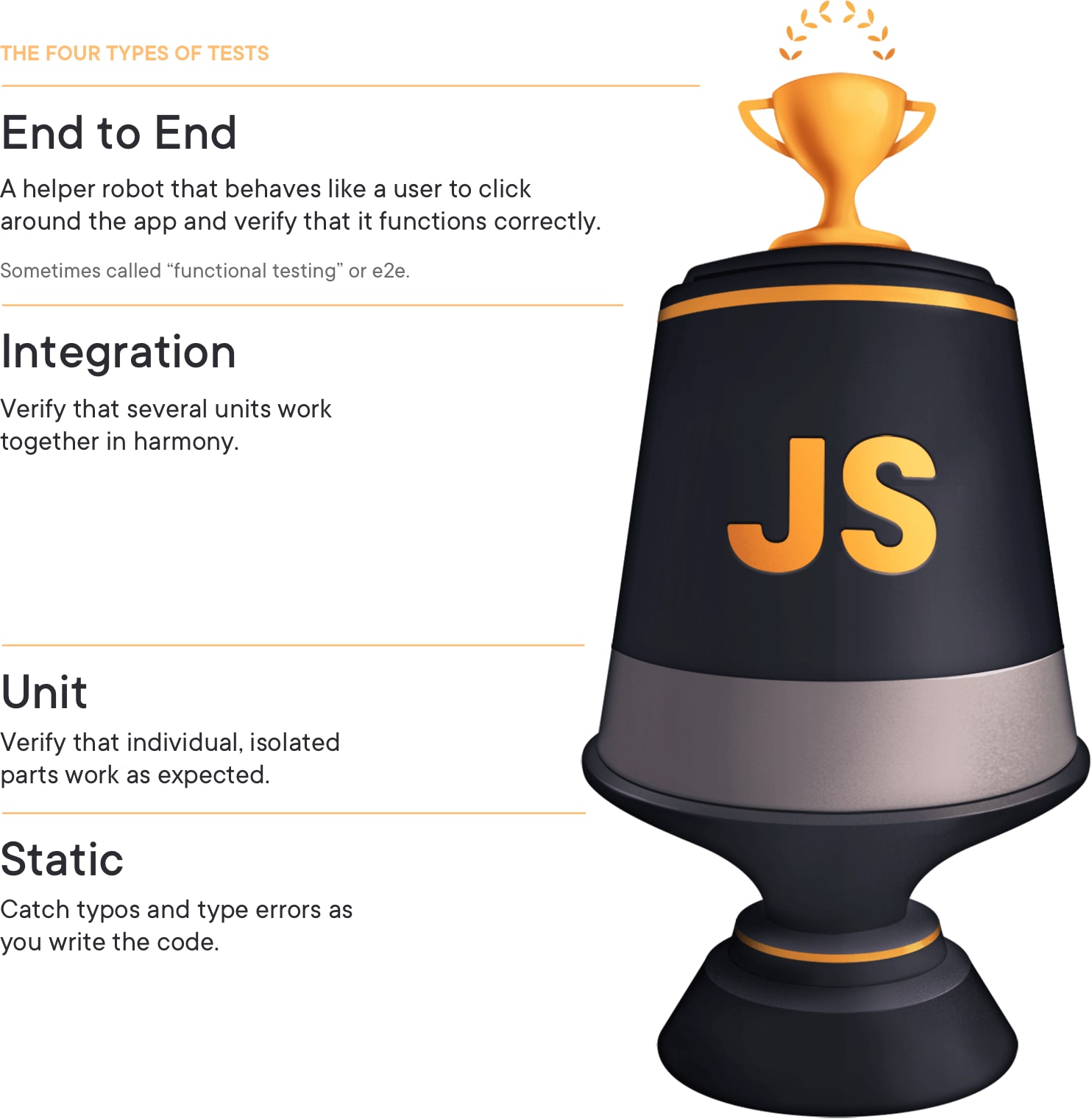
Let’s first talk about the different kinds of tests that developers write, both as part of a Test Driven Development workflow and tests that you may add later to act as regression tests. When I was learning about developer testing, we talked about a pretty strict taxonomy of test types using the old Michael Feathers definition of what constituted a unit test. Unit tests typically meant that we tested one class at a time with all of its dependencies replaced with some kind of test double so we could isolate the functionality of just that one test. We’d also write some integration tests that ran part or all of the application stack, but that wasn’t emphasized very much at the time.

Truth be told, many of the mock-heavy unit tests I wrote back then didn’t provide a lot of value compared to the effort I put into authoring them, and I learned the hard way in longer lived codebases like StructureMap that I was better off in many cases breaking the “one class” rule of unit tests and writing far more coarser grained tests that were focused on usage scenarios because the fine-grained unit tests actually made it much harder to evolve the internal structure of the code. In my later efforts, I switched to mostly testing through the public APIs all the way down the stack and got much better results.

Flash forward to today, and we talk a lot about the testing pyramid concept where code really needs to be covered by different types of tests for maximum effective test coverage – lots of small unit tests, a medium amount of a nebulously defined middle ground of integration tests, and a handful of full blown, end to end black box tests. The way that I personally over-simplify this concept is to say:

Test with the finest grained mechanism that tells you something important

Jeremy Miller (me!)

For any given scenario, I want developers to consciously choose the proper mix of testing techniques that really tells you that the code fulfills its requirements correctly. At the end of the day, the code passing all of its integration tests should go along way toward making us confident that the code is ready to ship to production.

I also want developers to be aware that unit tests that become tightly coupled to the implementation details can make it quite difficult to refactor that code later. In one ongoing project, one of my team members is doing a lot of work to optimize an expensive process. We’ve already talked about the need to do the majority of his testing from outside-in with integration tests so he will have more freedom to iterate on completely different internal mechanisms while he pursues performance optimization.

I think I would recommend that we all maybe stop thinking so much about unit vs integration tests and think more about tests being on a continuous spectrum between “sociable” vs “solitary” tests that Marten Fowler discusses in On the Diverse And Fantastical Shapes of Testing.

To sum up this section, I think there are two basic questions I want our developers to constantly ask themselves in regards to using any kind of test double like a mock object or a stub:

  1. Should we be using an integration or “sociable” test instead of a “solitary” unit test that uses test doubles?
  2. When writing a “solitary” unit test with a test double, which type of test double is easiest in this particular test?

In the past, we strongly preferred writing “solitary” tests with or without mock objects or other fakes because those tests were reliable and ran fast. That’s still a valid consideration, but I think these days it’s much easier to author more “socialable” tests that might even be using infrastructure like databases or the file system than it was when I originally learned TDD and developer testing. Especially if a team is able to use something like Docker containers to quickly spin up local development environments, I would very strongly recommend writing tests that work through the data layer or call HTTP endpoints in place of pure, Feathers-compliant unit tests.

Black box or UI tests through tools like Selenium are just a different ball game altogether and I’m going to just say that’s out of the scope of this post and get on with things.

As for when mock objects or stubs or any other kind of test double are or are not appropriate, I’m going to stand pat on what I’ve written in the past:

After all of that, I’d finally like to talk about all the different kinds of test doubles, but first I’d like to make a short digression into…

The Mechanics of Automated Tests

I think that most developers writing any kind of tests today are familiar with the Arrange-Act-Assert pattern and nomenclature. To review, most tests will follow a structure of:

  1. “Arrange” any initial state and inputs to the test. One of the hallmarks of a good test is being repeatable and creating a clear relationship between known inputs and expected outcomes.
  2. “Act” by executing a function or a method on a class or taking some kind of action in code
  3. “Assert” that the expected outcome has happened

In the event sourcing support in Marten V4, we have a subsystem called the “projection daemon” that constantly updates projected views based on incoming events. In one of its simpler modes, there is a class called SoloCoordinator that is simply responsible for starting up every single configured projected view agent when the projection daemon is initialized. To test the start up code of that class, we have this small test:

    public class SoloCoordinatorTests
    {
        [Fact]
        public async Task start_starts_them_all()
        {
            // "Arrange" in this case is creating a test double object
            // as an input to the method we're going to call below
            var daemon = Substitute.For<IProjectionDaemon>();
            var coordinator = new SoloCoordinator();

            // This is the "Act" part of the test
            await coordinator.Start(daemon, CancellationToken.None);

            // This is the "Assert" part of the test
            await daemon.Received().StartAllShards();
        }
    }

and the little bit of code it’s testing:

        public Task Start(IProjectionDaemon daemon, CancellationToken token)
        {
            _daemon = daemon;
            return daemon.StartAllShards();
        }

In the code above, the real production code for the IProjectionDaemon interface is very complicated and setting up a real one would require a lot more code. To short circuit that set up in the “arrange” part of the test, I create a “test double” for that interface using the NSubstitute library, my dynamic mock/stub/spy library of choice.

In the “assert” phase of the test I needed to verify that all of the known projected views were started up, and I did that by asserting through the mock object that the IProjectionDaemon.StartAllShards() method was called. I don’t necessarily care here that that specific method was called so much as that the SoloCoordinator sent a logical message to start all the projections.

In the “assert” part of a test you can either verify some expected change of state in the system or return value (state-based testing), or use what’s known as “interaction testing” to verify that the code being tested sent the expected messages or invoked the proper actions to its dependencies.

See an old post of mine from 2005 called TDD Design Starter Kit – State vs. Interaction Testing for more discussion on this subject. The old code samples and formatting are laughable, but I think the discussion about the concepts are still valid.

As an aside, you might ask why I bothered writing a test for such a simple piece of code? I honestly won’t write bother writing unit tests in every case like this, but a piece of advice I read from (I think) Kent Beck was to write a test for any piece of code that could possibly break. Another rule of thumb is to write a test for any vitally important code regardless of how simple it is in order to remove project risk by locking it down through tests that could fail in CI if the code is changed. And lastly, I’d argue that it was worthwhile to write that test as documentation about what the code should be doing for later developers.

Mocks or Spies

Now that we’ve established the basic elements of automated testing and reviewed the difference between state-based and interaction-based testing, let’s go review the different types of test doubles. I’m going to be using the nomenclature describing different types of test doubles from the xUnit Patterns book by Gerard Meszaro (I was one of the original technical reviewers of that book and used the stipend to buy a 30gb iPod that I had for years). You can find his table explaining the different kinds of test doubles here.

As I explain the differences between these concepts, I recommend that you focus more on the role of a test double within a test than get too worked up about how things happen to be implemented and if we are or are not using a dynamic mocking tool like NSubstitute.

The most commonly used test double term is a “mock.” Some people use this term to mean “dynamic stand in object created dynamically by a mocking tool.” The original definition was an object that can be used to verify the calls or interactions that the code under test makes to its dependencies.

To illustrate the usage of mock objects, let’s start with a small feature in Marten to seed baseline data in the database whenever a new Marten DocumentStore is created. That feature allows users to register objects implementing this interface to the configuration of a new DocumentStore:

    public interface IInitialData
    {
        Task Populate(IDocumentStore store);
    }

Here’s a simple unit test from the Marten codebase that uses NSubstitute to do interaction testing with what I’d still call a “mock object” to stand in for IInitialData objects in the test:

        [Fact]
        public void runs_all_the_initial_data_sets_on_startup()
        {

            // These three objects are mocks or spies
            var data1 = Substitute.For<IInitialData>();
            var data2 = Substitute.For<IInitialData>();
            var data3 = Substitute.For<IInitialData>();

            // This is part of a custom integration test harness
            // we use in the Marten codebase. It's configuring and
            // and spinning up a new DocumentStore. As part of the
            // DocumentStore getting initialized, we expect it to
            // execute all the registered IInitialData objects
            StoreOptions(_ =>
            {
                _.InitialData.Add(data1);
                _.InitialData.Add(data2);
                _.InitialData.Add(data3);
            });

            theStore.ShouldNotBeNull();

            // Verifying that the expected interactions
            // with the three mocks happened as expected
            data1.Received().Populate(theStore);
            data2.Received().Populate(theStore);
            data3.Received().Populate(theStore);
        }

In the test above, the “assertions” are just that at some point when a new Marten DocumentStore is initialized it will call the three registered IInitialData objects to seed data. This test would fail if the IInitialData.Populate(IDocumentStore) method was not called on any of the mock objects. Mock objects are used specifically to do assertions about the interactions between the code under test and its dependencies.

In the original xUnitPatterns book, the author also identified another slightly different test double called a “spy” that recorded the inputs to itself that could be interrogated in the “Assert” part of a test. That differentiation did make sense years ago when early mock tools like RhinoMocks or NMock worked very differently than today’s tools like NSubstitute or FakeItEasy.

I used NSubstitute in the sample above to build a mock dynamically, but at other times I’ll roll a mock object by hand when it’s more convenient. Consider the common case of needing to verify that an important message or exception was logged (I honestly won’t always write tests for this myself, but it makes for a good example here).

Using a dynamic mocking tool (Moq in this case) to mock the ILogger<T> interface from the core .Net abstractions just to verify that an exception was logged could result in code like this:

_loggerMock.Received().Log(
            _loggerMock.Verify(
                x => x.Log(
                    LogLevel.Error,
                    It.IsAny<EventId>(),
                    It.IsAny<It.IsAnyType>(),
                    It.IsAny<Exception>(),
                    It.IsAny<Func<It.IsAnyType, Exception, string>>()),
                Times.AtLeastOnce);

In this case you have to use an advanced feature of mocking libraries called argument matchers as a kind of wild card to match the expected call against data generated at runtime you don’t really care about. As you can see, this code is a mess to write and to read. I wouldn’t say to never use argument matchers, but it’s a “guilty until proven” kind of technique to me.

Instead, let’s write our own mock object for logging that will more easily handle the kind of assertions we need to do later (this wasn’t a contrived example, I really have used this):

    public class RecordingLogger<T> : ILogger<T>
    {
        public IDisposable BeginScope<TState>(TState state)
        {
            throw new NotImplementedException();
        }

        public bool IsEnabled(LogLevel logLevel)
        {
            return true;
        }

        public void Log<TState>(
            LogLevel logLevel, 
            EventId eventId, 
            TState state, 
            Exception exception, 
            Func<TState, Exception, string> formatter)
        {
            // Just add this object to the list of messages
            // received
            var message = new LoggedMessage
            {
                LogLevel = logLevel,
                EventId = eventId,
                State = state,
                Exception = exception,
                Message = formatter?.Invoke(state, exception)
            };

            Messages.Add(message);
        }

        public IList<LoggedMessage> Messages { get; } = new List<RecordingLogger<T>.LoggedMessage>();

        public class LoggedMessage
        {
            public LogLevel LogLevel { get; set; }

            public EventId EventId { get; set; }

            public object State { get; set; }

            public Exception Exception { get; set; }

            public string Message { get; set; }
        }

        public void AssertExceptionWasLogged()
        {
            // This uses Fluent Assertions to blow up if there
            // are no recorded errors logged
            Messages.Any(x => x.LogLevel == LogLevel.Error)
                .Should().BeTrue("No exceptions were logged");
        }
    }

With this hand-rolled mock object, the ugly code above that uses argument matchers just becomes this assertion in the tests:

// _logger is a RecordingLogger<T> that 
// was used as an input to the code under
// test
_logger.AssertExceptionWasLogged();

I’d argue that that’s much simpler to read and most certainly to write. I didn’t show it here, but with you could have just interrogated the calls made to a dynamically generated mock object without using argument matchers, but the syntax for that can be very ugly as well and I don’t recommend that in most cases.

To sum up, “mock objects” are used in the “Assert” portion of your test to verify that expected interactions were made with the dependencies of the code under tests. You also don’t have to use a mocking tool like NSubstitute, and sometimes a hand-rolled mock class might be easier to consume and lead to easier to read tests.

Pre-Canned Data with Stubs

“Stubs” are just a way to replace real services with some kind of stand in that supplies pre-canned data as test inputs. Whereas “mocks” refer to interaction testing, “stubs” are to provide inputs in state-based testing. I won’t go into too much detail because I think this concept is pretty well understood, but here’s an example of using NSubstitute to whip up a stub in place of a full blown Marten query session in a test:

        [Fact]
        public async Task using_a_stub()
        {

            var user = new User {UserName = "jmiller",};

            // I'm stubbing out Marten's IQuerySession
            var session = Substitute.For<IQuerySession>();
            session.LoadAsync<User>(user.Id).Returns(user);

            var service = new ServiceThatLooksUpUsers(session);
            
            // carry out the Arrange and Assert parts of the test
        }

Again, “stub” refers to a role within the test and not how it was built. In memory database stand ins in tools like Entity Framework Core are another common example of using stubs.

Dummy Objects

A “dummy” is a test double who’s only real purpose is to act as a stand in service that does nothing but yet allows your test to run without constant NullReferenceException problems. Going back to the ServiceThatLooksUpUsers in the previous section, let’s say that the service also depends on the .Net ILogger<T> abstraction for tracing within the service. We may not care about the log messages happening in some of our tests, but ServiceThatLooksUpUsers will blow up if it doesn’t have a logger, so we’ll use the built in NullLogger<T> that’s part of the .Net logging as a “dummy” like so:

        [Fact]
        public async Task using_a_stub()
        {

            var user = new User {UserName = "jmiller",};

            // I'm stubbing out Marten's IQuerySession
            var session = Substitute.For<IQuerySession>();
            session.LoadAsync<User>(user.Id).Returns(user);

            var service = new ServiceThatLooksUpUsers(
                session,
                
                // Using a dummy logger
                new NullLogger<ServiceThatLooksUpUsers>());

            // carry out the Arrange and Assert parts of the test
        }

Summing it all up

I tried to cover a lot of ground, and to be honest, this was meant to be the first cut at a new “developer testing best practices” guide at work so it meanders a bit.

There’s a few things I would hope folks would get out of this post:

  • Mocks or stubs can sometimes be very helpful in writing tests, but can also cause plenty of heartburn in other cases.
  • Don’t hesitate to skip mock-heavy unit tests with some sort of integration test might be easier to write or do more to ascertain that the code actually works
  • Use the quickest feedback cycle you can get away with when trying to decide what kind of testing to do for any given scenario — and sometimes a judicious usage of a stub or mock object helps write tests that run faster and are easier to set up than integration tests with the real dependencies
  • Don’t get tunnel vision on using mocking libraries and forget that hand-rolled mocks or stubs can sometimes be easier to use within some tests

Dynamic Code Generation in Marten V4

Marten V4 extensively uses runtime code generation backed by Roslyn runtime compilation for dynamic code. This is both much more powerful than source generators in what it allows us to actually do, but can have significant memory usage and “cold start” problems (seems to depend on exact configurations, so it’s not a given that you’ll have these issues). In this post I’ll show the facility we have to “generate ahead” the code to dodge the memory and cold start issues at production time.

Before V4, Marten had used the common model of building up Expression trees and compiling them into lambda functions at runtime to “bake” some of our dynamic behavior into fast running code. That does work and a good percentage of the development tools you use every day probably use that technique internally, but I felt that we’d already outgrown the dynamic Expression generation approach as it was, and the new functionality requested in V4 was going to substantially raise the complexity of what we were going to need to do.

Instead, I (Marten is a team effort, but I get all the blame for this one) opted to use the dynamic code generation and compilation approach using LamarCodeGeneration and LamarCompiler that I’d originally built for other projects. This allowed Marten to generate much more complex code than I thought was practical with other models (we could have used IL generation too of course, but that’s an exercise in masochism). If you’re interested, I gave a talk about these tools and the approach at NDC London 2019.

I do think this has worked out in terms of performance improvements at runtime and certainly helped to be able to introduce the new document and event store metadata features in V4, but there’s a catch. Actually two:

  1. The Roslyn compiler sucks down a lot of memory sometimes and doesn’t seem to ever release it. It’s gotten better with newer releases and it’s not consistent, but still.
  2. There’s a sometimes significant lag in cold start scenarios on the first time Marten needs to generate and compile code at runtime

What we could do though, is provide what I call..

Marten’s “Generate Ahead” Strategy

To side step the problems with the Roslyn compilation, I developed a model (I did this originally in Jasper) to generate the code ahead of time and have it compiled into the entry assembly for the system. The last step is to direct Marten to use the pre-compiled types instead of generating the types at runtime.

Jumping straight into a sample console project to show off this functionality, I’m configuring Marten with the AddMarten() method you can see in this code on GitHub.

The important line of code you need to focus on here is this flag:

opts.GeneratedCodeMode = TypeLoadMode.LoadFromPreBuiltAssembly;

This flag in the Marten configuration directs Marten to first look in the entry assembly of the application for any types that it would normally try to generate at runtime, and if that type exists, load it from the entry assembly and bypass any invocation of Roslyn. I think in a real application you’d wrap that call something like this so that it only applies when the application is running in production mode:

if (Environment.IsProduction())
{

    options.GeneratedCodeMode = 
        TypeLoadMode.LoadFromPreBuiltAssembly;
}

The next thing to notice is that I have to tell Marten ahead of time what the possible document types and even about any compiled query types in this code so that Marten will “know” what code to generate in the next section. The compiled query registration is new, but you already had to let Marten know about the document types to make the schema migration functionality work anyway.

Generating and exporting the code ahead of time is done from the command line through an Oakton command. First though, add the LamarCodeGeneration.Commands Nuget to your entry project, which will also add a transitive reference to Oakton if you’re not already using it. This is all described in the Oakton getting started page, but you’ll need to change your Program.Main() method slightly to activate Oakton:

        // The return value needs to be Task<int> 
        // to communicate command success or failure
        public static Task<int> Main(string[] args)
        {
            return CreateHostBuilder(args)
                
                // This makes Oakton be your CLI
                // runner
                .RunOaktonCommands(args);
        }

If you’ll open up the command terminal of your preference at the root directory of the entry project, type this command to see the available Oakton commands:

dotnet run -- help

That’ll spit out a list of commands and the assemblies where Oakton looked for command types. You should see output similar to this:

Searching 'LamarCodeGeneration.Commands, Version=0.0.0.0, Culture=neutral, PublicKeyToken=null' for commands
Searching 'Marten.CommandLine, Version=0.0.0.0, Culture=neutral, PublicKeyToken=null' for commands

  -------------------------------------------------
    Available commands:
  -------------------------------------------------
        check-env -> Execute all environment checks against the application
          codegen -> Utilities for working with LamarCodeGeneration and LamarCompiler

and assuming you got that far, now type dotnet run -- help codegen to see the list of options with the codegen command.

If you just want to preview the generated code in the console, type:

dotnet run -- codegen preview

To just verify that the dynamic code can be successfully generated and compiled, use:

dotnet run -- codegen test

To actually export the generated code, use:

dotnet run — codegen write

That command will write a single C# file at /Internal/Generated/DocumentStorage.cs for any document storage types and another at `/Internal/Generated/Events.cs` for the event storage and projections.

Just as a short cut to clear out any old code, you can use:

dotnet run -- codegen delete

If you’re curious, the generated code — and remember that it’s generated code so it’s going to be butt ugly — is going to look like this for the document storage, and this code for the event storage and projections.

The way that I see this being used is something like this:

  • The LoadFromPreBuiltAssembly option is only turned on in Production mode so that developers can iterate at will during development. That should be disabled at development time.
  • As part of the CI/CD process for a project, you’ll run the dotnet run -- codegen write command as an initial step, then proceed to the normal compilation and testing cycles. That will bake in the generated code right into the compiled assemblies and enable you to also take advantage of any kind AOT compiler optimizations

Duh. Why not source generators doofus?

Why didn’t we use source generators you may ask? The Roslyn-based approach in Marten is both much better and much worse than source generators. Source generators are part of the compilation process itself and wouldn’t have any kind of cold start problem like Marten has with the runtime Roslyn compilation approach. That part is obviously much better, plus there’s no weird two step compilation process at CI/CD time. But on the downside, source generators can only use information that’s available at compilation time, and the Marten code generation relies very heavily on type reflection, conventions applied at runtime, and configuration built up through a fluent interface API. I do not believe that we could use source generators for what we’ve done in Marten because of that dependency on runtime information.

Marten, the Generic Host Builder in .Net Core, and why this could be the golden age for OSS in .Net

Before I dive into some newly improved mechanics for quickly integrating Marten into just about any possible kind of .Net 5+ application, I want to take a trip through yesteryear and appreciate just how much better the .Net platform is today than it’s every been. If you wanna skip down to the positive part of the post, just look for sub heading “The better future for .Net is already here!.”

I’ve been a .Net developer since the very ugly beginning when we were all just glad to be off VB6/COM and onto a “modern” programming language that felt like a better Java but not yet completely horrified at how disastrously bad WebForms was going to turn out to be or disappointed at how poorly all our new .Net stuff worked out when we tried to adopt Agile development practices like Test Driven Development.

I’ve also been very deeply invested in developing open source tools and frameworks on the .Net framework, starting with StructureMap, the very first production capable Inversion of Control library on .Net that first went into a production system in the summer of 2004.

As the maintainer of StructureMap throughout, I had a front row seat to the absolute explosion of adapter libraries for seemingly every possible permutation of framework, IoC tool, and logging library. And this happened because every framework of any note in the .Net world had a completely different way to abstract away the actual IoC container or allowed you to use different logging tools through the specific framework’s special adapter mechanisms.

I’m also old enough to remember when every tool took a direct dependency on log4net around the time they lost their public strong naming key and broke compatibility. That was loads of fun.

There also wasn’t a standard way to deal with application lifecycle events across different types of .Net applications or application frameworks (ASP.Net’s Global.ASAX being an exception I guess). Every framework at that time had a different way of being bootstrapped at application start up time, so developers had to do a lot of plumbing code as they pieced all this junk together with the myriad adapter libraries.

To recap the “old”, pre-Core .Net world:

  • Application framework developers had to create their own IoC and logging abstractions and support a plethora of adapter libraries as well as possibly having to create all new application lifecycle management facilities as part of their framework
  • Library developers had to support users through their usage of problematic framework integrations where the library in question was often used in non-optimal ways (my personal pet peeve, and I edited this post before publishing to eliminate some harsh criticism of certain well known .Net application frameworks).
  • Developers of actual .Net applications were rightfully intimidated by the complexity necessary to integrate open source tools, or simply struggled to do so as there was no standardization of how all those tools went about their integration into .Net applications.

I would argue that the situation in .Net as it was before .Net Core seriously impeded the development and adoption of open source tooling in our community — which also had the effect of slowing down the rate of innovation throughout the .Net community.

You might notice that I used the past tense quite a bit in the previous paragraphs, and that’s because I think…

The better future for .Net is already here!.

It’s hard to overstate this, but the generic host builder (IHostBuilder and IHost) in .Net Core / .Net 5 and the related is hugely advantageous for the .Net ecosystem. I tried to explain why I think this a bit in a recent episode of .Net Rocks, but it’s probably easier to demonstrate this by integrating Marten into a new .Net 5 web api project.

Assuming that you’re already familiar with the usage of the Startup class for configuring ASP.Net Core applications, I’m going to add Marten to the new service with the following code:

public void ConfigureServices(IServiceCollection services)
{
    // This is the absolute, simplest way to integrate Marten into your
    // .Net Core application with Marten's default configuration
    services.AddMarten(options =>
    {
        // Establish the connection string to your Marten database
        options.Connection(Configuration.GetConnectionString("Marten"));

        // If we're running in development mode, let Marten just take care
        // of all necessary schema building and patching behind the scenes
        if (Environment.IsDevelopment())
        {
            options.AutoCreateSchemaObjects = AutoCreate.All;
        }

        if (Environment.IsProduction())
        {
            // This is a new V4 feature I'll blog about soon...
            options.GeneratedCodeMode = TypeLoadMode.LoadFromPreBuiltAssembly;
        }

        // Turn on the async projection daemon in only one node
        options.Projections.AsyncMode = DaemonMode.HotCold;

        // Configure other elements of the event store or document types...
    });
}

Even if you’re a developer who is completely unfamiliar with Marten itself, the integration through AddMarten() follows the recent .Net idiom and would be conceptually similar to many other tools you probably already use. That by itself is a very good thing as there’s less novelty for new Marten developers (there is of course matching UseMarten() signatures that hang off of IHostBuilder that is useful for other kinds of .Net projects)

I purposely used a few bells and whistles in Marten to demonstrate more capabilities of the generic host in .Net Core. To go into more detail, the code above:

  • Registers all the necessary Marten services with the proper service lifecycles in the underlying system container. And that works for any IoC container that supports the standard DI abstractions in the Microsoft.Extensions.DependencyInjection namespace. There isn’t any kind of Marten.Lamar or Marten.DryIoC or Marten.WhateverIoCToolYouHappenToLike adapter libraries.
  • I’ve also turned on Marten’s asynchronous projection process which will run as a long running task in the application by utilizing the standard .Net Core IHostedService mechanism whose lifecycle will be completely managed by the generic host in .Net.
  • We were able to do a little bit of environment specific configuration to let Marten do all necessary schema management automatically at development time, but not allow Marten to change database schemas in production. I also opted into a new Marten V4 optimization for production cold starts when the application is running in “Production” mode. That’s easy to do now using .Net’s standard IHostEnvironment mechanism at bootstrapping time.
  • It’s not obvious from that code, but starting in V4.0, Marten will happily log to the standard ILogger interface from .Net Core. Marten itself doesn’t care where or how you actually capture log information, but because .Net itself now specifies a single set of logging abstractions to rule them all, Marten can happily log to any commonly used logging mechanism (NLog, Serilog, the console, Azure logging, whatever) without any other kind of adapter.
  • And oh yeah, I had to add the connection string to a Postgresql database from .Net Core’s IConfiguration interface, which itself could be pulling information any number of ways, but our code doesn’t have to care about anything else but that one standard interface.

As part of the team behind the Marten, I feel like our jobs are easier now than it was just prior to .Net Core and the generic host builder because now there are:

  • .Net standard abstractions for logging, configuration, and IoC service registration
  • The IHostedService mechanism is an easy, standard way in .Net to run background processes or even just to hook into application start up and tear down events with custom code
  • The IServiceCollection.Add[Tool Name]() and IHostBuilder.Use[Tool Name]() idioms provided us a way to integrate Marten into basically any kind of .Net Core / .Net 5/6 application through a mechanism that is likely to feel familiar to experienced .Net developers — which hopefully reduces the barrier to adoption for Marten

As some of you reading this may know, I was very heavily involved in building an alternative web development framework for .Net called FubuMVC well before .Net Core came on to the scene. When we built FubuMVC, we had to create from scratch lot of the exact same functionality that’s in the generic host today to manage application lifecycle events, bootstrapping the application’s IoC container through its own IoC abstractions, and hooks for extension with other .Net libraries. I wouldn’t say that was the primary reason that FubuMVC failed as a project, but it certainly didn’t help.

Flash forward to today, and I’ve worked off and on on a complete replacement for FubuMVC on .Net Core called Jasper for asynchronous messaging and an alternative for HTTP services. That project isn’t going anywhere at the moment, but Jasper’s internals are much, much smaller than FubuMVC’s were for similar functionality because Jasper can rely on the functionality and standard abstractions of the generic host in .Net Core. That makes tools like Jasper much easier for .Net developers to write.

Unsurprisingly, there are plenty of design and implementation decisions that Microsoft made with the generic host builder that I don’t agree with. I can point to a few things that I believe FubuMVC did much better for composition a decade ago than ASP.Net Core does today (and vice versa too of course). I deeply resent how the ASP.Net Core team wrote the IoC compliance rules that were rammed down the throats of all us IoC library maintainers. You can also point out that there are cultural problems within the .Net community in regards to OSS and that Microsoft itself severely retards open source innovation in .Net by stomping on community projects at will.

All of that may be true, but from a strictly technical perspective, I think that it is now much easier for the .Net community to build and adopt innovative open source tools than it ever has been. I largely credit the work that’s been done with the generic host, the common idioms for tool integration, and the standard interfaces that came in the .Net Core wave for potentially opening up a new golden age for .Net OSS development.

Brief Update on Marten V4

The latest, greatest Marten V4 release candidate is up on Nuget this morning. Marten V4 has turned out to be a massive undertaking for an OSS project with a small team, but we’re not that far off what’s turned into our “Duke Nukem Forever” release. We’re effectively “code complete” other than occasional bugs coming in from early users — which is fortunately a good thing as it’s helped us make some things more robust without impacting the larger community.

At this point it’s mostly a matter of completing the documentation updates for V4, and I’m almost refusing to work on new features until that’s complete. The Marten documentation website is moving to VitePress going forward, so it’ll be re-skinned with better search capabilities. We’re also taking this opportunity to reorganize the documentation with the hopes of making that site more useful for users.

Honestly, the biggest thing holding us back right now in my opinion is that I’ve been a little burned out and slow working on the documentation. Right now, I’m hoping we can pull the trigger on V4 in the next month or two.

Joining MedeAnalytics

I joined MedeAnalytics last week in a leadership role within their architecture team. Besides helping tackle strategic technical goals like messaging, test automation, and cloud architecture, I’m trying to play the Martin Fowler-style “bumble bee” role across development teams on topics like tools, techniques, and the technologies we use.

I’m hopeful that being in a strategic role where I’m constantly neck deep in technical challenges and learning new things will reboot my blogging a bit, but we’ll see. Right off the bat, I’ve been reading up on the C4 Model for describing software architecture and the Structurizr toolset as a way of reverse engineering our existing systems for my own edification. At least expect a positive review of both soon.

I don’t know how this will change my OSS work at the moment, other than I’ll be answering Lamar issues raised by my new MedeAnalytics colleagues a lot faster than I probably did for them before 🙂

Using Alba to Test ASP.Net Services

TL;DR: Alba is a handy library for integration tests against ASP.Net web services, and the rapid feedback that enables is very useful

One of our projects at Calavista right now is helping a client modernize and optimize a large .Net application, with the end goal being everything running on .Net 5 and an order of magnitude improvement in system throughput. As part of the effort to upgrade the web services, I took on a task to replace this system’s usage of IdentityServer3 with IdentityServer4, but still use the existing Marten-backed data storage for user membership information.

Great, but there’s just one problem. I’ve never used IdentityServer4 before and it changed somewhat between the IdentityServer3 code I was trying to reverse engineer and its current model. I ended up getting through that work just fine. A key element of doing that was using the Alba library to create a test harness so I could iterate through configuration changes quickly by rerunning tests on the new IdentityServer4 project. It didn’t start out this way, but Alba is essentially a wrapper around the ASP.Net TestServer and just acts as a utility to make it easier to write automated tests around the HTTP services in your web service projects.

I ended up starting two new .Net projects:

  1. A new web service that hosts IdentityServer4 and is configured to use user membership information from our client’s existing Marten/Postgresql database
  2. A new xUnit.Net project to hold integration tests against the new IdentityServer4 web service.

Let’s dive right into how I set up Alba and xUnit.Net as an automated test harness for our new IdentityServer4 service. If you start a new ASP.Net project with one of the built in project templates, you’ll get a Program file that’s the main entry point for the application and a Startup class that has most of the system’s bootstrapping configuration. The templates will generate this method that’s used to configure the IHostBuilder for the application:

public static IHostBuilder CreateHostBuilder(string[] args)
{
    return Host.CreateDefaultBuilder(args)
        .ConfigureWebHostDefaults(webBuilder =>
        {
            webBuilder.UseStartup<Startup>();
        });
}

For more information on what role of the IHostBuilder is within your application, see .NET Generic Host in ASP.NET Core.

That’s important, because that gives us the ability to stand up the application exactly as it’s configured in an automated test harness. Switching to the new xUnit.Net test project, referenced my new web service project that will host IdentityServer4. Because spinning up your ASP.Net system can be relatively expensive, I only want to do that once and share the IHost between tests. That’s a perfect usage for xUnit.Net’s shared context support.

First I make what will be the shared test fixture context class for the integration tests shown below:

public class AppFixture : IDisposable
{
    public AppFixture()
    {
        // This is calling into the actual application's
        // configuration to stand up the application in 
        // memory
        var builder = Program.CreateHostBuilder(new string[0]);

        // This is the Alba "SystemUnderTest" wrapper
        System = new SystemUnderTest(builder);
    }
    
    public SystemUnderTest System { get; }

    public void Dispose()
    {
        System?.Dispose();
    }
}

The Alba SystemUnderTest wrapper is responsible for building the actual IHost object for your system, and does so using the in memory TestServer in place of Kestrel.

Just as a convenience, I like to create a base class for integration tests I tend to call IntegrationContext:

    public abstract class IntegrationContext 
        // This is some xUnit.Net mechanics
        : IClassFixture<AppFixture>
    {
        public IntegrationContext(AppFixture fixture)
        {
            System = fixture.System;
            
            // Just casting the IServiceProvider of the underlying
            // IHost to a Lamar IContainer as a convenience
            Container = (IContainer)fixture.System.Services;
        }
        
        public IContainer Container { get; }
        
        // This gives the tests access to run
        // Alba "Scenarios"
        public ISystemUnderTest System { get; }
    }

We’re using Lamar as the underlying IoC container in this application, and I wanted to use Lamar-specific IoC diagnostics in the tests, so I expose the main Lamar container off of the base class as just a convenience.

To finally turn to the tests, the very first thing to try with IdentityServer4 was just to hit the descriptive discovery endpoint just to see if the application was bootstrapping correctly and IdentityServer4 was functional *at all*. I started a new test class with this declaration:

    public class EndToEndTests : IntegrationContext
    {
        private readonly ITestOutputHelper _output;
        private IDocumentStore theStore;

        public EndToEndTests(AppFixture fixture, ITestOutputHelper output) : base(fixture)
        {
            _output = output;

            // I'm grabbing the Marten document store for the app
            // to set up user information later
            theStore = Container.GetInstance<IDocumentStore>();
        }

And then a new test just to exercise the discovery endpoint:

[Fact]
public async Task can_get_the_discovery_document()
{
    var result = await System.Scenario(x =>
    {
        x.Get.Url("/.well-known/openid-configuration");
        x.StatusCodeShouldBeOk();
    });
    
    // Just checking out what's returned
    _output.WriteLine(result.ResponseBody.ReadAsText());
}

The test above is pretty crude. All it does is try to hit the `/.well-known/openid-configuration` url in the application and see that it returns a 200 OK HTTP status code.

I tend to run tests while I’m coding by using keyboard shortcuts. Most IDEs support some kind of “re-run the last test” keyboard shortcut. Using that, my preferred workflow is to run the test once, then assuming that the test is failing the first time, work in a tight cycle of making changes and constantly re-running the test(s). This turned out to be invaluable as it took me a couple iterations of code changes to correctly re-create the old IdentityServer3 configuration into the new IdentityServer4 configuration.

Moving on to doing a simple authentication, I wrote a test like this one to exercise the system with known credentials:

[Fact]
public async Task get_a_token()
{
    // All I'm doing here is wiping out the existing database state
    // with Marten and using a little helper method to add a new
    // user to the database as part of the test setup
    // This would obviously be different in your system
    theStore.Advanced.Clean.DeleteAllDocuments();
    await theStore
        .CreateUser("aquaman@justiceleague.com", "dolphin", "System Administrator");
    
    
    var body =
        "client_id=something&client_secret=something&grant_type=password&scope=ourscope%20profile%20openid&username=aquaman@justiceleague.com&password=dolphin";

    // The test would fail here if the status
    // code was NOT 200
    var result = await System.Scenario(x =>
    {
        x.Post
            .Text(body)
            .ContentType("application/x-www-form-urlencoded")
            .ToUrl("/connect/token");
    });

    // As a convenience, I made a new class called ConnectData
    // just to deserialize the IdentityServer4 response into 
    // a .Net object
    var token = result.ResponseBody.ReadAsJson<ConnectData>();
    token.access_token.Should().NotBeNull();
    token.token_type.Should().Be("Bearer");
}

public class ConnectData
{
    public string access_token { get; set; }
    public int expires_in { get; set; }
    public string token_type { get; set; }
    public string scope { get; set; }
    
}

Now, this test took me several iterations to work through until I found exactly the right way to configure IdentityServer4 and adjusted our custom Marten backing identity store (IResourceOwnerPasswordValidator and IProfileService in IdentityServer4 world) until the tests pass. I found it extremely valuable to be able to debug right into the failing tests as I worked, and even needed to take advantage of JetBrains Rider’s capability to debug through external code to understand how IdentityServer4 itself worked. I’m very sure that I was able to get through this work much faster by iterating through tests as opposed to just trying to run the application and driving it through something like Postman or through the connected user interface.

Improvements to Event Sourcing in Marten V4

Marten V4 is still in flight, but everything I’m showing in this post is in the latest alpha release (4.0.0-alpha.6) release to Nuget.

TL;DR: Marten V4 has some significant improvements to its event sourcing support that will help developers deal with potential concurrency issues. The related event projection support in Marten V4 is also significantly more robust than previous versions.

A Sample Project Management Event Store

Imagine if you will, a simplistic application that uses Marten’s event sourcing functionality to do project management tracking with a conceptual CQRS architecture. The domain will include tracking each project task within the greater project. In this case, I’m choosing to model the activity of a single project and its related tasks as a stream of events like:

  1. ProjectStarted
  2. TaskRecorded
  3. TaskStarted
  4. TaskFinished
  5. ProjectCompleted

Starting a new Event Stream

Using event sourcing as our persistence strategy, the real system state is the raw events that model state changes or transitions of our project. As an example, let’s say that our system records and initializes a “stream” of events for a new project with this command handler:

    public class NewProjectCommand
    {
        public string Name { get; set; }
        public string[] Tasks { get; set; }
        public Guid ProjectId { get; set; } = Guid.NewGuid();
    }

    public class NewProjectHandler
    {
        private readonly IDocumentSession _session;

        public NewProjectHandler(IDocumentSession session)
        {
            _session = session;
        }

        public Task Handle(NewProjectCommand command)
        {
            var timestamp = DateTimeOffset.Now;
            var started = new ProjectStarted  
            {
                Name = command.Name, 
                Timestamp = timestamp
            };

            var tasks = command.Tasks
                .Select(name => new TaskRecorded {
                    Timestamp = timestamp, 
                    Title = name
                });

            // This tells Marten that it should create a new project
            // stream
            _session.Events.StartStream(command.ProjectId, started);

            // This quietly appends events to the event stream
            // created in the line of code above
            _session.Events.Append(command.ProjectId, tasks);

            // The actual persistence to Postgresql happens here
            return _session.SaveChangesAsync();
        }
    }

The call to StartStream() up above tells Marten that it should create a new event stream with the supplied project id. As a long requested improvement in Marten for V4, StartStream() guarantees that the transaction cannot succeed if another project event stream with that project id already exists. This helps the system prevent users from accidentally duplicating projects — at least by its project id anyway.

Assuming that there is no existing stream with the project id, Marten will create a new record to track the new project stream and individual records in Postgresql to persist the raw event data along with metadata like the stream version, time stamps, and the event type.

But we need a “read side” projection of the Projects!

So great, we can persist the raw events, and there’s plenty of valuable things we can do later with those events. However, our application sooner or later is going to need to know what the current state of an ongoing project for user screens or validation logic, so we need some way to compile the events for a single project into some kind of “here’s the current state of the Project” data structure — and that’s where Marten’s support for projections comes into play.

To model a “projected” view of a project from its raw events, I’m creating a single Project class to model the full state of a single, ongoing project. To reduce the number of moving parts, I’m going to make Project be “self-aggregating” such that it’s responsible for mutating itself based on incoming events:

    public class Project
    {
        private readonly IList _tasks = new List();

        public Project(ProjectStarted started)
        {
            Version = 1;
            Name = started.Name;
            StartedTime = started.Timestamp;
        }

        // This gets set by Marten
        public string Id { get; set; }

        public long Version { get; set; }
        public DateTimeOffset StartedTime { get; private set; }
        public DateTimeOffset? CompletedTime { get; private set; }

        public string Name { get; private set; }

        public ProjectTask[] Tasks
        {
            get
            {
                return _tasks.ToArray();
            }
            set
            {
                _tasks.Clear();
                _tasks.AddRange(value);
            }
        }

        public void Apply(TaskRecorded recorded, IEvent e)
        {
            Version = e.Version;
            var task = new ProjectTask
            {
                Title = recorded.Title,
                Number = _tasks.Max(x => x.Number) + 1,
                Recorded = recorded.Timestamp
            };

            _tasks.Add(task);
        }

        public void Apply(TaskStarted started, IEvent e)
        {
            Version = e.Version;
            var task = _tasks.FirstOrDefault(x => x.Number == started.Number);

            // Remember this isn't production code:)
            if (task != null) task.Started = started.Timestamp;
        }

        public void Apply(TaskFinished finished, IEvent e)
        {
            Version = e.Version;
            var task = _tasks.FirstOrDefault(x => x.Number == finished.Number);

            // Remember this isn't production code:)
            if (task != null) task.Finished = finished.Timestamp;
        }

        public void Apply(ProjectCompleted completed, IEvent e)
        {
            Version = e.Version;
            CompletedTime = completed.Timestamp;
        }
    }

I didn’t choose to use that here, but I want to point out that you can use immutable aggregates with Marten V4. In that case you’d simply have the Apply() methods return a new Project object (as far as Marten is concerned anyway). Functional programming enthusiasts will cheer the built in support for immutability, some of you will point out that that leads to less efficient code by increasing the number of object allocations and more code ceremony, and I will happily say that Marten V4 let’s you make that decision to suit your own needs and preferences;-)

Also see Event Sourcing with Marten V4: Aggregated Projections for more information on other alternatives for expressing aggregated projections in Marten.

Working in our project management domain, I’d like the Project aggregate document to be updated every time events are captured for an event related to a project. I’ll add the Project document as a self-aggregating, inline projection in my Marten system like this:

    public class Startup
    {
        public void ConfigureServices(IServiceCollection services)
        {
            services.AddMarten(opts =>
            {
                opts.Connection("some connection");

                // Direct Marten to update the Project aggregate
                // inline as new events are captured
                opts.Events
                    .Projections
                    .SelfAggregate<Project>(ProjectionLifecycle.Inline);

            });
        }
    }

As an example of how inline projections come into play, let’s look at another sample command handler for adding a new task to an ongoing project with a new task title :

    public class CreateTaskCommand
    {
        public string ProjectId { get; set; }
        public string Title { get; set; }
    }

    public class CreateTaskHandler
    {
        private readonly IDocumentSession _session;

        public CreateTaskHandler(IDocumentSession session)
        {
            _session = session;
        }

        public Task Handle(CreateTaskCommand command)
        {
            var recorded = new TaskRecorded
            {
                Timestamp = DateTimeOffset.UtcNow, 
                Title = command.Title
            };

            _session.Events.Append(command.ProjectId, recorded);
            return _session.SaveChangesAsync();
        }
    }

When SaveChangesAsync() is called above, Marten will issue a single database commit that captures a new TaskRecorded event. In that same commit Marten will fetch the persisted Project document for that project event stream, apply the changes from the new event, and persist the Project document that reflects the information in the events.

Let’s say that we have a user interface in our project management system that allows users to review and edit projects and tasks. Independent of the event streams, the “query” side of our application can happily retrieve the latest data for the Project documents by querying with Marten’s built in document database functionality like this simple MVC controller endpoint:

    public class ProjectController: ControllerBase
    {
        private readonly IQuerySession _session;

        public ProjectController(IQuerySession session)
        {
            _session = session;
        }

        [HttpGet("/api/project/{projectId}")]
        public Task<Project> Get(string projectId)
        {
            return _session.LoadAsync<Project>(projectId);
        }
    }

For a future blog post, I’ll show you a new Marten V4 feature for ultra efficient “read side” web services by streaming JSON data directly from Postgresql straight down the HTTP response body without ever wasting any time with JSON serialization.

Concurrency Problems Everywhere!!!

Don’t name a software project “Genesis”. Hubristic project names lead to massive project failures.

The “inline” projection strategy is easy to use in Marten, but it’s vulnerable to oddball concurrency problems if you’re not careful in your system design. Let’s say that we have two coworkers named Jack and Jill using our project management system. Jack pulls up the data for the “Genesis Project” in the UI client, then gets pulled into a hallway conversation (remember when we used to have those in the before times?). While he’s distracted, Jill makes some changes to the “Genesis Project” to record some tasks she and Jack had talked about earlier and saves the changes to the server. Jack finally gets back to his machine and makes basically the same edits to “Genesis” that Jill already did and saves the data. If we build our project management system naively, we’ve now allowed Jack and Jill to duplicate work and the “Genesis Project” task management is all messed up.

One way to prevent that concurrent change issue is to detect that the project has been changed by Jill when Jack tries to persist his duplicate changes and give him the chance to update his screen with the latest data before pushing new project task changes.

Going back to the Project aggregate document, as Marten appends events to a stream, it increments a numeric version number to each event within a stream. Let’s say in our project management system that we always want to know what the latest version of the project. Marten V4 finally allows you to use event metadata like the event version number within inline projections (this has been a long running request from some of our users). You can see that in action in the method below that updates Project based on a TaskStarted event. You might notice that I also pass in the IEvent object that would let us access the event metadata:

public void Apply(TaskStarted started, IEvent e)
{
    // Update the Project document based on the event version
    Version = e.Version;
    var task = _tasks.FirstOrDefault(x => x.Number == started.Number);

    // Remember this isn't production code:)
    if (task != null) task.Started = started.Timestamp;
}

Now, having the stream version number on the Project document turns out to be very helpful for concurrency issues. Since we’re worried about a Project event stream state getting out of sync if the system receives concurrent updates you can pass the current version that’s conveniently updated on the Project read side document down to the user interface, and have the user interface send you what it thinks is the current version of the project when it tries to make updates. If the underlying project event stream has changed since the user interface fetched the original data, we can make Marten reject the additional events. This is a form of an offline optimistic concurrency check, as we’re going to assume that everything is hunky dory, and just let the infrastructure reject the changes as an exceptional case.

To put that into motion, let’s say that our project management user interface posts this command up to the server to close a single project task:

    public class CompleteTaskCommand
    {
        public Guid ProjectId { get; set; }
        public int TaskNumber { get; set; }
        
        // This is the version of the project data
        // that was being edited in the user interface
        public long ExpectedVersion { get; set; }
    }

In the command handler, we can direct Marten to reject the new events being appended if the stream has been changed in between the user interface having fetched the project data and submitting its updates to the server:

    public class CompleteTaskHandler
    {
        private readonly IDocumentSession _session;

        public CompleteTaskHandler(IDocumentSession session)
        {
            _session = session;
        }

        public Task Handle(CompleteTaskCommand command)
        {
            var @event = new TaskFinished
            {
                Number = command.TaskNumber,
                Timestamp = DateTimeOffset.UtcNow
            };

            _session.Events.Append(
                command.ProjectId,

                // Using this overload will make Marten do
                // an optimistic concurrency check against
                // the existing version of the project event
                // stream as it commits
                command.ExpectedVersion,

                @event);
            return _session.SaveChangesAsync();
        }
    }

In the CompleteTaskHandler above, the call to SaveChangesAsync() will throw a EventStreamUnexpectedMaxEventIdException exception if the project event stream has advanced past the existing version assumed by the originator of the command in command.ExpectedVersion. To make our system more resilient, we would need to catch the Marten exception and deal with the proper application workflow.

What I showed above is pretty draconian in terms of what edits it allows to go through. In other cases you may get by with a simple workflow that just tries to guarantee that a single Project aggregate is only being updated by a single process at any time. Marten V4 comes through with a couple new ways to append events with more control over concurrent updates to a single event stream.

Let’s stick to optimistic checks for now and look at the new AppendOptimistic() method for appending events to an existing event stream with a rewritten version of our CompleteTaskCommand handling:

    public class CompleteTaskHandler2
    {
        private readonly IDocumentSession _session;

        public CompleteTaskHandler2(IDocumentSession session)
        {
            _session = session;
        }

        public Task Handle(CompleteTaskCommand command)
        {
            var @event = new TaskFinished
            {
                Number = command.TaskNumber,
                Timestamp = DateTimeOffset.UtcNow
            };

            // If some other process magically zips
            // in and updates this project event stream
            // between the call to AppendOptimistic()
            // and SaveChangesAsync(), Marten will detect
            // that and reject the transaction
            _session.Events.AppendOptimistic(
                command.ProjectId,
                @event);

            return _session.SaveChangesAsync();
        }
    }

We would still need to catch the Marten exceptions and handle those somehow. I myself would typically try to handle that with a messaging or command execution framework like MassTransit or my own Jasper project that comes with robust exception handling and retry capabilities.

At this point everything I’ve shown for concurrency control involves optimistic locks that result in exceptions being thrown and transactions being rejected. For another alternative, Marten V4 leverages Postgresql’s robust row locking support with this version of our CompleteTaskCommand handler that uses the new V4 AppendExclusive() method:

    public class CompleteTaskHandler3
    {
        private readonly IDocumentSession _session;

        public CompleteTaskHandler3(IDocumentSession session)
        {
            _session = session;
        }

        public Task Handle(CompleteTaskCommand command)
        {
            var @event = new TaskFinished
            {
                Number = command.TaskNumber,
                Timestamp = DateTimeOffset.UtcNow
            };

            // This tries to acquire an exclusive
            // lock on the stream identified by
            // command.ProjectId in the database
            // so that only one process at a time
            // can update this event stream
            _session.Events.AppendExclusive(
                command.ProjectId,
                @event);
            return _session.SaveChangesAsync();
        }
    }

This is heavier in terms of its impact on the database, but simpler to implement as there is no flow control by exceptions to worry about.

I should also note that both the AppendOptimistic() and AppendExclusive() methods will verify that the stream already exists and throw an exception if the stream does not.

Oakton v3 super charges the .Net Core/5 command line, and helps Lamar deliver uniquely useful IoC diagnostics

With the Great Texas Ice and Snow Storm of 2021 last week playing havoc with basically everything, I switched to easier work on Oakton and Lamar in the windows of time when we had power. The result of that is the planned v3 release that merged the former Oakton.AspNetCore library into Oakton itself, and took a dependency on Spectre.Console to make all the command output a whole lot more usable. As a logical follow up to the Oakton improvements, I mostly rewrote the Lamar.Diagnostics package that uses Oakton to add Lamar-related troubleshooting commands to your application. I used Spectre.Console to improve how the Lamar configuration was rendered to enhance its usability. I wanted the improved Lamar diagnostics for an ongoing Calavista client project, and that’ll be in heavy usage this very week.

Late last week I released version 3.0.1 of Oakton, a library for building rich command line functionality into .Net Core / .Net 5.0 applications. While competent command line parsing tools are a dime a dozen in the .Net space by this point, Oakton stands out by integrating directly into the generic HostBuilder and extending the command line operations of your currently configured .Net system (Oakton can still be used without HostBuilder as well, see Using the CommandExecutor for more information).

Jumping right into the integration effort, let’s assume that you have a .Net Core 3.1 or .Net 5 application generated by one of the built in project templates. If so, your application’s entry point probably looks like this Program.Main() method:

public static void Main(string[] args)
{
    CreateHostBuilder(args).Build().Run();
}

To integrate Oakton commands, add a reference to the Oakton Nuget, then change Program.Main() to this:

public static Task<int> Main(string[] args)
{
    return CreateHostBuilder(args)
        .RunOaktonCommands(args);
}

It’s important to change the return type to Task<int> because that’s used to communicate exit codes to the operating system to denote success or failure for commands that do some kind of system verification.

When you use dotnet run, you can pass arguments or flags to the dotnet run command itself, and also arguments and flags to your actual application. The way that works is that arguments are delimited by a double dash, so that in this usage: dotnet run --framework net5.0 -- check-env, the --framework flag is passed to dotnet run itself to modify its behavior, and the check-env argument is passed to your application.

Out of the box, Oakton adds a couple named commands to your application along with a default “run my application” command. You can access the built in Oakton command line help with dotnet run -- help. The output of that is shown below:

   ---------------------------------------------------------------------
     Available commands:
   ---------------------------------------------------------------------
     check-env -> Execute all environment checks against the application
      describe -> Writes out a description of your running application to either the console or a file
          help -> list all the available commands
           run -> Start and run this .Net application
   --------------------------------------------------------------------- 

Slightly Enhanced “Run”

Once Oakton is in place, your basic dotnet run command has a couple new flag options.

  1. dotnet run still starts up your application just like it did before you applied Oakton
  2. dotnet run -- -e Staging using the -e flag starts the application with the host environment name overridden to the value of the flag. In this example, I started the application running as “Staging.”
  3. dotnet run -- --check or dotnet run -- -c will run your application, but first perform any registered environment checks before starting the full application. More on this below.

Environment Checks

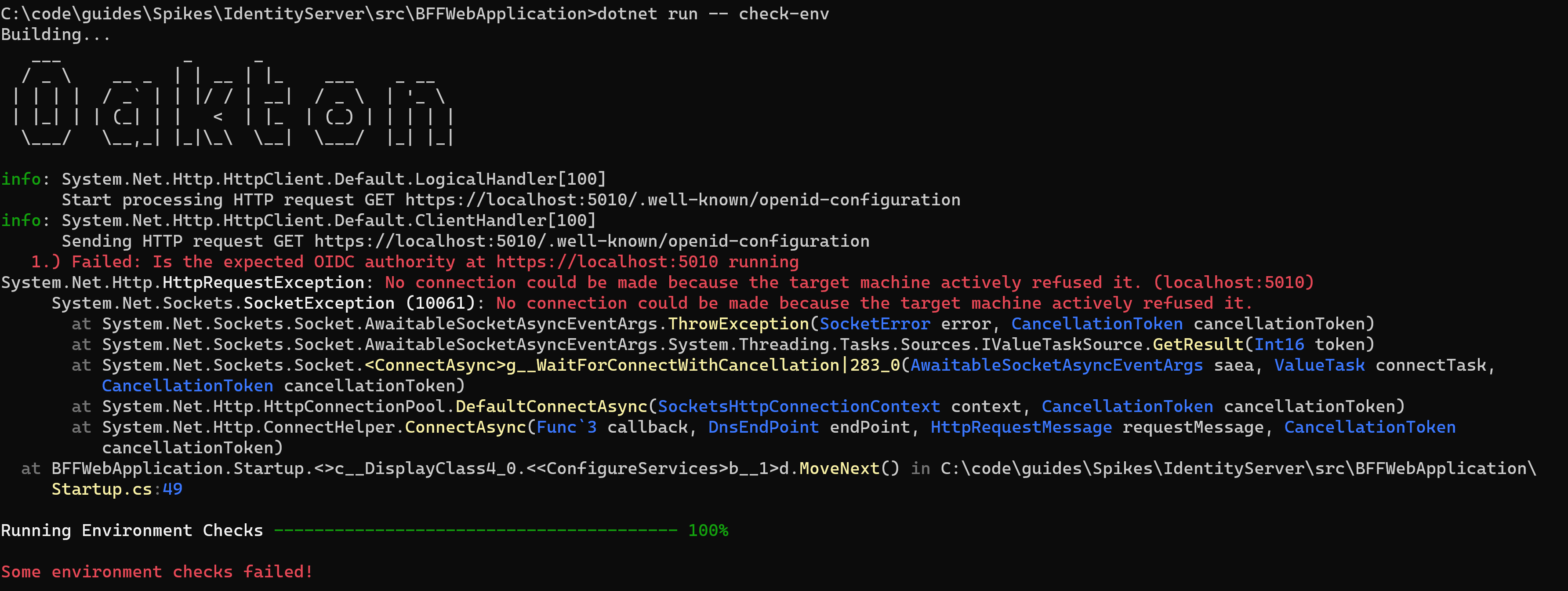
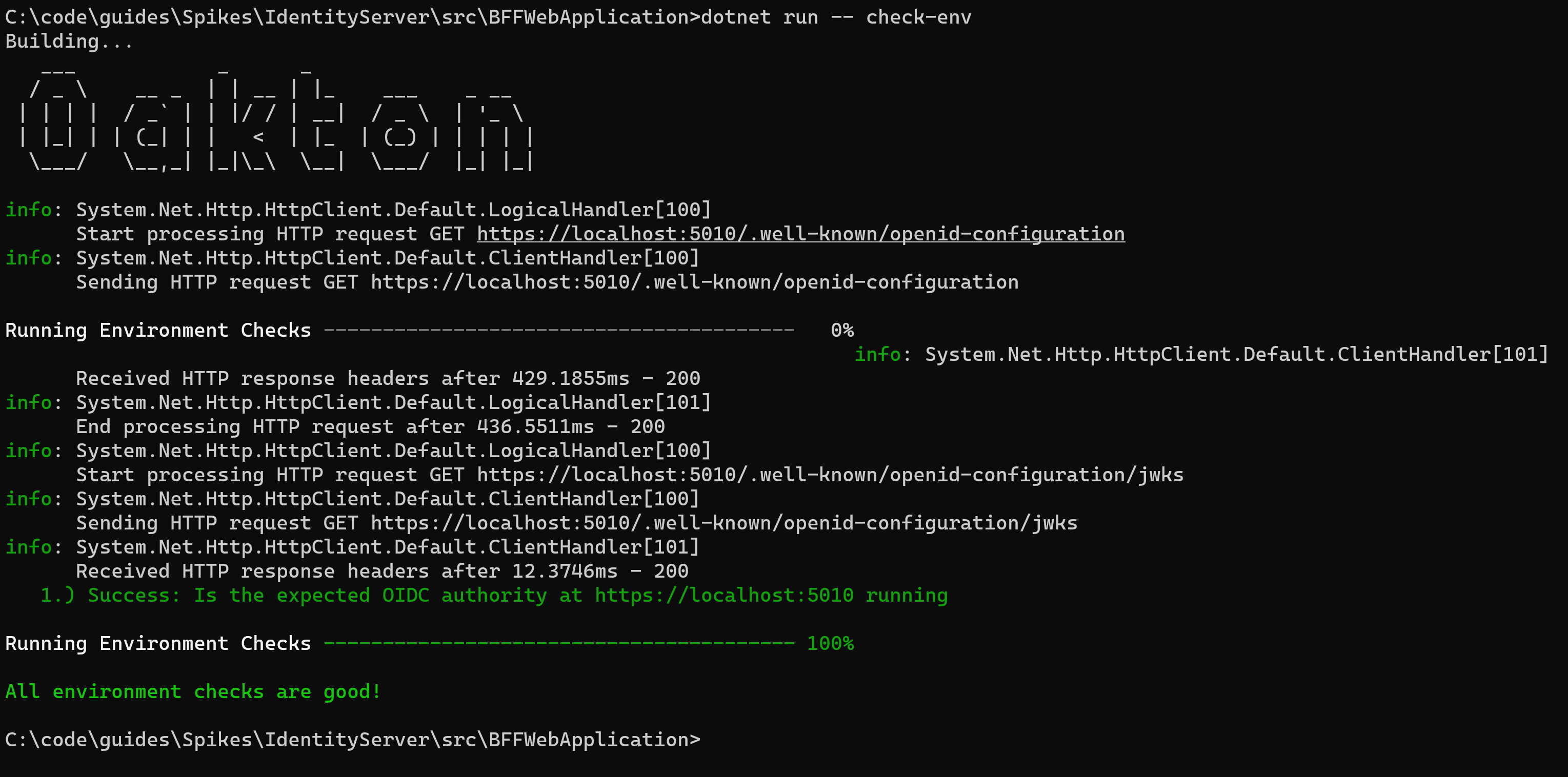
Oakton has a simple mechanism to embed environment checks directly into your application. The point of environment checks is to make your .Net application be able to check out its configuration during deployment in order to “fail fast” if external dependencies like databases are unavailable, or required files or missing, or necessary configuration items are invalid.

To use environment checks in your application with Oakton, just run this command:

dotnet run -- check-env

The command will fail if any of the environment checks fail, and you’ll get a report of every failure.

I wrote about this a couple years ago, and Oakton v3 just makes the environment check output a little prettier. If you’re using Lamar as your application’s IoC container, the Lamar.Diagnostics package adds some easier recipes for exposing environment checks in your code in combination with Oakton’s check-env command. I’ll show that later in this post.

The environment check functionality can be absolutely invaluable when your application is being deployed to an environment that isn’t perfectly reliable or has dependencies outside the control of your team. Ask me how I know this to be the case…

Describing the Application

A couple of the OSS projects I support are very sensitive to application configuration, and it’s sometimes challenging to get the right information from users who are having problems with my OSS libraries. As a possible way to ameliorate that issue, there’s Oakton’s extensible describe command:

dotnet run -- describe

Out of the box it just lists basic information about the application and referenced assemblies, but it comes with a simple extensibility mechanism I’m hoping to exploit for embedding Jasper, Marten, and Lamar diagnostics in applications.

Here’s the sample output from a simplistic application built with the worker template:

── About WorkerService ─────────────────────────────────────────
          Entry Assembly: WorkerService
                 Version: 1.0.0.0
        Application Name: WorkerService
             Environment: Development
       Content Root Path: the content root folder
AppContext.BaseDirectory: the application's base directory


── Referenced Assemblies ───────────────────────────────────────
┌───────────────────────────────────────────────────────┬─────────┐
│ Assembly Name                                         │ Version │
├───────────────────────────────────────────────────────┼─────────┤
│ System.Runtime                                        │ 5.0.0.0 │
│ Microsoft.Extensions.Configuration.UserSecrets        │ 5.0.0.0 │
│ Microsoft.Extensions.Hosting.Abstractions             │ 5.0.0.0 │
│ Microsoft.Extensions.DependencyInjection.Abstractions │ 5.0.0.0 │
│ Microsoft.Extensions.Logging.Abstractions             │ 5.0.0.0 │
│ Oakton                                                │ 3.0.2.0 │
│ Microsoft.Extensions.Hosting                          │ 5.0.0.0 │
└───────────────────────────────────────────────────────┴─────────┘

Lamar Diagnostics

As an add-on to Oakton, I updated the Lamar.Diagnostics package that uses Oakton to add Lamar diagnostics to a .Net application. If this package is added to a .Net project that uses Oakton for command line parsing and Lamar as its IoC container, you’ll see new commands light up from dotnet run -- help:

    lamar-scanning -> Runs Lamar's type scanning diagnostics
    lamar-services -> List all the registered Lamar services
    lamar-validate -> Runs all the Lamar container validations

The lamar-scanning command just gives you access to Lamar’s type scanning diagnostics report (something my team & I needed post haste for an ongoing Calavista client project).

The lamar-validate command runs the AssertConfigurationIsValid() method on your application’s configured container to validate that every service registration is valid, can be built, and also tries out Lamar’s own built in environment check system. You can read more about what this method does in the Lamar documentation.

You can also add the Lamar container validation step into the Oakton environment check system with this service registration:

// This adds a Container validation
// to the Oakton "check-env" command
// "services" would be an IServiceCollection object
// either in StartUp.ConfigureServices() or in a Lamar
// ServiceRegistry
services.CheckLamarConfiguration();

As I said earlier, Lamar still supports a very old StructureMap feature to embed environment checks right into your application’s services with the [ValidateMethod] attribute. Let’s say that you have a class in your system called DatabaseUsingService that requires a valid connection string from configuration, and DatabaseUsingService is registered in your Lamar container. You could add a method on that class just to check if the database is reachable like the Validate() method below:

    public class DatabaseUsingService
    {
        private readonly DatabaseSettings _settings;

        public DatabaseUsingService(DatabaseSettings settings)
        {
            _settings = settings;
        }

        [ValidationMethod]
        public void Validate()
        {
            // For *now*, Lamar requires validate methods be synchronous
            using (var conn = new SqlConnection(_settings.ConnectionString))
            {
                // If this blows up, the environment check fails:)
                conn.Open();
            }
        }
    }

When Lamar validates the container, it will see the methods marked with [ValidationMethod], pull the service from the configured container, and try to call this method and record any exceptions.

Lamar Services Preview

The big addition in the latest Lamar.Diagnostics package is a big improvement in how it renders a report about the registered services compared to the old, built in WhatDoIHave() textual report.

Starting from a pretty basic ASP.Net Core application, using the dotnet run -- lamar-services command gives us this output:

If you want to dig into the dependency train and how Lamar is going to build a certain registration, you can use this flag dotnet run -- lamar-services --build-plans. Which is going to look like this:

Hat tip to Spectre.Console for making the layout a lot prettier and easier to read.

Where does Oakton go next?

I’m somewhat hopeful that other folks would pick up Oakton’s command line model and add more utilities, application describer parts, and environment checks in either Oakton itself or in extension libraries. For my part, Marten v4’s command line support will use Oakton to add schema management and event store utilities directly to your application. I think it’d also be helpful to have an ASP.Net specific set of application described parts to at least preview routes.

Event Sourcing with Marten V4: Aggregated Projections

All the code samples in this post are from alpha code, and maybe subject to change based on user feedback. At a minimum, I’d expect the configuration code to change as we write more documentation and sample code and try to sand down anything that’s awkward, confusing, or not discoverable. I’m planning on making this the first in a series of a blog posts. Please, please, please share any feedback or questions you might have about the Marten usage here.

The Marten team kicked out a new alpha this week (4.0.0-alpha.5) that among other things, includes most of our planned improvements to Marten’s event sourcing support.

Before I dive into the Marten V4 improvements, let’s rewind and talk about what event sourcing is, starting with some quotes:

The fundamental idea of Event Sourcing is that of ensuring every change to the state of an application is captured in an event object, and that these event objects are themselves stored in the sequence they were applied for the same lifetime as the application state itself.

Event Sourcing by Martin Fowler (no relation to Marten:))

And,

Event Sourcing is an alternative way to persist data. In contrast with state-oriented persistence that only keeps the latest version of the entity state, Event Sourcing stores each state mutation as a separate record called an event.

What is Event Sourcing? by Alexey Zimarev 

We just finished a client project at Calavista that used event sourcing that we generally felt to be a success. In this case, the business problem was very workflow centric and lent itself well to being modeled as a series of events reflecting user actions captured by the system or determined by business rules in background processes. Moreover, the project had significant requirements to track metrics and auditing compliance and we found event sourcing to be a very effective way to knock out the auditing requirements as well as set our client up to be able to support whatever metrics they wished to develop in the future by ingesting the raw events.

We did need to know the current state of the active workflows going on within the system for many of the business rules, so we kept a live “projected” view of the raw events in memory in a background process. That strategy certainly won’t work for every system, but one way or another, your system built with event sourcing is likely going to need some way to derive the system state from the raw events — and this is where I finally want to switch to talking about the work we’ve been doing in Marten V4 to improve Marten’s read-side projection support.

If you’re wondering, we didn’t use Marten because the project in question was written on top of Node.js. If it had been a .Net project, I absolutely believe that Marten would have been a very good fit.

Marten’s Event Sourcing Support

The value of Marten as an event store is that in one library, you get:

  1. The ability to capture events in durable, sequential storage
  2. Opt in multi-tenancy support
  3. User-defined “Projections” that compile the derived state of the system based on the raw events, including the ability to store the projected views as just regular old Marten documents. Those “projected” views can be built on the fly, updated inline when new, related events are being captured, or built asynchronously by background processes provided by Marten.
  4. Plenty of functionality to query and retrieve event data

And all of that runs using the solid, fully transactional Postgresql database engine which is well supported on every major cloud hosting platform. I’m going to argue that Marten gives .Net developers the easiest path to a full fledged event sourcing persistence subsystem within your application architecture because it’s self-contained.

A Sample Domain Model

Let’s say we’re building a system to track our user’s road trips throughout the U.S. In that domain, we’re tracking and capturing these events for each active trip starting from the beginning of the system:

  1. TripStarted — a new trip started on a certain day
  2. TripEnded — a trip in progress ended at its final destination
  3. TripAborted — a trip in progress was ended before it was completed
  4. Departure and Arrival — a trip party reached or left a U.S. state
  5. Travel — a trip party drove within a single state on a single day a series of movements, all of a single cardinal direction like it’s a 1980’s Atari video game (cut me some slack, I needed a simple domain to test the projections here:))

Getting Started with Marten

Marten completely embraces the HostBuilder concept introduced in later versions of .Net Core for easy integration into .Net applications. Starting from the “worker” template to start a new .Net project, I add a reference to the Marten Nuget package and add this call to the AddMarten() extension method like so:

public static IHostBuilder CreateHostBuilder(string[] args)
{
    return Host.CreateDefaultBuilder(args)
        .ConfigureServices((hostContext, services) =>
        {
            var configuration = hostContext.Configuration;
            var environment = hostContext.HostingEnvironment;

            services.AddHostedService<Worker>();

            // This is the absolute, simplest way to integrate Marten into your
            // .Net Core application with Marten's default configuration
            services.AddMarten(options =>
            {
                // Establish the connection string to your Marten database
                options.Connection(configuration.GetConnectionString("Marten"));

                // If we're running in development mode, let Marten just take care
                // of all necessary schema building and patching behind the scenes
                if (environment.IsDevelopment())
                {
                    options.AutoCreateSchemaObjects = AutoCreate.All;
                }
            });
        });
}

I’ll add some new V4 options later in the post, but the basics of what I did up there is described in our documentation.

Now to capture some events. Assume that a new trip is started when our system receives this command message from another system or our user interface:

public class CreateNewTrip
{
    public int Day { get; set; }
    public string State { get; set; }
    public Movement[] Movements { get; set; }
}

Next, let’s say our message handler looks like this (it varies by messaging framework, but this is what it could look like with Jasper):

public class NewTripHandler
{
    private readonly IDocumentSession _session;

    public NewTripHandler(IDocumentSession session)
    {
        _session = session;
    }

    public async Task Handle(CreateNewTrip trip)
    {
        var started = new TripStarted
        {
            Day = trip.Day
        };

        var departure = new Departure
        {
            Day = trip.Day,
            State = trip.State
        };

        var travel = new Travel
        {
            Day = trip.Day,
            Movements = new List<Movement>(trip.Movements)
        };

        // This will create a new event stream and
        // append the three events to that new stream
        // when the IDocumentSession is saved
        var action = _session.Events
            .StartStream(started, departure, travel);

        // You can also use strings as the identifier
        // for streams
        var tripId = action.Id;

        // Commit the events to the new event
        // stream for this trip
        await _session.SaveChangesAsync();
    }
}

In Marten nomenclature, a “stream” is a related set of events in the event storage. In this system, we’ll use a stream for every distinct trip. The code above takes in the CreateNewTrip command message, and creates three events to record the initial progress of the new trip, and persists the new events.

So now that we’ve captured events, let’s move on to projections in Marten V4, because that’s been both a major area of effort and also the biggest changes for usage in this forthcoming release.

Aggregate by Stream

Projections support in Marten comes in a couple different flavors, but I’m guessing that the most common is projecting a single document view of a single stream of events. In this case, we’ll create a projected Trip view like this:

public class Trip
{
    public Guid Id { get; set; }

    // the day the trip ended
    public int EndedOn { get; set; }

    // total mileage of the trip to date
    public double Traveled { get; set; }

    // what state is the trip party in
    // presently
    public string State { get; set; }

    // is the trip ongoing?
    public bool Active { get; set; }

    // what day did the trip start?
    public int StartedOn { get; set; }
}

To configure an aggregated projection for a Trip stream, we’ll subclass the new AggregateProjection<T> class like so:

public class TripAggregation: AggregateProjection<Trip>
{
    public TripAggregation()
    {
        // Delete the Trip document for this
        // stream if this event is encountered
        DeleteEvent<TripAborted>();

        ProjectionName = "Trip";

        // We'll change this later
        Lifecycle = ProjectionLifecycle.Live;
    }

    public void Apply(Arrival e, Trip trip) => trip.State = e.State;
    public void Apply(Travel e, Trip trip) => trip.Traveled += e.TotalDistance();
    public void Apply(TripEnded e, Trip trip)
    {
        trip.Active = false;
        trip.EndedOn = e.Day;
    }

    public Trip Create(TripStarted started)
    {
        return new Trip {StartedOn = started.Day, Active = true};
    }
}

A couple notes here to explain the code:

  • Marten is depending on naming conventions to know what to do with a certain kind of event type. So the Create() method is used to create the Trip aggregate from an event object of type TripStarted.
  • The Apply() methods are used to make updates to an existing aggregate document based on an event of a certain type
  • For the moment, the TripAggregation is only used for “live” aggregations that are done on the fly. We’ll change that later

Now, let’s put this new projection to use. In our call to AddMarten() up above, I’m going to add one line of code to register our new projection:

options.Events.Projections.Add(new TripAggregation());

Let’s say that in our system we write events for trips very frequently, but very rarely need to see the current state of the trip (don’t know why that would be so, but just go with it). In that case we can just lean on Marten’s ability to aggregate the projected view on the fly as shown below with the AggregateStreamAsync() method:

public class EndTrip
{
    public Guid TripId { get; set; }
    public bool Successful { get; set; }
    public string State { get; set; }
    public int Day { get; set; }
}

public class EndTripHandler
{
    private readonly IDocumentSession _session;

    public EndTripHandler(IDocumentSession session)
    {
        _session = session;
    }

    public async Task Handle(EndTrip end)
    {
        // we need to first see the current
        // state of the Trip to decide how
        // to proceed
        var trip = await _session
            .Events
            .AggregateStreamAsync<Trip>(end.TripId);
        
        // finish processing the EndTrip command...
    }
}

If instead, we’d like to keep the matching Trip document up to date and persisted in the database as new events come in, we can switch the TripProjection to using the “inline” lifecycle by setting the Lifecycle property in the constructor function of TripProjection to:

public TripAggregation()
{
    DeleteEvent<TripAborted>();

    ProjectionName = "Trip";

    // Now let's change the lifecycle to inline
    Lifecycle = ProjectionLifecycle.Inline;
}

“Inline” projections are updated when events are appended, and in the same transaction as the append event database changes. This gives you true ACID transaction integrity between the events and the projected views. This can set you up for possible concurrency issues if multiple application threads are trying to update the same stream of events simultaneously, so exercise some caution with using inline projections.

So with the Trip documents being updated inline with new events coming in, our EndTripHandler becomes:

public class EndTripHandler
{
    private readonly IDocumentSession _session;

    public EndTripHandler(IDocumentSession session)
    {
        _session = session;
    }

    public async Task Handle(EndTrip end)
    {
        // we need to first see the current
        // state of the Trip to decide how
        // to proceed, so load the pre-built
        // projected document from the database
        var trip = await _session
            .LoadAsync<Trip>(end.TripId);

        // finish processing the EndTrip command...
    }
}

You can also run projections asynchronously in a background thread, but I’m going to leave that for a subsequent post.

Some other points of interest about AggregateProjection<T>:

  • There’s some wiggle room in the signature of the conventionally named Apply() and Create() methods. These method signatures can be asynchronous. They can also take in parameters for IQuerySession to load other information from Marten as they work or the IEvent / IEvent<T> data for the event to get access to metadata about the event or the event’s stream
  • The Apply() methods happily support immutable aggregate types. You’d simple return the new aggregate document created in an Apply() method or Task<T> where the T is the aggregate document type. That might not be very efficient because of the extra object allocations, but hey, some folks really want that.
  • I didn’t show it up above, but if you dislike the conventional “magic” I used above, that’s okay, there are methods you can use to define how to update or create the aggregate document based on specific event types through inline Lambda functions.
  • You can also conditionally delete the aggregated document if the logical workflow represented by an event stream is completed based on user defined logic.
  • All of the conventional method signatures as well as the inline Lambda usages for defining how an aggregate would be updated can also accept interface or abstract class types as well. This was a user request to enable folks to use event types from external assemblies in extensibility scenarios.

Aggregate a Projected Document Across Event Streams

I thought you said to never cross the streams! – had to be said:)

This is admittedly contrived, but let’s say we want a projected view from our raw trip events that tells us for each day the system is active:

  • How many trips started?
  • How many trips ended?
  • How many miles did all the active trips drive in each direction?

And by “day” in this system, I just mean the day number since the system went online. That aggregate might look like this:

public class Day
{
    public int Id { get; set; }

    // how many trips started on this day?
    public int Started { get; set; }

    // how many trips ended on this day?
    public int Ended { get; set; }

    // how many miles did the active trips
    // drive in which direction on this day?
    public double North { get; set; }
    public double East { get; set; }
    public double West { get; set; }
    public double South { get; set; }
}

So what we want to do is to group the TripStarted, TripEnded, and Travel events by the day, and create an aggregated Day document to reflect all the events that happened on the same day. The first step is to tell Marten how to know what events are going to be associated with a specific day, and the easiest way in Marten V4 is to have the events implement a common interface like this one:

public interface IDayEvent
{
    int Day { get; }
}

And then have the relevant events implement that interface like the TripStarted event:

public class TripStarted : IDayEvent
{
    public int Day { get; set; }
}

Now, to make the Marten projection for the Day document type, we’ll use the new V4 version of ViewProjection as a subclass like so:

// The 2nd generic parameter is the identity type of
// the document type. In this case the Day document
// is identified by an integer representing the number
// of days since the system went online
public class DayProjection: ViewProjection<Day, int>
{
    public DayProjection()
    {
        // Tell the projection how to group the events
        // by Day document
        Identity<IDayEvent>(x => x.Day);
        
        // This just lets the projection work independently
        // on each Movement child of the Travel event
        // as if it were its own event
        FanOut<Travel, Movement>(x => x.Movements);
        
        ProjectionName = "Day";
    }

    public void Apply(Day day, TripStarted e) => day.Started++;
    public void Apply(Day day, TripEnded e) => day.Ended++;

    public void Apply(Day day, Movement e)
    {
        switch (e.Direction)
        {
            case Direction.East:
                day.East += e.Distance;
                break;
            case Direction.North:
                day.North += e.Distance;
                break;
            case Direction.South:
                day.South += e.Distance;
                break;
            case Direction.West:
                day.West += e.Distance;
                break;

            default:
                throw new ArgumentOutOfRangeException();
        }
    }
}

The new ViewProjection is a subclass of AggregateProjection, and therefore has all the same capabilities as its parent type.

You’d most likely need to run a projection that crosses streams in the asynchronous projection lifecycle where the projection is executed in a background process, but I’m leaving that to another blog post.

Summary & What’s Next?

I focused strictly on projections that focused on aggregations, but there are plenty of use cases that don’t fit into that mold. In subsequent posts I’ll explore the other options for projections in Marten V4. The asynchronous projection support also got a full rewrite in Marten V4, so I’ll share plenty more about that.

In other posts, I’ll discuss some other improvements in the event capture process for reliability and concurrency issues. Hopefully for the next alpha release, we’ll be able to utilize native Postgresql database sharding to allow for far more scaleability in Marten’s event sourcing support.