Scheduled or Delayed Messages in Wolverine

Wolverine has first class support for delayed or scheduled message delivery. While I don’t think I’d recommend using Wolverine as a one for one replacement for a Hangfire or Quartz.Net, Wolverine’s functionality is great for:

  • Scheduling or delaying message retries on failures where you want the message retried, but definitely want that message out of the way of any subsequent messages in a queue
  • Enforcing “timeout” conditions for any kind of long running workflow
  • Explicit scheduling from within message handlers

Mechanically, you can publish a message with a delayed message delivery with Wolverine’s main IMessageBus entry point with this extension method:

public async Task schedule_send(IMessageContext context, Guid issueId)
{
    var timeout = new WarnIfIssueIsStale
    {
        IssueId = issueId
    };

    // Process the issue timeout logic 3 days from now
    await context.ScheduleAsync(timeout, 3.Days());

    // The code above is short hand for this:
    await context.PublishAsync(timeout, new DeliveryOptions
    {
        ScheduleDelay = 3.Days()
    });
}

Or using an absolute time with this overload of the same extension method:

public async Task schedule_send_at_5_tomorrow_afternoon(IMessageContext context, Guid issueId)
{
    var timeout = new WarnIfIssueIsStale
    {
        IssueId = issueId
    };

    var time = DateTime.Today.AddDays(1).AddHours(17);

    // Process the issue timeout at 5PM tomorrow
    // Do note that Wolverine quietly converts this
    // to universal time in storage
    await context.ScheduleAsync(timeout, time);
}

Now, Wolverine tries really hard to enable you to use pure functions for as many message handlers as possible, so there’s of course an option to schedule message delivery while still using cascading messages with the DelayedFor() and ScheduledAt() extension methods shown below:

public static IEnumerable<object> Consume(Incoming incoming)
{
    // Delay the message delivery by 10 minutes
    yield return new Message1().DelayedFor(10.Minutes());
    
    // Schedule the message delivery for a certain time
    yield return new Message2().ScheduledAt(new DateTimeOffset(DateTime.Today.AddDays(2)));
}

Lastly, there’s a special base class called TimeoutMessage that your message types can extend to add scheduling logic directly to the message itself for easy usage as a cascaded message. Here’s an example message type:

// This message will always be scheduled to be delivered after
// a one minute delay
public record OrderTimeout(string Id) : TimeoutMessage(1.Minutes());

Which is used within this sample saga implementation:

// This method would be called when a StartOrder message arrives
// to start a new Order
public static (Order, OrderTimeout) Start(StartOrder order, ILogger<Order> logger)
{
    logger.LogInformation("Got a new order with id {Id}", order.OrderId);

    // creating a timeout message for the saga
    return (new Order{Id = order.OrderId}, new OrderTimeout(order.OrderId));
}

How does it work?

The actual mechanics for how Wolverine is doing the scheduled delivery are determined by the destination endpoint for the message being published. In order of precedence:

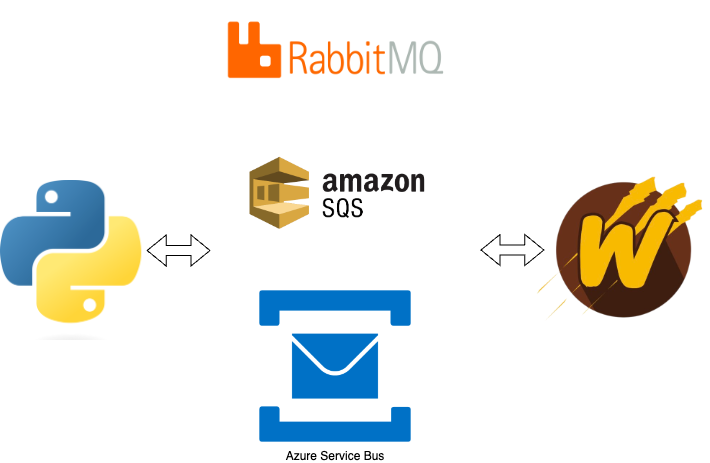
  • If the destination endpoint has native message delivery capabilities, Wolverine uses that capability. Outbox mechanics still apply to when the outgoing message is released to the external endpoint’s sender. At the time of this post, the only transport with native scheduling support is Wolverine’s Azure Service Bus transport or the recently added Sql Server backed transport.
  • If the destination endpoint is durable, meaning that it’s enrolled in Wolverine’s transactional outbox, then Wolverine will store the scheduled messages in the outgoing envelope storage for later execution. In this case, Wolverine is polling for the ready to execute or deliver messages across all running Wolverine nodes. This option is durable in case of process exits.
  • In lieu of any other support, Wolverine has an in memory option that can do scheduled delivery or execution

How I started in software development

A very rare Friday blog post, but don’t worry, I didn’t exert too much energy on it.

TL;DR: I was lucky as hell, but maybe prepared well enough that I was able to seize the opportunities that did fall in my lap later

I never had a computer at home growing up, and I frankly get a little bit exasperated at developers of my generation bragging about the earliest programming language and computer they learned on as they often seem unaware of how privileged they were back in the day when home computers were far more expensive than they are now. Needless to say, no kind of computer science or MIS degree was even remotely on my radar when I started college back in the fall of ’92. I did at least start with a 386 knockoff my uncle had given me for graduation, and that certainly helped.

Based partially on the advice of one of my football coaches, I picked Mechanical Engineering for my degree right off the bat, then never really considered any kind of alternatives the rest of the way. Looking back, I can clearly recognize that my favorite course work in college was anytime we dipped into using Matlab (a very easy to use mathematics scripting language if you’ve never bumped into it) for our coursework (Fortran though, not so much).

I don’t remember how this came about, but my first engineering lead gave me a couple weeks one time to try to automate some kind of calculations we frequently did with custom Matlab scripts, which just gave me the bug to want to do that more than our actual engineering work — which was often just a ton of paperwork to satisfy formal processes. My next programming trick was playing with Office VBA to automate the creation of some of those engineering documents instead of retyping information that was already in Excel or Access into Word documents.

This was also about the time the software industry had its first .com boom and right before the first really bad bust, so a lot of us younger engineers were flirting with moving into software as an alternative. My next big step was right into what I’d now call “Shadow IT” after I purchased some early version of this book:

I devoured that book, and used MS Access to generate ASP views based on database tables and views that I reverse engineered to “learn” how to code. Using a combination of MS Access, Office VBA, and ASP “Classic”, I built a system for my engineering team to automate quite a bit of our documentation and inventory order creation that was actually halfway successful.

I think that work got the attention of our real IT organization, and I got picked up to work in project automation right at the magical time when the engineering and construction industry was moving from paper drafting and isolated software systems into connected systems with integration work. That was such a cool time because there was so much low hanging fruit and the time between kicking around an idea in a meeting and actually coding it up was pretty short. I was still primarily working with the old Microsoft DNA technologies plus Oracle databases.

While doing this, I took some formal classes at night to try to get the old Microsoft MCSD certification (I never finished that) where I added VB6 and Sql Server to my repertoire.

My next big break was moving to Austin in 2000 to work for a certain large computer manufacturer. I came in right as a big consulting company was finishing up a big initiative around supply chain automation that didn’t really turn out the way everybody wanted. I don’t remember doing too much at first (a little Perl of all things), but I was taking a lot of notes about how I’d try to rebuild one of the failing systems from that initiative — mostly as a learning experience for myself.

I think I’d managed to have a decent relationship with the part of the business folks who were in charge of automation strategy, and at the point where they were beside themselves with frustration about the current state of things, I happened to have a new approach ready to go. In an almost parting of the Red Sea kind of effect, the business and my management let me run on a proof of concept rewrite. For the first and only time in my career, I had almost unlimited collaboration with the business domain experts, and got the basics in place fast and sold them on the direction. From there, my management at the time did an amazing job of organizing a team around that initiative and fighting off all the other competing groups in our department that tried to crash the party (I didn’t really learn to appreciate what my leadership did to enable me until years later, but I certainly do now).

Long story short, the project was a big success in terms of business value (the code itself was built on old Windows DNA technology, some Java, Oracle and was unnecessarily complicated in a way that I’d call it completely unacceptable now). I never quite reached that level of success there again, but did get bumped up in title to an “architect” role before I left for a real software consultancy.

I also at least started working with very early .NET for a big proof of concept that never got off the ground, and that helped launch me into my next job with ThoughtWorks where I got my first grounding in Agile software development and more disciplined ways of building systems.

Some time soon, there’ll be an episode up of the Azure DevOps podcast that Jeffrey Palermo and I recorded recently. Jeffrey asked me something to the effect of what my formative experiences were that set me on my career path. I told him that my real acceleration into being a “real” software developer was my brief time at ThoughtWorks during some of the heady eXtreme Programming (XP) days (before Scrum ruined Agile development). That’s where I was at when I started and first published StructureMap that lasted for almost 15 years of active development. I think the OSS work has helped (and also hurt) my career path. I probably derived much more career benefit from writing technical content for the now defunct CodeBetter.com website where I learned to communicate ideas better and participated in the early marriage of Agile software practices and .NET technologies.

Anyway, that’s how I managed to get started. Looking back, I’d just say that it’s all about making the best of your early work situations to learn so that you can seize the day when opportunities come later. It’d probably also help if you were way better at networking than I was in my early career too though, but I don’t have any real advice on that one:-)

Plans for Marten V7 and Beyond

As you might know, the Marten core team is in the process of building a new business around the “Critter Stack” tools (Marten + Wolverine and a couple smaller things). I think we’ll shortly be able to offer formal paid support contracts through JasperFx Software, and we’re absolutely open for business for any kind of immediate consulting on your software initiatives.

Call this a follow up from the Critter Stack roadmap from back in March. Everything takes longer than you wish it would, but at least Wolverine went 1.0 and I’m happy with how that’s been received so far and its uptake.

In the immediate future, we’re kicking out a Marten 6.1 release with a new health check integration and some bug fixes. Shortly afterward, we hope to get another 6.1.1 release out with as many bug fixes as we can address quickly to clear the way for the next big release. With that out of the way, let’s get on to the big initiatives for Marten!

Marten 7 Roadmap

Marten 6 was a lot of bug fixing and accommodating the latest version of Npgsql, our dependency for low level communication with PostgreSQL. Marten 7 is us getting on track for our strategic initiatives. Right now the goal is to move to an “open core” model for Marten where the current library and its capabilities stay open and free, but we will be building more advanced features for bigger workloads in commercial add on projects.

For the open core part of Marten, we’re aiming for:

  • Significant improvements to the LINQ provider support for better performing SQL and knocking down an uncomfortably long list of backlogged LINQ related issues and user requests. You can read more about that in Marten Linq Provider Improvements. Honestly, I think this is likely more work than the rest of the issues combined.
  • Maybe adding Strong Typed Identifiers as a logical follow on to the LINQ improvements. It’s been a frequent request, and I can see some significant opportunities for integration with Wolverine later
  • First class subscriptions in the event sourcing. This is going to be simplistic model for you to build your own persistent subscriptions to Marten events that’s a little more performant and robust than the current “IProjection for subscriptions” approach. More on this in the next section.
  • A way to parallelize the asynchronous projections in Marten for improved scalability based on Oskar’s strategy described in Scaling Marten.
  • .NET 8 integration. No idea what if anything that’s going to do to us.
  • Incorporating Npgsql 8. Also no idea if that’s going to be full of unwanted surprises or a walk in the park yet
  • A lightweight option for partial updates of Marten documents. We support this through our PLv8 add on, but that’s likely being deprecated and this comes up quite a bit from people moving to Marten from MongoDb

Critter Stack Enterprise-y Edition

Now, for the fun part, the long planned, long dreamed of commercial add ons for true enterprise Critter Stack usage. We have initial plans to build an all new library using both Marten and Wolverine that will be available under a commercial subscription.

Projection Scalability

Most of the biggest issues with scaling Marten to bigger systems are related to the asynchronous projection support. The first goal is scalability through distributing projection work across all the running nodes within your application. Wolverine already has leader election and “agent assignment” functionality that was built with this specific need in mind. To make that a little more clear, let’s say that you’re using Marten with a database per tenant multi-tenancy strategy. With “Critter Stack Enterprise” (place holder until we get a better name), the projection work might be distributed across nodes by tenant something like this:

The “leader agent” would help redistribute work as nodes come online or offline.

Improving scalability by distributing load across nodes is a big step, but there’s more tricks to play with projection throughput that would be part of this work.

Zero Downtime, Blue/Green Deployments

With the new projection daemon alternative, we will also be introducing a new “blue/green deployment” scheme where you will be able to change existing projections, introduce all new projections, or introduce new event signatures without having to have a potentially long downtime for rebuilding projections the way you might have to with Marten today. I feel like we have some solid ideas for how to finally pull this off.

More Robust Subscription Recipes

I don’t have many specifics here, but I think there’s an opportunity to also support more robust subscription offerings out of the Marten events using existing or new Wolverine capabilities. I also think we can offer stricter ordering and delivery guarantees with the Marten + Wolverine combination than we ever could with Marten alone. And frankly, I think we can do something more robust than what our obvious competitor tools do today.

Additional Event Store Throughput Improvements

Some other ideas we’re kicking around:

  • Introduce 2nd level caching into the aggregation projections
  • Elastic scalability for rebuilding projections
  • Hot/cold event store archiving that could improve both performance and scalability
  • Optional usage of higher performance serializers in the event store. That mostly knocks out LINQ querying for the event data

Other Stuff

We have many more ideas, but I think that the biggest theme is going to be ratcheting up the scalability of the event sourcing functionality and CQRS usage in general. There’s also a possibility of taking Marten’s event store functionality into cross-platform usage this year as well.

Thoughts? Requests? Wanna run jump in line to hire JasperFx Software?

Marten Linq Provider Improvements

A couple years ago I was in a small custom software development shop in Austin as “the .NET guy” for the company. The “Java guy” in the company asked me one day to try to name one think about .NET that he could look at that wasn’t just a copy of something older in the JVM. I almost immediately said for him to look at LINQ (Language INtegrated Query for non .NET folks who might stumble into this), as there isn’t really a one for one equivalent and I’d argue that LINQ is a real advantage within the .NET space.

As the author and primary support person for Marten’s LINQ provider support though, I have a decidedly mixed view of LINQ. It’s undoubtedly a powerful tool for .NET developers, but it’s maybe my least favorite thing to support in my entire OSS purview as a LINQ provider is a permutation hell kind of problem. To put it in perspective, I start making oodles of references to Through the Looking Glass anytime I have to spend some significant amount of time dealing with our LINQ support.

Nevertheless, Marten has an uncomfortably large backlog of LINQ related issues and we had a generous GitHub sponsorship to specifically improve the efficiency of the SQL generated for child collection queries in Marten, so I’ve been working on and off for a couple months to do a complete overhaul of our LINQ support that will land in Marten 7.0 sometime in the next couple months. Just in the last week I finally had a couple breakthroughs I’m ready to share. First though, let’s all get in the right headspace with some psychedelic music:

RIP Tom Petty!

and

And I’m going w/ Grace Potter’s cover version!

Alright, so back to the real problem. When Marten today encounters a LINQ query like this one:

        var results = theSession.Query<Top>().Where(x =>
            x.Middles.Any(m => m.Color == Colors.Green && m.Bottoms.Any(b => b.Name == "Bill")));

Marten generates a really fugly SQL query using PostgreSQL Common Table Expressions to explode out the child collections into flat rows that can then be filtered to matching child rows, then finally uses a sub query filter on the original table to find the right rows. To translate, all that mumbo jumbo I said translates to “a big ass, slow query that doesn’t allow PostgreSQL to utilize its fancy GIN index support for faster JSONB querying.”

The Marten v7 support will be smart enough to “know” when it can generate more efficient SQL for certain child collection filtering. In the case above, Marten v7 can use the PostgreSQL containment operator to utilize the GIN indexing support and just be simpler in general with SQL like this:

select d.id, d.data from public.mt_doc_top as d where CAST(d.data ->> 'Middles' as jsonb) @> :p0 LIMIT :p1
  p0: [{"Color":2,"Bottoms":[{"Name":"Bill"}]}]
  p1: 2

You might have to take my word for it right now that the SQL above is significantly more efficient than the previous LINQ support.

One more sample that I’m especially proud of. Let’s say you use this LINQ query:

        var result = await theSession
            .Query<Root>()
            .Where(r => r.ChildsLevel1.Count(c1 => c1.Name == "child-1.1") == 1)
            .ToListAsync();

This one’s a little more complicated because you need to do a test of the *number* of matching child elements within a child collection. Again, Marten vCurrent will use a nasty and not terribly efficient common table expression approach to give you the right data. For Marten v7, we specifically asked the Marten user base if we could abandon support for any PostgreSQL versions lower than PostgreSQL 12. *That* is letting us use PostgreSQL’s JSONPath query support within our LINQ provider and gets us to this SQL for the LINQ query from up above:

select d.id, d.data from public.mt_doc_root as d where jsonb_array_length(jsonb_path_query_array(d.data, '$.ChildsLevel1[*] ? (@.Name == $val1)', :p0)) = :p1
  p0: {"val1":"child-1.1"}
  p1: 1

It’s still quite a bit away, but the point of this post is that there is some significant improvements coming to Marten’s LINQ provider soon. More importantly to me, finishing this work up and knocking out the slew of open LINQ related GitHub issues will allow the Marten core team to focus on much more exciting new functionality in the event sourcing side of things.

“Minimal Architecture” on DotNetRocks

Hey, JasperFx Software is completely open for business, and ready to help your company make the most of your software development initiatives. While we’d be thrilled to work with our own “critter stack” tooling, we’re also very capable of helping you with software modernization, architectural reviews, and test automation challenges with whatever technical stack you happen to be using. Contact us at any time at sales@jasperfx.net for more information.

The DotNetRocks guys let me come on to talk with them for a show called Minimal Architecture with Jeremy Miller. Along the way, we talked about the latest happenings with the “Critter Stack,” why I’m absolutely doubling down on my criticisms of the Clean Architecture as it is practiced, and a lot about how to craft maintainable codebases with lower ceremony vertical slice architecture approaches — including how Wolverine and Marten absolutely help make that a reality.

Webinar: Simplify Your Architecture with Wolverine

Regardless of whether or not you’re taking the plunge into the “Critter Stack” tools or using a completely different technical stack, JasperFx Software is ready to engage with your shop for any help you might want on software architecture, test automation, modernization efforts, or helping your teams be more effective with Test Driven Development. Contact us anytime at sales@jasperfx.net.

In their first joint webinar, Oskar and Jeremy demonstrate how combining Wolverine and Marten can lead to a very low ceremony Event Sourcing and CQRS architecture. More than just that, we demonstrate how this tooling is purposely designed to lead to isolating the business logic for easy testing and good maintainability over time.

Jeremy joins Oskar’s Event Sourcerers Webinar Series to talk Wolverine and Marten

Last week we talked about code organization in a post-hexagonal world, where we decried the explosion of complexity that often comes from prescriptive architectures and “noun-centric” code organization. Let’s say this webinar is a down payment on explaining just how we’d go about doing things differently to sidestep the long term maintainability traps in many popular prescriptive architectures.

Introducing Weasel for Database Development

An unheralded, but vital foundational piece of the “Critter Stack” is the Weasel family of libraries that both Marten and Wolverine use quite heavily for a range of database development utilities. For the moment, we have Weasel packages with similar functionality for PostgreSQL and Sql Server.

We’re certainly not opposed to adding other database engines like MySQL or even Oracle, but those two databases were the obvious places to start.

I’m just giving a little bit of an overview of some of the functionality in the Weasel libraries.

Extension Methods for Less Painful ADO.Net

The “Back to the Future” aspect of working so heavily with first Marten, then database centric features in Wolverine has been doing a lot of low level ADO.Net development after years of more or less relying on ORMs. At one point in the late 00’s I had a quote in my blog something to the effect of:

If you’re writing ADO.Net code by hand, you’re stealing from your employer

Me

Even when you need to have finer grained control over SQL generation in your codebase, I think you’re maybe a little better off at least using a micro-ORM like Dapper.

ADO.Net has a very tedious API out of the box, so Weasel alleviates that with quite a few extension methods to make your code a little quicker to write and hopefully much easier to read later as well.

Here’s a sample method from the Sql Server-backed node tracking from the Wolverine codebase that shows off several Weasel utility extension methods:

    public async Task RemoveAssignmentAsync(Guid nodeId, Uri agentUri, CancellationToken cancellationToken)
    {
        await using var conn = new SqlConnection(_settings.ConnectionString);

        // CreateCommand is an extension method in Weasel
        await conn.CreateCommand($"delete from {_assignmentTable} where id = @id and node_id = @node")
            .With("id", agentUri.ToString())
            .With("node", nodeId)
            
            // Also an extension method in weasel that opens the connection,
            // executes the command, and closes the connection in sequence
            .ExecuteOnce(cancellationToken);
    }

This isn’t particularly very innovative, and I’ve seen several other one off libraries where folks have done something very similar. I still like having these methods though, and I appreciate these utilities not being copy and pasted between Marten, Weasel, and other work.

Batched Commands

I don’t want to oversimplify things too much, but in the world of enterprise software development the one of the most common sources of poor performance is being too chatty between technical layers as network round trips can be very expensive. I did a lot of experimentation very early on in Marten development, and what we found quite clearly was that there was a massive performance benefit in batching up database commands and even queries to the database.

Weasel has a utility called CommandBuilder (there’s one for Sql Server, one for PostgreSQL, and a third flavor that targets the generic DbCommand abstractions) that we use quite heavily for building batched database queries. Here’s a usage from the PostgreSQL backed node management code in Wolverine:

        await using var conn = new NpgsqlConnection(_settings.ConnectionString);
        await conn.OpenAsync(cancellationToken);

        var builder = new CommandBuilder();
        var nodeParameter = builder.AddNamedParameter("node", nodeId, NpgsqlDbType.Uuid);

        foreach (var agent in agents)
        {
            var parameter = builder.AddParameter(agent.ToString());
            builder.Append(
                $"insert into {_assignmentTable} (id, node_id) values (:{parameter.ParameterName}, :{nodeParameter.ParameterName}) on conflict (id) do update set node_id = :{nodeParameter.ParameterName};");
        }

        await builder.ExecuteNonQueryAsync(conn, cancellationToken);


        await conn.CloseAsync();

Behind the scenes, CommandBuilder is using a StringBuilder to more efficiently append strings for what eventually becomes the data for a DbCommand.CommandText. It’s also helping to build as many database parameters as you need with the pattern “p0, p1, p#” as well as letting you use shared, named parameters.

Database Schema Management

A crucial feature in both Marten and Wolverine is the ability to quietly put your backing database into the proper, configured state that your application requires. This part of Weasel is a little more involved than I have ambition to adequately demonstrate here, but here’s a taste. In Wolverine’s new Sql Server messaging transport, there’s a separate table for each named queue to track scheduled messages that’s configured in code like this:

using Weasel.Core;
using Weasel.SqlServer.Tables;
using Wolverine.RDBMS;

namespace Wolverine.SqlServer.Transport;

internal class ScheduledMessageTable : Table
{
    public ScheduledMessageTable(DatabaseSettings settings, string tableName) : base(
        new DbObjectName(settings.SchemaName, tableName))
    {
        AddColumn<Guid>(DatabaseConstants.Id).AsPrimaryKey();
        AddColumn(DatabaseConstants.Body, "varbinary(max)").NotNull();
        AddColumn(DatabaseConstants.MessageType, "varchar(250)").NotNull();
        AddColumn<DateTimeOffset>(DatabaseConstants.ExecutionTime).NotNull();
        AddColumn<DateTimeOffset>(DatabaseConstants.KeepUntil);
        AddColumn<DateTimeOffset>("timestamp").DefaultValueByExpression("SYSDATETIMEOFFSET()");
        
        // Definitely want to index the execution time. Far more reads than writes. We think. 
        Indexes.Add(new IndexDefinition($"idx_{tableName}_execution_time")
        {
            Columns = new string[]{DatabaseConstants.ExecutionTime}
        });
    }
}

What you see above is the support for database tables in Sql Server. This model helps the critter stack tools be able to make database migrations on the fly, including:

  • Building missing tables
  • Creating missing database schemas
  • Adding additional columns that are part of the configured table model, but not present in the database (Marten uses this quite heavily, and this all originally came out of early Marten)
  • Removing columns that are in the existing database table, but don’t exist in the configuration
  • Adding, removing, or modifying indexes to make the database reflect the configured table model (this has been a permutation hell undertaking and a frequent source of bugs over time with Weasel)

The schema management and migration subsystem of Weasel also supports change management of functions, stored procedures, and PostgreSQL sequences or extensions. This model also underpins all of Marten’s database command line management in the Marten.CommandLine package (but all of it is completely available in Weasel.CommandLine as well to support Wolverine).

The command line support adds command line options to your .NET application to:

  • Generate database schema creation scripts
  • Create database migration files including rollback scripts by comparing the existing database to the configured database schema objects in your system
  • Applying all required database changes on demand

Wolverine’s Improved Azure Service Bus Support

Wolverine 1.6.0 came out today, and one of the main themes was a series of improvements to the Azure Service Bus integration with Wolverine. In addition to the basic support Wolverine already had support for messaging with Azure Service Bus queues, topics, and subscriptions, you can now use native scheduled delivery, session identifiers for FIFO delivery, and expanded options for conventional routing topology.

First though, to get started with Azure Service Bus and Wolverine, install the WolverineFx.AzureServiceBus with the Nuget mechanism of your choice:

dotnet add package WolverineFx.AzureServiceBus

Next, you’ll add just a little bit to your Wolverine bootstrapping like this:

using var host = await Host.CreateDefaultBuilder()
    .UseWolverine((context, opts) =>
    {
        // One way or another, you're probably pulling the Azure Service Bus
        // connection string out of configuration
        var azureServiceBusConnectionString = context
            .Configuration
            .GetConnectionString("azure-service-bus");

        // Connect to the broker in the simplest possible way
        opts.UseAzureServiceBus(azureServiceBusConnectionString)
            .AutoProvision()
            .UseConventionalRouting();
    }).StartAsync();

Native Message Scheduling

You can now use native Azure Service Bus scheduled delivery within Wolverine without any explicit configuration beyond what you already do to connect to Azure Service Bus. Putting that into perspective, if you have a message type name ValidateInvoiceIsNotLate that is routed to an Azure Service Bus queue or subscription, you can use this feature:

public async Task SendScheduledMessage(IMessageContext bus, Guid invoiceId)
{
    var message = new public async Task SendScheduledMessage(IMessageContext bus, Guid invoiceId)
{
    var message = new ValidateInvoiceIsNotLate
    {
        InvoiceId = invoiceId
    };

    // Schedule the message to be processed in a certain amount
    // of time
    await bus.ScheduleAsync(message, 30.Days());

    // Schedule the message to be processed at a certain time
    await bus.ScheduleAsync(message, DateTimeOffset.Now.AddDays(30));
}
    {
        InvoiceId = invoiceId
    };

    // Schedule the message to be processed in a certain amount
    // of time
    await bus.ScheduleAsync(message, 30.Days());

    // Schedule the message to be processed at a certain time
    await bus.ScheduleAsync(message, DateTimeOffset.Now.AddDays(30));
}

That would also apply to scheduled retry error handling if the endpoint is also Inline:

using var host = Host.CreateDefaultBuilder()
    .UseWolverine(opts =>
    {
        opts.Policies.OnException<TimeoutException>()
            // Just retry the message again on the
            // first failure
            .RetryOnce()

            // On the 2nd failure, put the message back into the
            // incoming queue to be retried later
            .Then.Requeue()

            // On the 3rd failure, retry the message again after a configurable
            // cool-off period. This schedules the message
            .Then.ScheduleRetry(15.Seconds())

            // On the next failure, move the message to the dead letter queue
            .Then.MoveToErrorQueue();

    }).StartAsync();

Topic & Subscription Conventions

The original conventional routing with Azure Service Bus just sent and listened to queues named after the message type within the application. Wolverine 1.6 adds an additional routing convention to publish outgoing messages to topics and listen for known handled messages with topics and subscriptions. In all cases, you can customize the convention naming and any element of the Wolverine listening, sending, or any of the effected Azure Service Bus topics or subscriptions.

The syntax for this option is shown below:

opts.UseAzureServiceBusTesting()
    .UseTopicAndSubscriptionConventionalRouting(convention =>
    {
        // Optionally control every aspect of the convention and
        // its applicability to types
        // as well as overriding any listener, sender, topic, or subscription
        // options
    })

    .AutoProvision()
    .AutoPurgeOnStartup();

Session Identifiers and FIFO Delivery

You can now take advantage of sessions and first-in, first out queues in Azure Service Bus with Wolverine. To tell Wolverine that an Azure Service Bus queue or subscription should require sessions, you have this syntax shown in an internal test:

_host = await Host.CreateDefaultBuilder()
    .UseWolverine(opts =>
    {
        opts.UseAzureServiceBusTesting()
            .AutoProvision().AutoPurgeOnStartup();

        opts.ListenToAzureServiceBusQueue("send_and_receive");
        opts.PublishMessage<AsbMessage1>().ToAzureServiceBusQueue("send_and_receive");

        opts.ListenToAzureServiceBusQueue("fifo1")
            
            // Require session identifiers with this queue
            .RequireSessions()
            
            // This controls the Wolverine handling to force it to process
            // messages sequentially
            .Sequential();
        
        opts.PublishMessage<AsbMessage2>()
            .ToAzureServiceBusQueue("fifo1");

        opts.PublishMessage<AsbMessage3>().ToAzureServiceBusTopic("asb3");
        opts.ListenToAzureServiceBusSubscription("asb3")
            .FromTopic("asb3")
            
            // Require sessions on this subscription
            .RequireSessions(1)
            
            .ProcessInline();
    }).StartAsync();

Wolverine is using the “group-id” nomenclature from the AMPQ standard, but for Azure Service Bus, this is directly mapped to the SessionId property on the Azure Service Bus client internally.

To publish messages to Azure Service Bus with a session id, you will need to of course supply the session id:

// bus is an IMessageBus
await bus.SendAsync(new AsbMessage3("Red"), new DeliveryOptions { GroupId = "2" });
await bus.SendAsync(new AsbMessage3("Green"), new DeliveryOptions { GroupId = "2" });
await bus.SendAsync(new AsbMessage3("Refactor"), new DeliveryOptions { GroupId = "2" });

You can also send messages with session identifiers through cascading messages as shown in a fake message handler below:

public static IEnumerable<object> Handle(IncomingMessage message)
{
    yield return new Message1().WithGroupId("one");
    yield return new Message2().WithGroupId("one");

    yield return new Message3().ScheduleToGroup("one", 5.Minutes());

    // Long hand
    yield return new Message4().WithDeliveryOptions(new DeliveryOptions
    {
        GroupId = "one"
    });
}

Using Sql Server as a Message Queue with Wolverine

Wolverine 1.4.0 was released last week (and a smaller 1.5.0, with a medium sized 1.6.0 coming Monday). The biggest new feature was a brand new option to use Microsoft Sql Server (or Azure Sql) as a durable message transport with Wolverine.

Let’s say your system is already using Sql Server for persistence, you need some durable, asynchronous messaging, and wouldn’t it be nice to not have to introduce any new infrastructure into the mix? Assuming you’ve decided to also use Wolverine, you can get started with this approach by adding the WolverineFx.SqlServer Nuget to your application:

dotnet add package WolverineFx.SqlServer

Here’s a sample application bootstrapping that shows the inclusion and configuration of Sql Server-backed queueing:

using var host = await Host.CreateDefaultBuilder()
    .UseWolverine((context, opts) =>
    {
        var connectionString = context
            .Configuration
            .GetConnectionString("sqlserver");
        
        // This adds both Sql Server backed
        // transactional inbox/outbox support
        // and the messaging transport support
        opts
           .UseSqlServerPersistenceAndTransport(connectionString, "myapp")
            
            // Tell Wolverine to build out all necessary queue or scheduled message
            // tables on demand as needed
            .AutoProvision()
            
            // Option that may be helpful in testing, but probably bad
            // in production!
            .AutoPurgeOnStartup();

        // Use this extension method to create subscriber rules
        opts.PublishAllMessages()
            .ToSqlServerQueue("outbound");

        // Use this to set up queue listeners
        opts.ListenToSqlServerQueue("inbound")

            // Optional circuit breaker usage
            .CircuitBreaker(cb =>
            {
                // fine tune the circuit breaker
                // policies here
            })
            
            // Optionally specify how many messages to 
            // fetch into the listener at any one time
            .MaximumMessagesToReceive(50);
    }).StartAsync();

The Sql Server transport is pretty simple, it basically just supports named queues right now. Here’s a couple useful properties of the transport that will hopefully make it more useful to you:

  • Scheduled message delivery is absolutely supported with the Sql Server Transport, and some care was taken to optimize the database load and throughput when using this feature
  • Sql Server backed queues can be either “buffered in memory” (Wolverine’s message batching) or be “durable” meaning that the queues are integrated into both the transactional inbox and outbox for durable systems
  • Wolverine can build database tables as necessary for the queue much like it does today for the transactional inbox and outbox. Moreover, the configured queue tables are also part of the stateful resource model in the Critter Stack world that provide quite a bit of command line management directly into your application.
  • The Sql Server backed queues support Wolverine’s circuit breaker functionality on listeners

This feature is something that folks have asked about in the past, but I’ve always been reticent to try because databases don’t make for great, 1st class queueing mechanisms. That being said, I’m working with a JasperFx Software client who wanted a more robust local queueing mechanism that could handle much more throughput for scheduled messaging, and thus, the new Sql Server Transport was born.

There will be a full fledged PostgreSQL backed queue at some point, and it might be a little more robust even based on some preliminary work from a Wolverine contributor, but that’s probably not an immediate priority.

Thoughts on Code Organization in a Post-Hexagonal World

JasperFx Software is up and running, and we’d love to work with you to help make your software development efforts more successful.

I’m one of a number of folks who are actively questioning the conventional wisdom of Hexagonal Architecture approaches. If you’re interested in all the things I think are wrong with the way that enterprise software is built today, you can check out my talk from NDC Oslo this summer (as I suffer through an Austin summer and blissfully remember the feeling of actually wanting a jacket on outside):

That talk was admittedly heavy on all the things I don’t like about long running systems built by aficionados of prescriptive Clean/Onion/Ports & Adapters/iDesign Architecture approaches, and maybe lighter than it should be on “well, what would you do instead?”

To be honest, it’s much easier to be against something and figuring out what exactly I’m for is a work in progress. Before I get into any specifics, I want to say that the only consistent way to arrive at high quality, well performing code that’s easy to maintain is iteration and adaptation. I’m not saying that upfront planning or design can’t help, but it can also be very wrong in the absence of true feedback. Dating back to my old writings in the now defunct CodeBetter website, I thought long ago that there were a couple of “first causes” for successful software development, of which the only two I remember now are:

  • The paramount importance of rapid and effective feedback mechanisms. That mostly means testing of all sorts, but also having your assumptions about system usage, business logic behavior, and performance qualities confirmed or blown up by feedback from users or real life deployments.
  • Reversibility. Granted, hardly anybody uses this term and you won’t find much about it, but let’s call it roughly your ability to change technical directions on a software project. Some choices are hard to reverse and have to be made early, and other decisions, not so much.

I did a talk on Reversibility at Agile Vancouver in 2013 if you’re interested in ancient history.

Back to the idea that iteration and adaptation over time being the most effective way to arrive at good technical results. Your ability to safely iterate is largely tied to the quality and quantity of your feedback cycles. Your ability to actually adapt as you learn more about how your system should behave or to adapt to emergent patterns in the codebase that weren’t obvious at first can be enabled by high reversibility in your system, or hindered by low reversibility.

To break this apart a bit, let’s say we’re all sitting around talking about how to organize and create a codebase that is easy to maintain, pleasant to work in, and generally successful over time. If I were Conan the Barbarian, and you asked me “Conan, what is best in life?”, I would answer with these overarching themes that mostly connect back to the earlier pillars of feedback and reversibility:

  • Keeping closely related code together – this is really simple in theory, but harder in practice. Reusable code might play by different rules, but by and large, I want closely related code for a single feature or use case to live closely together in the file system. Maybe even in the same file. Code that has to change together or be understood together, should live together. Hexagonal architectures encourage folks to organize code by technical stereotypes and think in terms of horizontal layers. That leads to closely related code being scattered around the codebase. The fallacy of any kind of layered architecture to me is that I very rarely need to reason about a whole technical layer of the system at one time, but very frequently need to reason about all the code. All the chatter the last couple years about Vertical Slice Architecture – is in my opinion – a course correction to the previous decade’s focus on layered architectures.
  • Effective test automation coverage – I think this should be almost self-explanatory. If my code coverage is good, meaning that it’s relatively comprehensive, runs quickly (enough, and that’s subjective), and reliably tells us whether the system is in a shape where it can be safely shipped, then most technical problems that arise can be solved with our testing safety net. Describing what is and is not a desirable test automation strategy is a long discussion by itself, but let’s oversimplify that to “basically not the typical over-reliance on slow, buggy, brittle Selenium tests.” And no, even though Playwright or Cypress may be better tools in the end, it’s the focus on black box end to end testing through the user interface that I think its the problem more than anything wrong with Selenium itself.
  • Low ceremony code – If iteration and adaptation is really as valuable as I’m claiming, then it really behooves us to have relatively low code ceremony approaches so we can easily break features apart or introduce new features or even just understand the code we’ve already written without it being obfuscated by lots of boilerplate code. High code ceremony means having a lot of repetitive or manual coding steps that discourage you from changing code after the fact. As a first example, a document database approach like Marten‘s requires a lot less ceremony to introduce new persistent entities or change the structure of existing entities compared to an Object Relational Mapper approach.
  • Modularity between features – The cruel betrayal of hexagonal architectures is that their promise of making infrastructure easy to upgrade through layering is actually a trap. By organizing code primarily by layer first, you can easily arrive at a place where an entire layer may be tightly coupled to a particular set of tooling or approach — and it’s often just too damn expensive to change an entire layer of a large system at one time. Whether you ultimately choose some sort of micro-service architecture or modular monolith, it’s valuable to have loose coupling between features so that you could upgrade the technology in a system one vertical feature at a time. That’s much more feasible than trying to swap out the entire database at one time. In practice, I would describe this as the “vertical slice architecture”, but also trying to minimize shared infrastructure code and shared abstractions between features as that tends to impede modernization efforts in my experience.
  • Keeping infrastructure out of business or workflow logic – I think that at least the .NET community I live within (but I suspect in the Java & TypeScript worlds as well) that folks assume that decoupling the business logic decoupled from infrastructure means cutting “mockable” abstractions between the business logic and its calls into infrastructure. Instead, I’d push developers to concentrate on isolating business and workflow logic completely away from any calls infrastructure. That’s a long conversation all by itself, but my recent post on the A-Frame Architecture with Wolverine hopefully explains some of what I mean here.
  • Technologies that are friendly with integration testing – Hey, some technologies are simply easier to work with for developers than others. Given a choice between technology “A” and technology “B”, I’m going to lean toward whichever is easiest to run locally and whichever is easiest to utilize within integration test harnesses — which generally means, how easy or hard is it really to get the infrastructure into the exact right state for the next test? Corey Kaylor and I’s journey with Marten originally came about because of our strong opinions that document databases had much less friction for local development or integration testing than using a relational database and ORM combination — and 8 years later I feel even more strongly about that advantage.
  • Optimized “Time to Login Screen” – Consider this, a new developer just started with your team, or maybe you’re picking up work on a codebase that you haven’t worked with in quite awhile. How long does it take from you to go from cloning a fresh copy of the code to successfully running all the tests and the system itself on your local development box? This is also a much longer conversation, but this optimization absolutely impacts how I choose technical infrastructure on projects. It also leads to me prioritizing project automation to improve the development experience because I think that project friction in development and testing absolutely impacts how successful software projects can be.

And now let’s leave the arena of technical choices and dip our toes into just a little bit of mushy people-oriented stuff.

Learning Environment

This has purposely been written from a technical first point of view, but company culture inevitably plays a large part as well. I won’t budge off the idea that adaptation and iteration are crucial, but that’s often impossible if development teams are too tightly micromanaged by product owners, management, or the nebulous “the business.”

For the sake of this post, let’s all pretend that we’re all empowered within our workplaces and we can collectively assert ourselves to improve the technical health of our codebases and basically exert some ownership over our world.

Given my previous point, we should all just work on the assumption that you can and will learn new things after a system is started or even mature that can be later used in that system. Moreover, encourage constant learning through your teams and even encourage folks to challenge the current technical direction or development processes. Don’t assume that the way things are at this moment is the way things have to be in perpetuity.

Like I said before, I’m obviously discussing this outside the context of how empowered or how micro-managed the development team is in real life, so let’s also throw in that a team that is empowered with real ownership over their system will outperform a team that is closely micro-managed inside a rigid management structure of some sort.