Thoughts on Agile Database Development

I’m flying out to our main office next week and one of the big things on my agenda is talking over our practices around databases in our software projects. This blog post is just me getting my thoughts and talking points together beforehand. There are two general themes here, how I’d do things in a perfect world and how to make things better within the constraints of the organization and software architecture that have now.

I’ve been a big proponent of Agile development processes and practices going back to the early days of Extreme Programming (before Scrum came along and ruined everything about the way that Scrappy ruined Scooby Doo cartoons for me as a child). If I’m working in an Agile way, I want:

  1. Strong project and testing automation as feedback cycles that run against all changes to the system
  2. Some kind of easy traceability from a built or deployed system to exactly the version of the code and its dependencies , preferably automated through your source control processes
  3. Technologies, tools, and frameworks that provide high reversibility to ease the cost of doing evolutionary software design.

From the get go, relational databases have been one of the biggest challenges in the usage of Agile software practices. They’re laborious to use in automated testing, often expensive in time or money to install or deploy, the change management is a bit harder because you can’t just replace the existing database objects the way we can with other code, and I absolutely think it’s reduces reversibility in your system architecture compared to other options. That being said, there are some practices and processes I think you should adopt so that your Agile development process doesn’t crash and burn when a relational database is involved.

Keep Business Logic out of the Database, Period.

I’m strongly against having any business logic tightly coupled to the underlying database, but not everyone feels the same way. For one reason, stored procedure languages (tSQL, PL/SQL, etc.) are very limited in their constructs and tooling compared to the languages we use in our application code (basically anything else). Mostly though, I avoid coupling business logic to the database because having to test through the database is almost inevitably more expensive both in developer effort and test run times than it would be otherwise.

Some folks will suggest that you might want to change out your database later, but to be honest, the only time I’ve ever done that in real life is when we moved from RavenDb to Marten where it had little impact on the existing structure of the code.

In practice this means that I try to:

  1. Eschew usage of stored procedures. Yes, I think there are still some valid reasons to use sprocs, but I think that they are a “guilty until proven innocent” choice in almost any scenario
  2. Pull business logic away from the database persistence altogether whenever possible. I think I’ll be going back over some of my old designing for testability blog posts from the Codebetter/ALT.Net days to try to explain to our teams that “wrap the database in an interface and mock it” isn’t always the best solution in every case for testability
  3. Favor persistence tools that invert the control between the business logic and the database over tooling like Active Record that creates a tight coupling to the database. What this means is that instead of having business logic code directly reading and writing to the database, something else (Dapper if we can, EF if we absolutely have to) is responsible for loading and persisting application state back and forth between the domain in code and the underlying database. The point is to be able to completely test your business logic in complete isolation from the database.

I would make exceptions for use cases where using the database engine to do set based logic in a stored procedure is a more efficient way to solve the problem, but I haven’t been involved in systems like that for a long time.


Database per Developer/Tester/Environment

My very strong preference and recommendation is to have each developer, tester, and automated testing environment using a completely separate database. The key reason is to isolate each thread of team activity to avoid simultaneous operations or database changes from interfering with each other. Sharing the database makes automated testing much less effective because you often get false negatives or false positives from database activity going on somewhere else at the same time — and yes, this really does happen and I’ve got the scars to prove it.

Additionally, it’s really important for automated testing to be able to tightly control the inputs to a test. While there are some techniques you can use to do this in a shared database (multi-tenancy usage, randomized data), it’s far easier mechanically to just have an isolated database that you can easily control.

Lastly, I really like being able to look through the state of the database after a failed test. That’s certainly possible with a shared database, but it’s much easier in my opinion to look through an isolated database where it’s much more obvious how your code and tests changed the database state.

I should say that I’m concerned here with logical separation between different threads of activity. If you do that with truly separate databases or separate schemas in the same database, it serves the same goal.

“The” Database vs. Application Persistence

There are two basic development paradigms to how we think about databases as part of a software system:

  1. The database is the system and any other code is just a conduit to get data back and forth from the database and  its consumers
  2. The database is merely the state persistence subsystem of the application

I strongly prefer and recommend the 2nd way of looking at that, and act accordingly. That’s a admittedly a major shift in thinking from traditional software development or database centric teams.

In practice, this generally means that I very strongly favor the concept of an application database that is only accessed by one application and can be considered to be just part of the application. In this case, I would opt to have all of the database DDL scripts and migrations in the source control repository for the application. This has a lot of benefits for development teams:

  1. It makes it dirt simple to correlate the database schema changes to the rest of the application code because they’re all versioned together
  2. Automated testing is easier within continuous integration builds becomes easier because you know exactly what scripts to apply to the database before running the tests
  3. No need for elaborate cascading builds in your continuous integration setup because it’s just all together

In contrast, a shared database that’s accessed by multiple applications is a lot more potential friction. The version tracking between the two moving parts is harder to understand and it harms your ability to do effective automated testing. Moreover, it’s wretchedly nasty to allow lots of different applications to float on top of the same database in what I call the “pond scum anti-pattern” because it inevitably causes nasty coupling issues that will almost result in regression bugs due to it being so much harder to understand how changes in the database will ripple out to the applications sharing the database. A much, much younger version of myself walked into a meeting and asked our “operational data store” folks to add a column to a single view and got screamed at for 30 minutes straight on why that was going to be impossible and do you know how much work it’s going to be to test everything that uses that view young man?

Assuming that you absolutely have to continue to use a shared database like my shop does, I’d at least try to ameliorate that by:

  • Make damn sure that all changes to that shared database schema are captured in source control somewhere so that you have a chance at effective change tracking
  • Having a continuous integration build for the shared database that runs some level of regression tests and then subsequently cascades to all of the applications that touch that database being automatically updated and tested against the latest version of the shared database. I’m expecting some screaming when I recommend that in the office next week;-)
  • At the least, have some mechanism for standing up a local copy of the up to date database schema with any necessary baseline data on demand for isolated testing
  • Some way to know when I’m running or testing the dependent applications exactly what version of the database schema repository I’m currently using. Git submodules? Distribute the DB via Nuget? Finally do something useful with Docker, distribute the DB as a versioned Docker image, and brag about that to any developer we meet?

The key here is that I want automated builds constantly running as feedback mechanisms to know when and what database changes potentially break (or fix too!) one of our applications. Because of some bad experiences in the past, I’m hesitant to use cascading builds between separate repositories, but it’s definitely warranted in this case until we can get the big central database split up.

At the end of the day, I still think that the shared database architecture is a huge anti-pattern that most shops should try to avoid and I’d certainly like to see us start moving away from that model more and more.


Document Databases over Relational Databases

I’ve definitely put my money where my mouth is on this (RavenDb early on, and now Marten). In my mind, evolutionary or incremental software design is much easier with document databases for a couple reasons:

  • Far fewer changes in the application code result in database schema changes
  • It’s much less work to keep the application and database in sync because the storage just reflects the application model
  • Less work in the application code to transform the database storage to structures that are more appropriate for the business logic. I.e., relational databases really aren’t great when your domain model is logically hierarchical rather than flat
  • It’s a lot less work to tear down and set up known test input states in document databases. With a relational database you frequently end up having to deal with extraneous data you don’t really care about just to satisfy relational integrity concerns. Likewise, tearing down relational database state takes more care and thought than it does with a document database.

I would still opt to use a relational database for reporting or if there’s a lot of set based logic in your application. For simpler CRUD applications, I think you’re fine with just about any model and I don’t object to relational databases in those cases either.

It sounds trivial, but it does help tremendously if your relational database tables are configured to use cascading deletes when you’re trying to set a database into a known state for tests.

Team Organization

My strong preference is to have a completely self-contained team that has the ability and authority to make any and all changes to their application database, and that’s most definitely been valid in my experience. Have the database managed and owned separately from the development team is a frequent source of friction and definitely a major hit to your reversibility that forces you to do more potentially wrong, upfront design work. It’s much worse when that separate team does not share your priorities or simply works on a very different release schedule. I think it’s far better for a team to own their database — or at the very worst, have someone who is allowed to touch the database in the team room and team standup’s.

If I had full control over an organization, I would not have a separate database team. Keeping developers and database folks on separate team makes your team have to spend more time on inter-team coordination, takes away from the team’s flexibility in deciding what they can deliver, and almost inevitably causes a bottleneck constraint for projects. Even worse in my mind is when neither the developers nor the database team really understand how their work impacts the other team.

Even if we say that we have a matrix organization, I want the project teams to have primacy over functional teams. To go farther, I’d opt to make functional teams (developers, testers, DBA’s) be virtual teams solely for the purpose of skill acquisition, knowledge sharing, and career growth. My early work experience was being an engineer within large petrochemical project teams, and the project team dominant matrix organization worked a helluva lot better than it did at my next job in enterprise IT that focused more on functional teams.

As an architect now rather than a front line programmer, I constantly worry about not being able to feel the “pain” that my decisions and shared libraries cause developers because that pain is an important feedback mechanism to improve the usability of our shared infrastructure or application architecture. Likewise, I worry that having a separate database team creates a situation where they’re not very aware of the impact of their decisions on developers or vice versa. One of the very important lessons I was taught as an engineer was that it was very important to understand how other engineering disciplines work and what they needed so that we could work better with them.

Now though, I do work in a shop that has historically centralized the control of the database in a centralized database team. To mitigate the problems that naturally arise from this organizational model, we’re trying to have much more bilateral conversations with that team. If we can get away with this, I’d really like to see members of that team spend more time in the project team rooms. I’d also love it if we could steal a page from my original engineering job (Bechtel)  and suggest some temporary rotations between the database and developer teams to better appreciate how the other half of that relationship works and what their needs are.


Marten 1.3 is Out: Bugfixes, Usability Improvements, and a lot less Memory Usage

I just uploaded Marten 1.3.0 to Nuget (but note that Nuget has had issues today with the index updating being delayed). This release is mostly bugfixes, but there’s some new functionality, and significant improvements to performance on document updates and bulk inserts. You can see the entire list of changes here with some highlights below.

I’d like to thank Marten contributors Eric Green, James Hopper, Michał Gajek, Barry Hagan, and Babu Annamalai for their contributions in this release. A special thanks goes out to Szymon Kulec for all his efforts in both Marten and Npgsgl to reduce Marten’s memory allocations.

Thanks to Phillip Haydon There’s a slew of new documentation on our website about Postgresql for Sql Server folks.

What’s New?

It wasn’t a huge release for new features, but these were added:

  1. New “AsPagedList()” helper for fetching documents by page
  2. Query for deleted, not deleted, or all documents marked as “soft deleted
  3. Indexes on Marten’s metadata columns
  4. Querying by the document metadata

What’s Next?

The next release is going to be Marten 2.0 because we need to make a handful of breaking API changes (don’t worry, it’s very unlikely that most users would hit this). The big ticket item is a lot more work to reduce memory allocations throughout Marten. The other, not-in-the-slightest-bit-sexy change is to standardize and streamline Marten’s facilities for database change tracking with the hope that this work will make it far easier to start adding new features again.

The Different Meanings of “I take pull requests”

Years ago when I was in college and staying at my grandparent’s farm, my uncle rousted me up well after midnight because he could see headlights in our pasture. We went to check it out to make sure no one was trying to steal cattle (it’s very rare, but does happen) and found one of my grandparent’s neighbors completely stuck in a fence row and drunkenly trying to get himself out. I don’t remember the exact “conversation,” but his vocabulary was pretty well a single four letter expletive used as noun, verb, adjective, and adverb and the encounter went pretty quickly from potentially scary to comical.

Likewise, when OSS maintainers deploy the phrase “I take pull requests,” they mean a slew of very different things depending on the scenario or other party.

In order of positive to negative, here are the real meanings behind that phrase if you hear it from me:

  • I think that would be a useful idea to implement and perfectly suitable for a newcomer to the codebase. Go for it.
  • I like that idea, but I don’t have the bandwidth to do that right now, would you be willing to take that on?
  • I don’t think that idea is valuable and I wouldn’t do it if it were just me, but if you don’t mind doing that, I’ll take it in.
  • You’re being way too demanding, and I’m losing my patience with you. Since you’re clearly a jerk, I’m expecting this to make you go away if you have to do anything for yourself.

Introducing Alba for integration testing against ASP.Net Core applications

My shop has started to slowly transition from FubuMVC to ASP.Net Core (w/ and w/o MVC) in our web applications. Instead of going full blown Don Quixote and writing my own alternative web framework like I did in 2009, I’m trying to embrace the mainstream concentrate on tactical additions where I think that makes sense.

I’ve been playing around with a small new project called Alba that seeks to make it easier to write integration tests against HTTP endpoints in ASP.Net Core applications by adapting the “Scenario” testing mechanism from FubuMVC. I’ve pushed up an alpha Nuget (1.0.0-alpha-28) if you’d like to kick the tires on it. Right now it’s very early, but we’re going to try to use it at work for a small trial ASP.Net Core project that just started. I’m also curious to see if anybody is interested in possibly helping out with either coding or just flat out testing it against your own application.

A Quick Example

First, let’s say we have a minimal MVC controller like this one:

    [Route("api/[controller]")]
    public class TextController : Controller
    {
        [HttpGet]
        public string Get()
        {
            // I'm an MVC newb, and I'm sure there's a better way
            HttpContext.Response.Headers
                .Append("content-type", "text/plain");

            return "Hello, world";
        }
    }

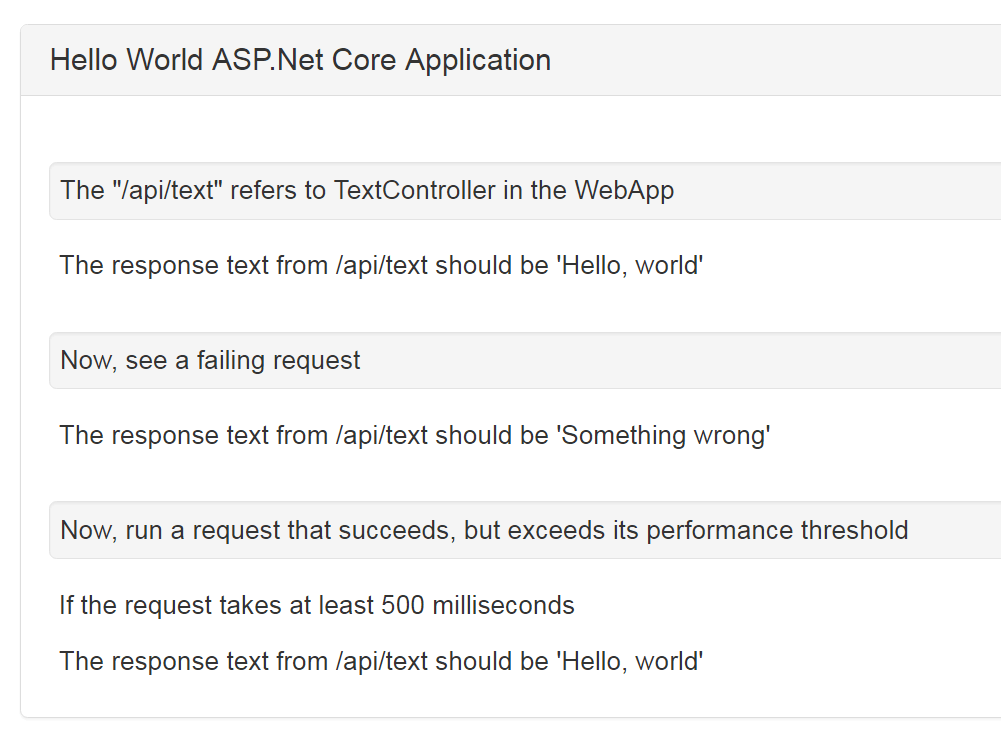
With that in place, I can use Alba to write a test that exercises that HTTP endpoint from end to end like this:

    public class examples : IDisposable
    {
        private readonly SystemUnderTest theSystem;

        public examples()
        {
            theSystem = SystemUnderTest.ForStartup<Startup>();
        }

        public void Dispose()
        {
            theSystem.Dispose();
        }


        [Fact]
        public async Task sample_spec()
        {
            var result = await theSystem.Scenario(_ =>
            {
                _.Get.Url("/api/text");
                _.StatusCodeShouldBeOk();
                _.ContentShouldContain("Hello, world");
                _.ContentTypeShouldBe("text/plain");
            });

            // If you so desire, you can interrogate the HTTP
            // response here:
            result.Context.Response.StatusCode
                .ShouldBe(200);
        }
    }

A couple points to note here:

  • The easiest way to tell Alba how to bootstrap your ASP.net application is to just pass your Startup type of your application to the SystemUnderTest.ForStartup<T>() method shown above in the constructor function of that test fixture class.
  • Alba is smart enough to set up the hosting content path to the base directory of your application project. To make that concrete, say your application is at “src/MyApp” and you have a testing project called “src/MyApp.Testing” and you use the standard .Net idiom using the same name for both the directory and the assembly name. In this case, Alba is able to interrogate your MyApp.Startup type, deduce that the “parallel” folder should be “MyApp.Testing,” and automatically set the hosting content path to “src/MyApp” if that folder exists. This can of course be overridden.
  • When the Scenario() method is called, it internally builds up a new HttpContext to represent the request, calls the lambda passed into Scenario() to configure that HttpContext object and register any declarative assertions against the expected response, and executes the request using the raw “RequestDelegate” of your ASP.Net Core application. There is no need to be running Kestrel or any other HTTP server to use Alba — but it doesn’t hurt anything if Kestrel is running in side of your application.
  • The Scenario() method returns a small object that exposes the HttpContext of the request and a helper object to more easily interrogate the http response body for possible further assertions.

Where would this fit in?

Alba itself isn’t a test runner, just a library that can be used within a testing harness like xUnit.Net or Storyteller to drive an ASP.Net Core application.

One of the things I’m trying to accomplish this quarter at work is to try to come up with some suggestions for how developers should decide which testing approach to take in common scenarios. Right now I’m worried that our automated testing frequently veers off into these two non-ideal extremes:

  1. Excessive mocking in unit tests where the test does very little to ascertain whether or not the code in question would actually work in the real system
  2. End to end tests using Selenium or Project White to drive business and persistence logic by manipulating the actual web application interface. These tests tend to be much more cumbersome to write and laborious to maintain as the user interface changes (especially when the developers don’t run the tests locally before committing code changes).

Alba is meant to live in the middle ground between these two extremes and give our teams an effective way to test directly against HTTP endpoints. These Scenario() tests originally came about in FubuMVC because of how aggressive we were being in moving cross cutting concerns like validation and transaction management to fubu’s equivalent to middleware. Unit testing an HTTP endpoint action was very simple, but you really needed to exercise the entire Russian Doll of attached middleware to adequately test any given endpoint.

How is this different than Microsoft.AspNetCore.TestHost?

While I’ve been very critical of Microsoft’s lack of attention to testability in some their development tools, let me give the ASP.Net team some credit here for their TestHost library that comes out of the box. Some of you are going to be perfectly content with TestHost, but Alba already comes with much more functionality for common set up and verifications against HTTP requests. I think Alba can provide a great deal of value to the .Net ecosystem even with an existing solution from Microsoft.

I did use a bit of code that I borrowed from an ASPNet repository that was in turn copy/pasted from the TestHost repository. It’s quite possible that Alba ends up using TestHost underneath the covers.

Anybody want a gently used StructureMap?

TL;DR – I’m getting burned out supporting StructureMap, but it’s still very heavily used and I’m really hoping to recruit some new blood to eventually take the project over from me.

I’ve been mulling over whether or not I want to continue development of StructureMap. At this point, I feel like the 3.0 and 4.0 releases dealt with all the major structural and performance problems that I could think of. If you ask me what I’d like to be do to improve one of my other OSS projects I could bend your ear for hours, but with StructureMap I’ve got nothing in mind.

The project is still very widely used (1.5M downloads from Nuget) and I don’t mean to just drop it by any means, but I’m wondering if anybody (hopefully plural) would like to take ownership over StructureMap and actually keep it advancing? I feel like the code is pretty clean, the test coverage is solid, and there’s even close to comprehensive documentation already published online.

Why I’ve lost enthusiasm:

  • I’ve worked on StructureMap since 2003
  • I’m mentally exhausted trying to stay on top of the user questions and problems that come rolling in and I’m starting to resent the obligation to try to help users unwind far out usages of the tool and dozens of disparate application frameworks.
  • There’s a consistent and vocal backlash against IoC containers in my Twitter feeds. To some degree, I think their experiences are just very different than my own and I don’t recognize the problems they describe in my own usage, but it still dampens enthusiasm.
  • I’ve got several other projects going that I’m frankly more passionate about right now (Marten, Storyteller, a couple others)
  • Microsoft has a small, built in IoC container as part of ASP.Net Core that I suspect will eventually wipe out all the myriad OSS IoC containers. I can point to plenty advantages of StructureMap over what’s built in, but most users probably wouldn’t really notice
  • At this point, with every application framework or service bus, folks are putting their IoC container behind an abstraction of some kind that tends to reduce StructureMap and other tools into the least common denominator functionality, so what’s the point of trying to do anything new if it’s gonna be thrown away behind a lame wrapping abstraction?
  • The ASP.Net Core compatibility has been a massive headache for me with StructureMap and I’m dreading the kinds of support questions that I expect to roll in from users developing with ASP.Net Core. More on this one later.

We’re hiring senior developer/architects

EDIT 1/5: We’re still hiring for Salt Lake City or Phoenix. I can probably sell a strong remote candidate in the U.S., but I can’t get away with remote folks in Europe (sorry).


Here’s the job posting.

We’re (Extend Health, part of Willis Towers Watson) doing a little bit of reorganization with our software architecture team and how it fits within the company. As part of that, we’re looking to grow the team with open slots in our main Salt Lake City office and our new Phoenix office. We might be able to add more remote folks later (I’m in Austin, and another member is in Las Vegas), but right now we’re looking for someone to be local.

Who we’re looking for

Let me say upfront that I have a very conflicted relationship with the term “software architect.” I’ve been a member of the dreaded, centralized architect team where we mostly just got in the way and I’ve had to work around plenty of architecture team’s “advice.”  This time around, I want our new architecture team to be consistently considered to be an asset to our development teams while taking care of the strategic technical goals within our enterprise architecture.

More than anything, the architecture team needs to be the kind of folks that our development teams want to work with and can depend on for useful advice and help. We’re not going to be landing huge upfront specifications and there won’t be much UML-spewing going on. You will definitely be hands on inside the code and it’s likely you’ll get to work on OSS projects as part of your role (check out my GitHub profile to get an idea of the kinds of work we’ve done over the years).

You’re going to need to have deep software development experience and been in roles of responsibility on software teams before. You’re going to need to have strong communication skills because one of your primary duties is to help and mentor other developers. A good candidate should be thoughtful, always on the lookout for better approaches or technologies, and able to take on all new technical challenges. It’s not absolutely required, but a healthy GitHub or other OSS profile would be a big plus. The point there is just to look for folks that actually enjoy software development.

You’ll notice that I’m not writing up a huge bullet list of required technical acronyms. I’m more worried about the breadth and depth of your experience than an exact fit with whatever tools we happen to be using at the moment. That being said, we’re mostly using .Net on the server side (but with a heavy bias toward OSS tools) and various Javascript tools in the clients with a strong preference for React.js/Redux in newer development. We do a lot of web development, quite a bit of distributed messaging work, and some desktop tools used internally. Along the way you’ll see systems that use document databases, event sourcing, CQRS, and reactive programming. I can safely promise you that our development challenges are considerably more interesting than the average .Net shop.

Marten 1.2 — Improved Linq support and way more polish

Marten is a library for .Net that turns Postgresql into a document database and event store.

I just published the Marten 1.2 release to Nuget. While I hoped to fit a lot more new functionality into this release, 1.2 really just adds a lot more polish to Marten by fixing several bugs, makes some performance improvements based on my company’s trial by fire usage of Marten during our peak “season”, and by largely reworking the internals of the Linq support.

Marten continues to have a vibrant community of interested folks and contributors that are helping push the project on. Probably missing some names, but I’d like to call out James Hopperjokokko, Barry Hagan,  Alexander Langer, and Robin van der Knaap for their contributions to this release. I’d also like to thank all of you who have opened and commented on Github issues to help improve Marten. If this all keeps up long enough, I may finally stop being so cynical about OSS on the .Net platform;)

Here’s the entire list of changes from the GitHub milestone. The highlights of the 1.2 release are:

  • Support for the SelectMany() operator in Linq queries (this story spurred an absurd amount of rework in our Linq support that I think will make it easier to add more features in subsequent releases)
  • Distinct() Linq query support
  • Named parameter usage in user supplied queries
  • Better logging and exception messages
  • Marten’s sequential Guid algorithm was corrected to order consistently with Postgresql. This should result in better write performance in Marten usage with Guid id’s.
  • Marten tries harder to warn you when you use unsupported Linq operators
  • Several improvements to querying against child collections
  • The ability to use event metadata in the built in aggregation projections
  • Cleaned up some of the database connection mechanics to stop mixing blocking and async calls and makes Marten much more aggressive about closing database connections


What’s Next?

I’m not 100% sure I want to commit to another new release before the holiday season, but 1.3 is looking like it’s going to be a lot of improvements for querying against multiple documents, new types of Select() transformations, and working over the internals to optimize performance.

The tentative list of 1.3 enhancements can be seen here.


Marten 1.1 Release Notes

Marten 1.1 was released just now (as in, hold your horses until Nuget gets done indexing it) with an assortment of bug fixes, performance & reliability improvements, and a couple of new convenience methods. As our teams have used Marten more at work, we’ve also had to make some adjustments for running Marten under reduced Postgresql security privileges and with the “AutoCreateSchemaObjects == None” mode. Finally, we had to add a couple new public members to existing API’s, so SemVer rules mean this had to be a minor point bump.

So what’s new or different? You can find the entire 1.1 issue and pull request list in GitHub. The highlights are described below:

Distinct() Support in Linq

From a pull request by John Campion, Marten now supports the Linq Distinct() keyword:

public void use_distinct(IQuerySession session)
{
    var surnames = session
        .Query<User>()
        .Select(x => x.LastName)
        .Distinct();
}

Better Connection and Transaction Hygiene

I’m a little embarrassed by this one, but at least we got it before it did too much harm. Marten had been too aggressive in starting transactions in sessions which has had the effect of making Npgsql send extraneous ROLLBACK; messages to Postgresql to close out the empty transactions. In some failure cases, our team at work was seeing this cause a connection to hang. We made two fixes for this behavior:

First off, if you IDocumentSession.SaveChanges(Async) is called when there are no outstanding changes queued up, Marten does absolutely nothing. No connection opened, no transaction started, just nothing.

Secondly, Marten now starts transactions lazily within an IDocumentSession. So instead of starting a transaction on the first time a session opens a connection to Postgresql, it defers that until SaveChanges() or SaveChangesAsync() is called.

public void lazy_tx(IDocumentSession session)
{
    // Executing this query will *not* start
    // a new transaction
    var users = session
        .Query<User>()
        .Where(x => x.Internal)
        .ToList();

    session.Store(new User {UserName = "lebron"});

    // This starts a transaction against the open
    // connection before doing any writes
    session.SaveChanges();
}

Data Migration Improvements

From our work on moving document storage from RavenDb to Marten (and other users too), we’ve bumped into a little bit of friction in Marten. The bulk inserts in either of the non-default modes left out the last modified data. That impacts either of these options:

public void bulk_inserts(IDocumentStore store, Target[] documents)
{
    store.BulkInsert(documents, BulkInsertMode.IgnoreDuplicates);

    // or

    store.BulkInsert(documents, BulkInsertMode.OverwriteExisting);
}

To make it easier to migrate data in documents that uses a Hilo sequence for identity assignment, we added a convenience method to establish a new “floor” in the sequence to avoid conflicting with the existing data being brought over from a new system.

public void reset_hilo(IDocumentStore store)
{
    // This resets the Hilo state in the database
    // for the IntDoc document type so that
    // all id's assigned will be greater than the floor
    // value.
    store.Advanced.ResetHiloSequenceFloor<IntDoc>(3000);
}

Do note that it’s possible and even likely that there will be gaps in the id sequence in the database when you do this.


An Experience Report of Moving a Complicated Codebase to the CoreCLR

TL;DR – I like the CoreCLR, project.json project system, and the new dotnet CLI so far, but there are a lot of differences in API that could easily burn you when you try to port existing .Net code to the CoreCLR.

As I wrote about a couple weeks ago, I’ve been working to port my Storyteller project to the CoreCLR en route to it being cross platform and generally modernized. As of earlier this week I think I can declare that it’s (mostly) running correctly in the new world order. Moreover, I’ve been able to dogfood Storyteller’s documentation generation feature on Mac OSX today without much trouble so far.

As semi-promised, here’s my experience report of moving an existing codebase over to targeting the CoreCLR, the usage of the project.json project system, and the new dotnet CLI.


Random Differences

  • AppDomain is gone, and you’ll have to use a combination of AppContext or DependencyContext to replace some of the information you’ve gotten from AppDomain.CurrentDomain about the running process. This is probably an opportunity for polyfill’s
  • The Thread class is very different and a couple methods (Yield(), Abort()) were removed. This is causing me to eventually go down to pinvoke in Storyteller
  • A lot of convenience methods that were probably just syntactic sugar anyway have been removed. I’ve found differences with Xml support and Stream’s. Again, I’ve gotten around this by adding extension methods to the Netstandard/CoreCLR code to add back in some of these things


Project.json May be Just a Flash in the Pan, but it’s a Good One

Having one tiny file that controls how a library is compiled, Nuget dependencies, and how that library is packed up into a Nuget later has been a huge win. Even better yet, I really appreciate how the project.json system handles transitive dependencies so you don’t have to do so much bookkeeping within your downstream projects. I think at this point I even prefer the project.json + dotnet restore combination over the Nuget workflow we have been using with Paket (which I still think was much better than out of the box Nuget was).

I’m really enjoying having the wildcard file inclusions in project.json so you’re not constantly having all the aggravation from merging the Xml-based csproj files. It’s a little bit embarrassing that it’s taken Microsoft so long to address that problem, but I’ll take it now.

I really hope that the new, trimmed down csproj file format is as usable as project.json. Honestly, assuming that their promised automatic conversion works as advertised, I’d recommend going to project.json as an interim solution rather than waiting.


I Love the Dotnet CLI

I think the new dotnet CLI is going to be a huge win for .Net development and it’s maybe my favorite part of .Net’s new world order. I love being able to so quickly restore packages, build, run tests, and even pack up Nuget files without having to invest time in writing out build scripts to piece it altogether.

I’ve long been a fan of using Rake for automating build scripts and I’ve resisted the calls to move to an arbitrarily different Make clone. With some of my simpler OSS projects, I’m completely forgoing build scripts in favor of just depending on the dotnet cli commands. For example, I have a small project called Oakton using the dotnet CLI, and it’s entire CI build script is just:

rmdir artifacts
dotnet restore src
dotnet test src/Oakton.Testing
dotnet pack src/Oakton --output artifacts --version-suffix %build.number%

In Storyteller itself, I removed the Rake script altogether and just a small shell script that delegates to both NPM and dotnet to do everything that needs to be done.

I’m also a fan of the “dotnet test” command too, especially when you want to quickly run the support for one .Net framework version. I don’t know if this is the test adapter or the CoreCLR itself being highly optimized, but I’ve been seeing a dramatic improvement in test execution time since switching over to the dotnet cli. In Marten I think it cut the test execution time of the main testing suite down by 60-70% some how.

The best source I’ve found on the dotnet CLI has been Scott Hanselman’s blog posts on DotNetCore.


AppDomain No Longer Exists (For Now)

AppDomain’s getting ripped out of the CoreCLR (yes, I know they’re supposed to come back in Netstandard 2.0, but who knows when that’ll be) was the single biggest problem I had moving Storyteller over to the CoreCLR. I outlined the biggest problem in a previous post on how testing tools generally use AppDomain’s to isolate the system under test from the test harness itself.

I ended up having Storyteller spawn a separate process to run the system under test in a way so that users can rebuild that system without having to first shut down the Storyteller specification editor tool. The first step was to replace the little bit of Remoting I had been using between AppDomain’s with a different communication scheme that just shot JSON back and forth over sockets. Fortunately, I had already been doing something very similar through a remoting proxy, so it wasn’t that bad of a change.

The next step was to change Storyteller testing projects to be changed from a class library to an executable that could be invoked to start up the system under test and start listening on a supplied port for the JSON messages described in the previous paragraph.This was a lot of work, but it might end up being more usable. Instead of depending on something else to have pre-compiled the system under test, Storyteller can start up the system under test with a spawned call to “dotnet run” that does any necessary compilation for you. It also makes it pretty easy to direct Storyteller to run the system under test under different .Net versions.

Of course, the old System.IO.Process class behaves differently in the CoreCLR (and across platforms too), and that’s still causing me some grief.


Reflection Got Scrambled in the CoreCLR

So, that sucked…

Infrastructure or testing tools like Storyteller will frequently need to use a lot of reflection. Unfortunately, the System.Reflection namespace in the CoreCLR has a very different API than classic .Net and that has been consistently been a cause of friction as I’ve ported code to the CoreCLR. The challenge is even worse if you’re trying to target both classic .Net and the CoreCLR.

Here’s an example, in classic .Net I can check whether a Type is an enumeration type with “type.IsEnum.” In the CoreCLR, it’s “type.GetTypeInfo().IsEnum.” Not that big a change, but basically anything you need to do against a Type is now on the paired TypeInfo and you now have to bounce through Type.GetTypeInfo().

One way or another, if you want to multi-target both CoreCLR and .Net classic, you’ll be picking up the idea of “polyfills” you see all over the Javascript world. The “GetTypeInfo()” method doesn’t exist in .Net 4.6, so you might do:

public static Type GetTypeInfo(this Type type)
{
    return type;
}

to make your .Net 4.6 code look like the CoreCLR equivalent. Or in some cases, I’ve just built polyfill extension methods in the CoreCLR to make it look like the older .Net 4.6 API:

#if !NET45
        public static IEnumerable<Type> GetInterfaces(Type type)
        {
            return type.GetTypeInfo().GetInterfaces();
        }

#endif

Finally, you’re going to have to dip into conditional compilation fairly often like this sample from StructureMap’s codebase:

    public static class AssemblyLoader
    {
        public static Assembly ByName(string assemblyName)
        {
#if NET45
            // This method doesn't exist in the CoreCLR
            return Assembly.Load(assemblyName);
#else
            return Assembly.Load(new AssemblyName(assemblyName));
#endif
        }
    }

There are other random changes as well that I’ve bumped into, especially around generics and Assembly loading. Again, not something that the average codebase is going to get into, but if you try to do any kind of type scanning over the file system to auto-discover assemblies at runtime, expect some churn when you go to the CoreCLR.

If you’re thinking about porting some existing .Net code to the CoreCLR and it uses a lot of reflection, be aware that that’s potentially going to be a lot of work to convert over.

Definitely see Porting a .Net Framework Library to .Net Core from Michael Whelan.