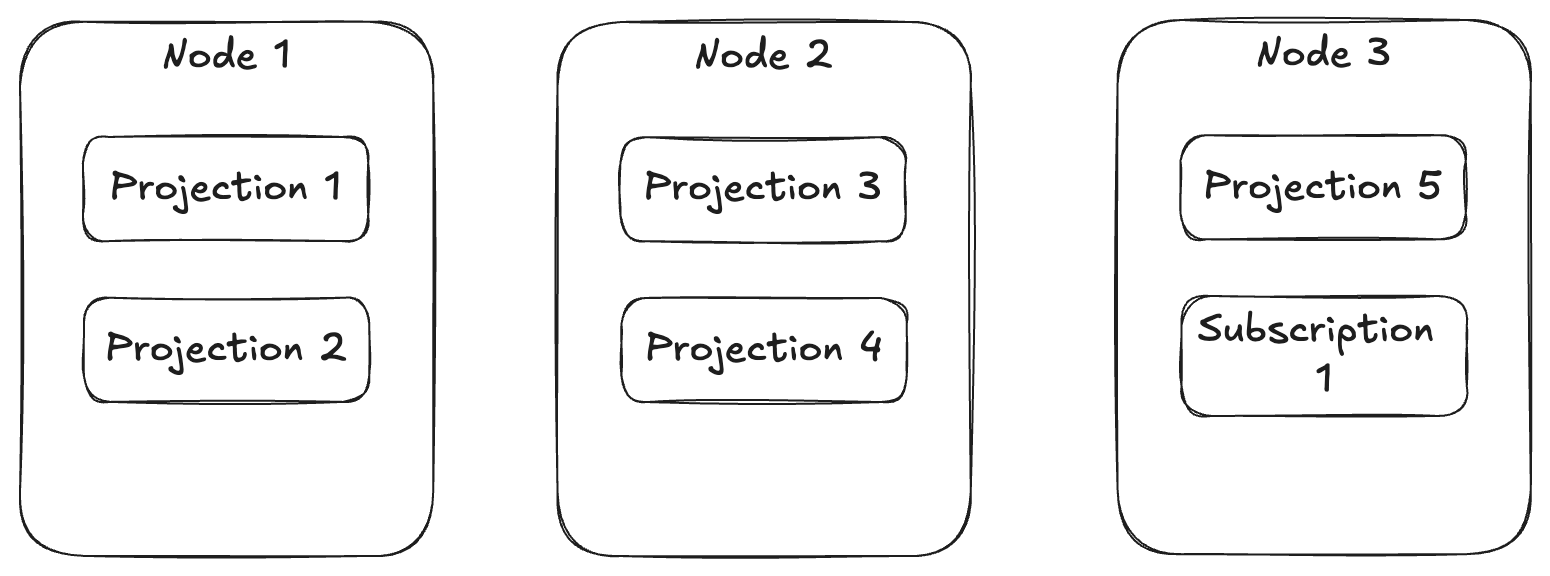
It’s been a little bit since I’ve written any kind of update on the unofficial “Critter Stack” roadmap, with the last update in February. A ton of new, important strategic features have been added to especially Marten since then, with plenty of expansion of Wolverine to boot. Before jumping into what’s to come, let me indulge in a bit of retrospective about what new features or improvements have been delivered in 2024 so far before getting into the road map in the next section.
More parsimonious usage of database connections for better scalability and improved integration with GraphQL via Hot Chocolate
Some ability to do zero down time deployments event with asynchronous projections
Blue/green deployment capabilities for “write” model projections (that’s a big deal)
Ability to add new tenanted databases at runtime for both Marten and Wolverine with zero downtime
There’s only one user so far, but CritterStackPro.Projections is the first paid add on model for Marten & Wolverine that allows for better load distribution of asynchronous projections and event subscriptions within a clustered application
Marten has first class support for strong typed identifiers now — which was a long requested feature that got put off because of how much effort I feared that would require (rightly as it turned out, but it’s all done now)
At this point I feel like we’ve crossed off the mass majority of the features I thought we needed to add to Marten this year to be able to stand Marten up against basically any other event store infrastructure tooling on the whole damn planet. What that also means is that I think that Marten development probably slows down to nothing but bug fixes and community contributions as folks run into things. There are still some features in the backlog that I might personally work on, but that will be in the course of some ongoing and potential JasperFx client work.
That being said, let’s talk about the rest of the year!
The Roadmap for the Back Half of 2024
Obviously, this roadmap is just a snapshot in time and client needs, community requests, and who knows what changes from Microsoft or other related tools could easily change priorities from any of this. All that being said, this is the Critter Stack core team & I’s current vision of the next big steps.
RavenDb integration with Wolverine. This is some client sponsored work that I’m hoping will set Wolverine up for easier integration with other database engines in the near future
“Critter Watch” — an ongoing effort to build out a management and monitoring console application for any combination of Marten, Wolverine, and future critters. This will be a paid product. We’ve already had a huge amount of feedback from Marten & Wolverine users, and I’m personally eager to get this moving in the 3rd quarter
Marten 8.0 and Wolverine 4.0 — the goal here is mostly a rearrangement of dependencies underneath both Marten & Wolverine to eliminate duplication and spin out a lot of the functionality around projections and the async daemon. This will also be a significant effort to spin off some new helper libraries for the “Critter Stack” to enable the next bullet point
“Ermine” — a port of Marten’s event store capabilities and a subset of its document database capabilities to SQL Server. My thought is that this will share a ton of guts with Marten. I’m voting that Ermine will have direct integration with Wolverine from the very beginning as well for subscriptions and middleware similar to the existing Wolverine.Marten integration
If Ermine goes halfway well, I’d love to attempt a CosmosDb and maybe a DynamoDb backed event store in 2025
As usual, that list is a guess and unlikely to ever play out exactly that way. All the same though, there’s my hopes and dreams for the next 6 months or so.
Did I miss something you were hoping for? Does any of that concern you? Let me and the rest of the Critter Stack community know either here or anywhere in our Discord room!
There’s been a definite theme lately about increasing the performance and scalability of Marten, as evident (I hope) in my post last week describing new optimization options in Marten 7.25. Today I was able to push a follow up feature that got missed in that release that allows Marten users to utilize PostgreSQL table partitioning behind the scenes for document storage (7.25 added a specific utilization of table partitioning for the event store). The goal here is in selected scenarios, this would enable PostgreSQL to be mostly working with far smaller tables than it would otherwise, and hence perform better in your system.
Think of these common usages of Marten:
You’re using soft deletes in Marten against a document type, and the mass majority of the time Marten is putting a default filter in for you to only query for “not deleted” documents
You are aggressively using the Marten feature to mark event streams as archived when whatever process they model is complete. In this case, Marten is usually querying against the event table using a value of is_archived = false
You’re using “conjoined” multi-tenancy within a single Marten database, and most of the time your system is naturally querying for data from only one tenant at a time
Maybe you have a table where you’re frequently querying against a certain date property or querying for documents by a range of expected values
In all of those cases, it would be more performant to opt into PostgreSQL table partitioning where PostgreSQL is separating the storage for a single, logical table into separate “partition” tables. Again, in all of those cases above we can enable PostgreSQL + Marten to largely be querying against a much smaller table partition than the entire table would be — and querying against smaller database tables can be hugely more performant than querying against bigger tables.
The Marten community has been kicking around the idea of utilizing table partitioning for years (since 2017 by my sleuthing last week through the backlog), but it always got kicked down the road because of the perceived challenges in supporting automatic database migrations for partitions the same way we do today in Marten for every other database schema object (and in Wolverine too for that matter).
Thanks to an engagement with a JasperFx customer who has some pretty extreme scalability needs, I was able to spend the time last week to break through the change management challenges with table partitioning, and finally add table partitioning support for Marten.
As for what’s possible, let’s say that you want to create table partitioning for a certain very large table in your system for a particular document type. Here’s the new option for 7.26:
var store = DocumentStore.For(opts =>
{
opts.Connection("some connection string");
// Set up table partitioning for the User document type
opts.Schema.For<User>()
.PartitionOn(x => x.Age, x =>
{
x.ByRange()
.AddRange("young", 0, 20)
.AddRange("twenties", 21, 29)
.AddRange("thirties", 31, 39);
});
// Or use pg_partman to manage partitioning outside of Marten
opts.Schema.For<User>()
.PartitionOn(x => x.Age, x =>
{
x.ByExternallyManagedRangePartitions();
// or instead with list
x.ByExternallyManagedListPartitions();
});
// Or use PostgreSQL HASH partitioning and split the users over multiple tables
opts.Schema.For<User>()
.PartitionOn(x => x.UserName, x =>
{
x.ByHash("one", "two", "three");
});
opts.Schema.For<Issue>()
.PartitionOn(x => x.Status, x =>
{
// There is a default partition for anything that doesn't fall into
// these specific values
x.ByList()
.AddPartition("completed", "Completed")
.AddPartition("new", "New");
});
});
To use the “hot/cold” storage on soft-deleted documents, you have this new option:
var store = DocumentStore.For(opts =>
{
opts.Connection("some connection string");
// Opt into partitioning for one document type
opts.Schema.For<User>().SoftDeletedWithPartitioning();
// Opt into partitioning and and index for one document type
opts.Schema.For<User>().SoftDeletedWithPartitioningAndIndex();
// Opt into partitioning for all soft-deleted documents
opts.Policies.AllDocumentsSoftDeletedWithPartitioning();
});
storeOptions.Policies.AllDocumentsAreMultiTenantedWithPartitioning(x =>
{
// Selectively by LIST partitioning
x.ByList()
// Adding explicit table partitions for specific tenant ids
.AddPartition("t1", "T1")
.AddPartition("t2", "T2");
// OR Use LIST partitioning, but allow the partition tables to be
// controlled outside of Marten by something like pg_partman
// https://github.com/pgpartman/pg_partman
x.ByExternallyManagedListPartitions();
// OR Just spread out the tenant data by tenant id through
// HASH partitioning
// This is using three different partitions with the supplied
// suffix names
x.ByHash("one", "two", "three");
// OR Partition by tenant id based on ranges of tenant id values
x.ByRange()
.AddRange("north_america", "na", "nazzzzzzzzzz")
.AddRange("asia", "a", "azzzzzzzz");
// OR use RANGE partitioning with the actual partitions managed
// externally
x.ByExternallyManagedRangePartitions();
});
Summary
Your mileage will vary of course depending on how big your database is and how you really query the database, but at least in some common cases, the Marten community is pretty excited for the potential of table partitioning to improve Marten performance and scalability.
Just a reminder, JasperFx Software offers support contracts and consulting services to help you get the most out of the “Critter Stack” tools (Marten and Wolverine).If you’re building server side applications on .NET, the Critter Stack is the most feature rich tool set for Event Sourcing and Event Driven Architectures around.
The theme of the last couple months for the Marten community and I has been a lot of focus on improving Marten’s event sourcing feature set to be able to reliably handle very large data loads. With that being said, Marten 7.25 was released today with a huge amount of improvements around its performance, scalability, and reliability under very heavy loads (we’re talking about databases with hundreds of millions of events).
Before I get into the details, there’s a lot of thanks and credit to go around:
Core team member JT made several changes to reduce the amount of object allocations that Marten does at runtime in SQL generation — and basically every operation it does involves SQL generation
Ben Edwards contributed several ideas, important feedback, and some optimization pull requests toward this release
Babu made some improvements to our CI pipeline that made it a lot easier for me to troubleshoot the work I was doing
a-shtifanov-laya did some important load testing harness work that helped quite a bit to validate the work in this release
Urbancsik Gergely for doing a lot of performance and load testing with Marten that helped tremendously
And I’ll be giving some personal thanks to a couple JasperFx clients who enabled me to spend so much time on this effort
And now, the highlights for event store performance, scalability, and reliability improvements — most of which are “opt in” configuration items so as to not disturb existing users:
The new “Quick Append” option is completely usable and appears from testing to be about 2X as fast as the V4-V7 “Rich” appending process. More than that, opting into the quick append mechanism appears to eliminate the event “skipping” problem with asynchronous projections or event subscriptions that some people have experienced in very heavy loads. Lastly, I originally meant to play this work because I think it will alleviate issues that some people run into with concurrent operations trying to append events to the same event streams
Marten can create a Hot/Cold Storage mechanism around its event store by leveraging PostgreSQL native table partitioning. There’s work on users part to mark event streams as archived for this to matter, but this is potentially a huge win for Marten scalability. A later Marten release will shortly add partitioning support to Marten document tables
There’s several optimizations inside of even the classic, “rich” event appending that reduce the number of network round trips happening at runtime — and thats a good thing because network round trips are evil!
Outside of the event store improvements, Marten also got a new “Specification” alternative called “query plans” for reusable query logic for when Marten’s compiled query feature won’t work. The goal with this feature is to help a JasperFx client migrate off of Clean Architecture style repository wrapper abstractions in a way that doesn’t cause code duplication while also setting them up to utilize Marten’s batch query feature for a much more performant code.
Summary
I’m still digging out from a very good family vacation, but man, getting this stuff out feels really good. The Marten community is very vibrant right now, with a lot of community engagement that’s driving the tool’s capabilities into much more serious system territory. The “hot/cold storage” feature that just went in has been in the Marten backlog since 2017, and I’m thrilled to finally see that make it in.
As Houston gets drenched by Hurricane Beryl as I write this, I’m reminded of a formative set of continuing education courses I took when I was living in Houston in the late 90’s and plotting my formal move into software development. Whatever we learned about VB6 in those MSDN classes is long, long since obsolete, but one pithy saying from one of our instructors (who went on to become a Marten user and contributor!) stuck with me all these years later:
His point then, and my point now quite frequently working with JasperFx Software clients, is that round trips between browsers to backend web servers or between application servers and the database need to be treated as expensive operations and some level of request, query, or command batching is often a very valuable optimization in systems design.
Consider my family’s current kitchen predicament as diagrammed above. The very expensive, original refrigerator from our 20 year old house finally gave up the ghost, and we’ve had it completely removed while we wait on a different one to be delivered. Fortunately, we have a second refrigerator in the garage. When cooking now though, it’s suddenly a lot more time consuming to go to the refrigerator for an ingredient since I can’t just turn around and grab something when the kitchen refrigerator was just a step away. Now that we have to walk across the house from the kitchen to the garage to get anything from the other refrigerator, it’s becoming very helpful to try to grab as many things as you can at one time so you’re not constantly running back and forth.
While this issue certainly arises from user interfaces or browser applications making a series of little requests to a backing server, I’m going to focus on database access for the rest of this post. Using a simple example from Marten usage, consider this code where I’m just creating five little documents and persisting them to a database:
public static async Task storing_many(IDocumentSession session)
{
var user1 = new User { FirstName = "Magic", LastName = "Johnson" };
var user2 = new User { FirstName = "James", LastName = "Worthy" };
var user3 = new User { FirstName = "Michael", LastName = "Cooper" };
var user4 = new User { FirstName = "Mychal", LastName = "Thompson" };
var user5 = new User { FirstName = "Kurt", LastName = "Rambis" };
session.Store(user1);
session.Store(user2);
session.Store(user3);
session.Store(user4);
session.Store(user5);
// Marten will *only* make a single database request here that
// bundles up "upsert" statements for all five users added above
await session.SaveChangesAsync();
}
In the code above, Marten is only issuing a single batched command to the backing database that performs all five “upsert” operations in one network round trip. We were very performance conscious in the very early days of Marten development and did quite a bit of experimentation with different options for JSON serialization or how exactly to write SQL that queried inside of JSONB or even table structure. Consistently and unsurprisingly though, the biggest jump in performance was when we introduced command batching to reduce the number of network round trips between code using Marten and the backing PostgreSQL database. That early performance testing also led us to early investments in Marten’s batch querying support and the Include() query functionality that allows Marten users to fetch related data with fewer network hops to the database.
Just based on my own experience, here are two trends I see about interacting with databases in real world systems:
There’s a huge performance gain to be made by finding ways to batch database queries
It’s very common for systems in the real world to suffer from performance problems that can at least partially be traced to unnecessary chattiness between an application and its backing database(s)
At a guess, I think the underlying reasons for the chattiness problem are something like:
Developers who just aren’t aware of the expense of network round trips or aren’t aware of how to utilize any kind of database query batching to reduce the problems
Wrapper abstractions around the raw database persistence tooling that hides more powerful APIs that might alleviate the chattiness problem
Wrapper abstractions that encourage a pattern of only loading data by keys one row/object/document at a time
Wrapper abstractions around the raw database persistence that discourage developers from learning more about the underlying persistence tooling they’re using. Don’t underestimate how common that problem is. And I’ve absolutely been guilty of causing that issue as a younger “architect” in the past who created those abstractions.
Complicated architectural layering that can make it quite difficult to easily reason about the cause and effect between system inputs and the database queries that those inputs spawn. Big call stacks of a controller calling a mediator tool that calls one service that calls other services that call different repository abstractions that all make database queries is a common source of chattiness because it’s hard to even see where all the chattiness is coming from by reading the code.
As you might know if you’ve stumbled across any of my writings or conference talks from the last couple years, I’m not a big fan of typical Clean/Onion Architecture approaches. I think these approaches introduce a lot of ceremony code into the mix that I think causes more harm overall than whatever benefits they bring.
Here’s an example that’s somewhat contrived, but also quite typical in terms of the performance issues I do see in real life systems. Let’s say you’ve got a command handler for a ShipOrder command that will need to access data for both a related Invoice and Order entity that could look something like this:
public class ShipOrderHandler
{
private readonly IInvoiceRepository _invoiceRepository;
private readonly IOrderRepository _orderRepository;
private readonly IUnitOfWork _unitOfWork;
public ShipOrderHandler(
IInvoiceRepository invoiceRepository,
IOrderRepository orderRepository,
IUnitOfWork unitOfWork)
{
_invoiceRepository = invoiceRepository;
_orderRepository = orderRepository;
_unitOfWork = unitOfWork;
}
public async Task Handle(ShipOrder command)
{
// Making one round trip to get an Invoice
var invoice = await _invoiceRepository.LoadAsync(command.InvoiceId);
// Then a second round trip using the results of the first pass
// to get follow up data
var order = await _orderRepository.LoadAsync(invoice.OrderId);
// do some logic that changes the state of one or both of these entities
// Commit the transaction that spans the two entities
await _unitOfWork.SaveChangesAsync();
}
}
The code is pretty simple in this case, but we’re still making more database round trips than we absolutely have to — and real enterprise systems can get much, much bigger than my little contrived example and incur a lot more overhead because of the chattiness problem that the repository abstractions naturally let in.
Let’s try this functionality again, but this time just depending on the raw persistence tooling (Marten’s IDocumentSession and use a Wolverine-style command handler to boot to further reduce the code noise:
public static class ShipOrderHandler
{
// We're still keeping some separation of concerns to separate the infrastructure from the business
// logic, but Wolverine lets us do that just through separate functions instead of having to use
// all the limiting repository abstractions
public static async Task<(Order, Invoice)> LoadAsync(IDocumentSession session, ShipOrder command)
{
// This is important (I think:)), the admittedly complicated
// Marten usage below fetches both the invoice and its related order in a
// single network round trip to the database and can lead to substantially
// better system performance
Order order = null;
var invoice = await session
.Query<Invoice>()
.Include<Order>(i => i.OrderId, o => order = o)
.Where(x => x.Id == command.InvoiceId)
.FirstOrDefaultAsync();
return (order, invoice);
}
public static void Handle(ShipOrder command, Order order, Invoice invoice)
{
// do some logic that changes the state of one or both of these entities
// I'm assuming that Wolverine is handling the transaction boundaries through
// middleware here
}
}
In the second code sample, we’ve been able to go right at the Marten tooling to take advantage of its more advanced functionality to batch up data fetching for better performance that wasn’t easily possible when we were putting repository abstractions between our command handler and the underlying persistence tooling. Moreover, we can even reason about the resulting database operations that are happening as a result of our command that can be somewhat obfuscated by more layers and more code separation as is common in Onion/Clean/Ports and Adapters style approaches.
It’s not just repository abstractions that cause problems, sometimes it’s just happily useful little extension methods that can be the source of chattiness. Here’s a pair of helper extension methods around Marten’s event store functionality that help you start a new event stream in a single line of code or append a single event to an existing event stream in a single line of code:
public static class DocumentSessionExtensions
{
public static Task Add<T>(this IDocumentSession documentSession, Guid id, object @event, CancellationToken ct)
where T : class
{
documentSession.Events.StartStream<T>(id, @event);
return documentSession.SaveChangesAsync(token: ct);
}
public static Task GetAndUpdate<T>(
this IDocumentSession documentSession,
Guid id,
int version,
// If we're being finicky about performance here, these kinds of inline
// lambdas are NOT cheap at runtime and I'm recommending against
// continuation passing style APIs in application hot paths for
// my clients
Func<T, object> handle,
CancellationToken ct
) where T : class =>
documentSession.Events.WriteToAggregate<T>(id, version, stream =>
stream.AppendOne(handle(stream.Aggregate)), ct);
}
Fine, right? These potentially make your code cleaner and simpler but of course, they’re also potentially harmful. Here’s an example of these two extension methods that were similar to some code I saw in the wild last week:
public static class Handler
{
public static async Task Handle(Command command, IDocumentSession session, CancellationToken token)
{
var id = CombGuidIdGeneration.NewGuid();
// One round trip
await session.Add<Aggregate>(id, new FirstEvent(), token);
if (command.SomeCondition)
{
// This actually makes a pair of round trips, one to fetch the current state
// of the Aggregate compiled from the first event appended above, then
// a second to append the SecondEvent
await session.GetAndUpdate<Aggregate>(id, 1, _ => new SecondEvent(), token);
}
}
}
I got involved with this code in reaction to some load testing that was resulting in disappointing results. When I was pulled in, I saw the extra round trips that snuck in because of the usage of the convenience extension methods they had been using, and suggested a change to something like this (but with Wolverine’s aggregate handler workflow that simplified the code more than this):
public static class Handler
{
public static async Task Handle(Command command, IDocumentSession session, CancellationToken token)
{
var events = determineEvents(command).ToArray();
var id = CombGuidIdGeneration.NewGuid();
session.Events.StartStream<Aggregate>(id, events);
await session.SaveChangesAsync(token);
}
// This was isolated so you can easily unit test the business
// logic that "decides" what events to append
public static IEnumerable<object> determineEvents(Command command)
{
yield return new FirstEvent();
if (command.SomeCondition)
{
yield return new SecondEvent();
}
}
}
The code above cut down the number of network round trips to the database and greatly improved the results of the load testing.
Summary
If system performance is a concern in your system (it’s not always), you probably need to be cognizant of how chatty your application is in regards to its communication and interaction with the backing database. Or any other remote system or infrastructure that your system interacts with at runtime.
Personally, I think that higher ceremony code structures make it much more likely to incur issues with database chattiness especially by first obfuscating your code so you don’t even easily recognize where there’s chattiness, then second by wrapping simplifying abstractions around your database persistence tooling that eliminate the usage of more advanced functionality for query batching.
And of course, both Wolverine and Marten put a heavy emphasis on reducing code ceremony and generally on code noise in general because I personally think that’s very valuable to help teams succeed over time with software systems in the wild. My theory of the case is that even at the cost of a little bit of “magic”, simply reducing the amount of code you have to wade through in existing systems will make those systems easier to maintain and troubleshoot over time.
And on that note, I’m basically on vacation for the next week, and you can address your complaints about my harsh criticism of Clean/Onion Architectures to the ether:-)
The goal for the “Critter Stack” tools is to be the absolute best set of tools for building server side .NET applications, and especially for any usage of Event Driven Architecture approaches. To go even farther, I would like there to be a day where organizations purposely choose the .NET ecosystem just because of the benefits that the “Critter Stack” provides over other options. But for now, that’s the journey we’re on. This post demonstrates an important new feature that I think fills in a huge capability gap that has long bothered me.
And as always, JasperFx Software is happy to work with any “Critter Stack” users through either support contracts or consulting engagements to help you wring the most value out of our tools and help you succeed with what you’re building.
I recently wrote some posts about the whole “Modular Monolith” architecture approach:
This week I’m helping a JasperFx client who has some complicated multi-tenancy requirements. In one of their services they have some types of event streams that need to use “conjoined multi-tenancy“, but at least one type of event stream (and related aggregate) that is global across all tenants. Marten event stores are either multi-tenanted or they’re not, with no mixing and matching. It occurred to me that we could solve this issue by putting the one type of global event streams in a separate Marten store. Even though the 2nd Marten store will still target the exact same PostgreSQL database (but in a different schema), we can give this second schema a different configuration to accommodate the different tenancy rules. Moreover, this would even be a good way to improve performance and scalability of their service by effectively sharding the events and streams tables (smaller tables generally mean better performance).
At the same time, I’m also helping them introduce Wolverine message handlers as well, and I really wanted to be able to use the aggregate handler workflow for commands that spawn new Marten events (effectively the Critter Stack version of the “Decider” pattern, but lower ceremony). I finally took some time — and stumbled onto a workable approach — that finally adds far better support for modular monolith architectures with the Wolverine 2.13.0 release that hit today.
To see a sneak peek, let’s say that you have two additional Marten stores for your application like these two:
public interface IPlayerStore : IDocumentStore;
public interface IThingStore : IDocumentStore;
You can now bootstrap a Marten + Wolverine application (using the WolverineFx.Marten Nuget dependency) like so:
theHost = await Host.CreateDefaultBuilder()
.UseWolverine(opts =>
{
opts.Services.AddMarten(Servers.PostgresConnectionString).IntegrateWithWolverine();
opts.Policies.AutoApplyTransactions();
opts.Durability.Mode = DurabilityMode.Solo;
opts.Services.AddMartenStore<IPlayerStore>(m =>
{
m.Connection(Servers.PostgresConnectionString);
m.DatabaseSchemaName = "players";
})
// THIS AND BELOW IS WHAT IS NEW FOR WOLVERINE 2.13
.IntegrateWithWolverine()
// Add a subscription
.SubscribeToEvents(new ColorsSubscription())
// Forward events to wolverine handlers
.PublishEventsToWolverine("PlayerEvents", x =>
{
x.PublishEvent<ColorsUpdated>();
});
// Look at that, it even works with Marten multi-tenancy through separate databases!
opts.Services.AddMartenStore<IThingStore>(m =>
{
m.MultiTenantedDatabases(tenancy =>
{
tenancy.AddSingleTenantDatabase(tenant1ConnectionString, "tenant1");
tenancy.AddSingleTenantDatabase(tenant2ConnectionString, "tenant2");
tenancy.AddSingleTenantDatabase(tenant3ConnectionString, "tenant3");
});
m.DatabaseSchemaName = "things";
}).IntegrateWithWolverine(masterDatabaseConnectionString:Servers.PostgresConnectionString);
opts.Services.AddResourceSetupOnStartup();
}).StartAsync();
Now, moving to message handlers or HTTP endpoints, you will have to explicitly tag either the containing class or individual messages with the [MartenStore(store type)] attribute like this simple example below:
// This will use a Marten session from the
// IPlayerStore rather than the main IDocumentStore
[MartenStore(typeof(IPlayerStore))]
public static class PlayerMessageHandler
{
// Using a Marten side effect just like normal
public static IMartenOp Handle(PlayerMessage message)
{
return MartenOps.Store(new Player{Id = message.Id});
}
}
Boom! Even that minor sample is using transactional middleware targeting Marten and able to work with the separate IPlayerStore. This new integration includes:
Transactional outbox support for all configured Marten stores
Transactional middleware
The “aggregate handler workflow”
Marten side effects
Subscriptions to Marten events
Multi-tenancy, both “conjoined” Marten multi-tenancy and multi-tenancy through separate databases
I’m maybe a little too excited for a feature that most users will never touch, but for those who do see this, the “Critter Stack” now has first class modular monolith support across a wide range of the features that make the “Critter Stack” a desirable platform in the first place.
If you really need to have strong typed identifier support in Marten right now, here’s the long standing workaround.
Some kind of support for “strong typed identifiers” has long been a feature request for Marten from our community. I’ve even been told by a few folks that they wouldn’t consider using Marten until it did have this support. I’ve admittedly been resistant to adding this feature strictly out of (a very well founded) fear that tackling that would be a massive time sink that didn’t really improve the tool in any great way (I’m hoping to be wrong about that).
My reticence about this aside, it came up a couple times in the past week from JasperFx Software customers, and that magically ratchets up the priority quite a bit. That all being said, here’s a little preview of some ongoing work for the next Marten feature release.
Let’s say that you’re using the Vogen library for value types and want to use this custom type for the identity of an Invoice document in Marten:
[ValueObject<Guid>]
public partial struct InvoiceId;
public class Invoice
{
// Marten will use this for the identifier
// of the Invoice document
public InvoiceId? Id { get; set; }
public string Name { get; set; }
}
Jumping to some already passing tests, Marten can assign an identity to a new document is one is missing just like it would today for Guid identities:
[Fact]
public void store_document_will_assign_the_identity()
{
var invoice = new Invoice();
theSession.Store(invoice);
// Marten sees that there is no existing identity,
// so it assigns a new identity
invoice.Id.ShouldNotBeNull();
invoice.Id.Value.Value.ShouldNotBe(Guid.Empty);
}
Because this actually does matter for database performance, Marten is using a sequential Guid inside of the custom InvoiceId type. Following Marten’s desire for a “it just works” development experience, Marten is able to “know” how to work with the InvoiceId type generated by Vogen without having to require any kind of explicit mapping or mandatory interfaces on the identity type — which I thought was pretty important to keep your domain code from being coupled to Marten.
Moving to basic use cases, here’s a passing test for storing and loading a new document from the database:
[Fact]
public async Task load_document()
{
var invoice = new Invoice{Name = Guid.NewGuid().ToString()};
theSession.Store(invoice);
await theSession.SaveChangesAsync();
(await theSession.LoadAsync<Invoice>(invoice.Id))
.Name.ShouldBe(invoice.Name);
}
and a look at how the strong typed identifiers can play in LINQ expressions so far:
[Fact]
public async Task use_in_LINQ_where_clause()
{
var invoice = new Invoice{Name = Guid.NewGuid().ToString()};
theSession.Store(invoice);
await theSession.SaveChangesAsync();
var loaded = await theSession.Query<Invoice>().FirstOrDefaultAsync(x => x.Id == invoice.Id);
loaded
.Name.ShouldBe(invoice.Name);
}
[Fact]
public async Task load_many()
{
var invoice1 = new Invoice{Name = Guid.NewGuid().ToString()};
var invoice2 = new Invoice{Name = Guid.NewGuid().ToString()};
var invoice3 = new Invoice{Name = Guid.NewGuid().ToString()};
theSession.Store(invoice1, invoice2, invoice3);
await theSession.SaveChangesAsync();
var results = await theSession
.Query<Invoice>()
.Where(x => x.Id.IsOneOf(invoice1.Id, invoice2.Id, invoice3.Id))
.ToListAsync();
results.Count.ShouldBe(3);
}
[Fact]
public async Task use_in_LINQ_order_clause()
{
var invoice = new Invoice{Name = Guid.NewGuid().ToString()};
theSession.Store(invoice);
await theSession.SaveChangesAsync();
var loaded = await theSession.Query<Invoice>().OrderBy(x => x.Id).Take(3).ToListAsync();
}
There’s a world of use case permutations yet to go (bulk writing, numeric identities with HiLo generation, Include() queries, more LINQ scenarios, magically adding JSON serialization converters, using StrongTypedId as well), but I think we’ve got a solid start on a long asked for feature that I’ve previously been leery of building out.
In the previous post we learned how to keep all the document or event data for each tenant in the same database, but using Marten’s “conjoined multi-tenancy” model to keep the data separated. This time out, let’s go for a much higher degree of separation by using a completely different database for each tenant with Marten.
Marten has a couple different recipes for “database per tenant multi-tenancy”, but let’s start with the simplest possible model where we’ll explicitly tell Marten about every single tenant by its id (the tenant_id values) and a connection string to that tenant’s specific database:
var builder = Host.CreateApplicationBuilder();
var configuration = builder.Configuration;
builder.Services.AddMarten(opts =>
{
// Setting up Marten to "know" about five different tenants
// and the database connection string for each
opts.MultiTenantedDatabases(tenancy =>
{
tenancy.AddSingleTenantDatabase(configuration.GetConnectionString("tenant1"), "tenant1");
tenancy.AddSingleTenantDatabase(configuration.GetConnectionString("tenant2"), "tenant2");
tenancy.AddSingleTenantDatabase(configuration.GetConnectionString("tenant3"), "tenant3");
tenancy.AddSingleTenantDatabase(configuration.GetConnectionString("tenant4"), "tenant4");
tenancy.AddSingleTenantDatabase(configuration.GetConnectionString("tenant5"), "tenant5");
});
});
using var host = builder.Build();
await host.StartAsync();
Just like in the post on conjoined tenancy, you can open a Marten document session (Marten’s unit of work abstraction for most typical operations) by supplying the tenant id like so:
// This was a recent convenience method added to
// Marten to fetch the IDocumentStore singleton
var store = host.DocumentStore();
// Open up a Marten session to the database for "tenant1"
await using var session = store.LightweightSession("tenant1");
With that session object above, you can query all the data in that one specific tenant, or write Marten documents or events to that tenant database — and only that tenant database.
Now, to answer some questions you might have:
Marten’s DocumentStore is still a singleton registered service in your application’s IoC container that “knows” about multiple databases that are assumed to be identical. DocumentStore is an expensive object to create, and an important part of Marten’s multi-tenancy strategy was to ensure that you only every needed one — even with multiple tenant databases
Marten is able to track the schema object creation completely separate for each tenant database, so the “it just works” default mode where Marten is completely able to do database migrations for you on the fly also “just works” with the multi-tenancy by separate database approach
Marten’s (really Weasel‘s) command line tooling is absolutely able to handle multiple tenant databases. You can either migrate or patch all databases, or one database at a time through the command line tools
Marten’s Async Daemon background processing of event projections is perfectly capable of managing the execution against multiple databases as well
We’ll get into this in a later post, but it’s also possible to do two layers of multi-tenancy by combining both separate databases and conjoined multi-tenancy
Moving to a bit more complex case, let’s use Marten’s relatively recent “master table tenancy” model that will locate a table of tenant identifiers to tenant database connection strings in a table in a “master” database:
var builder = Host.CreateApplicationBuilder();
var configuration = builder.Configuration;
builder.Services.AddMarten(opts =>
{
var tenantDatabaseConnectionString = configuration.GetConnectionString("tenants");
opts.MultiTenantedDatabasesWithMasterDatabaseTable(tenantDatabaseConnectionString);
});
using var host = builder.Build();
await host.StartAsync();
The usage at runtime is identical to any other kind of multi-tenancy in Marten, but this model gives you the ability to add new tenants and tenant database at runtime without any down time. Marten will still be able to recognize a new tenant id and apply any necessary database changes at runtime.
Summary and What’s Next
Using separate databases for each tenant is a great way to create an even more rigid separation of data. You might opt for this model as a way to:
Scale your system better by effectively sharding your customer databases into smaller databases
Potentially reduce hosting costs by placing high volume tenants on different hardware than lower volume tenants
Meet more rigid security requirements for less risk of tenant data being exposed incorrectly
To the last point, I’ve heard of several cases where regulatory concerns have trumped technical concerns and led teams to choose the tenant per database approach.
Of course, the obvious potential downsides are more complex deployments, more things to go wrong, and maybe higher hosting costs if you’re not careful. Yeah, I know I said that’s a potential cost savings, that sword can cut both ways, so just be aware of potential hosting cost changes.
As for what’s next, actually quite a bit! In subsequent posts we’ll dig into Wolverine’s multi-tenancy support, detecting the tenant id from HTTP requests, two level tenancy in Marten because’s that’s possible, and even Wolverine’s ability to spawn virtual actors by tenant id.
For my fellow Gen X’ers out there who keep hearing the words “keep the data separated” and naturally have this song stuck in your head:
Let’s say that you definitely have the need for multi-tenanted storage in your system, but don’t expect enough data to justify splitting the tenant data over multiple databases, or maybe you just really don’t want to mess with all the extra overhead of multiple databases.
“Conjoined” is a term I personally coined for Marten years ago and isn’t anything that’s an “official” term in the industry. I’m not aware of any widely used pattern name for this strategy, but there surely is somewhere since this is so common.
This is where Marten’s “Conjoined” multi-tenancy model comes into play. Let’s say that we have a little document in our system named User just to store information about our users:
public class User
{
public User()
{
Id = Guid.NewGuid();
}
public List<Friend> Friends { get; set; }
public string[] Roles { get; set; }
public Guid Id { get; set; }
public string UserName { get; set; }
public string FirstName { get; set; }
public string LastName { get; set; }
public string? Nickname { get; set; }
public bool Internal { get; set; }
public string Department { get; set; } = "";
public string FullName => $"{FirstName} {LastName}";
public int Age { get; set; }
public DateTimeOffset ModifiedAt { get; set; }
public void From(User user)
{
Id = user.Id;
}
public override string ToString()
{
return $"{nameof(FirstName)}: {FirstName}, {nameof(LastName)}: {LastName}";
}
}
Now, the User document certainly needs to be tracked within a single logical tenant, so I’m going to tell Marten to do exactly that:
// This is the same syntax to configuring Marten
// by IServiceCollection.AddMarten()
using var store = DocumentStore.For(opts =>
{
// other configuration
// Make *only* the User document be stored by tenant
opts.Schema.For<User>().MultiTenanted();
});
In the case above, I am only telling Marten to make the User document be multi-tenanted as it’s frequently valuable — and certainly possible — for some reference documents to be common for all tenants. If instead we just wanted to say “all documents and the event store should be multi-tenanted,” we can do this:
using var store = DocumentStore.For(opts =>
{
// other configuration
opts.Policies.AllDocumentsAreMultiTenanted();
opts.Events.TenancyStyle = TenancyStyle.Conjoined;
});
Either way, if we’ve established that User should be multi-tenanted, Marten will add a tenant_id column to the storage table for the User document like this:
DROP TABLE IF EXISTS public.mt_doc_user CASCADE;
CREATE TABLE public.mt_doc_user (
tenant_id varchar NOT NULL DEFAULT '*DEFAULT*',
id uuid NOT NULL,
data jsonb NOT NULL,
mt_last_modified timestamp with time zone NULL DEFAULT (transaction_timestamp()),
mt_version uuid NOT NULL DEFAULT (md5(random()::text || clock_timestamp()::text)::uuid),
mt_dotnet_type varchar NULL,
CONSTRAINT pkey_mt_doc_user_tenant_id_id PRIMARY KEY (tenant_id, id)
);
As of Marten 7, Marten also places the tenant_id first in the primary key for more efficient index usage when querying large data tables.
You might also notice that Marten adds tenant_id to the primary key for the table. Marten will happily allow you to use the same identity for documents in different tenants. And even though that’s unlikely with a Guid as the identity, it’s very certainly possible with other identity strategies and early Marten users hit that occasionally.
Let’s see the conjoined tenancy in action:
// I'm creating a session specifically for a tenant id of
// "tenant1"
using var session1 = store.LightweightSession("tenant1");
// My youngest & I just saw the Phantom Menace in the theater
var user = new User { FirstName = "Padme", LastName = "Amidala" };
// Marten itself assigns the identity at this point
// if the document doesn't already have one
session1.Store(user);
await session1.SaveChangesAsync();
// Let's open a session to a completely different tenant
using var session2 = store.LightweightSession("tenant2");
// Try to find the same user we just persisted in the other tenant...
var user2 = await session2.LoadAsync<User>(user.Id);
// And it shouldn't exist!
user2.ShouldBeNull();
In the very last call to Marten to try to load the same User, but from the “tenant2” tenant used this SQL:
select d.id, d.data from public.mt_doc_user as d where id = $1 and d.tenant_id = $2
: f746f237-ed4f-4aaa-b805-ad05f7ae2cd3
: tenant2
If you squint really hard, you can see that Marten automatically stuck in a second WHERE filter for the current tenant id. Moreover, if we switch to LINQ and try to query that way like so:
var user3 = await session2.Query<User>().SingleOrDefaultAsync(x => x.Id == user.Id);
user3.ShouldBeNull();
Marten is still quietly sticking in that tenant_id == [tenant id] filter for us with this SQL:
select d.id, d.data from public.mt_doc_user as d where (d.tenant_id = $1 and d.id = $2) LIMIT $3;
$1: tenant2
$2: bfc53828-d56b-4fea-8d93-e8a22fe2db40
$3: 2
If you really, really need to do this, you can query across tenants with some special Marten LINQ helpers:
var all = await session2
.Query<User>()
// Notice AnyTenant()
.Where(x => x.AnyTenant())
.ToListAsync();
all.ShouldContain(x => x.Id == user.Id);
Or for specific tenants:
var all = await session2
.Query<User>()
// Notice the Where()
.Where(x => x.TenantIsOneOf("tenant1", "tenant2", "tenant3"))
.ToListAsync();
all.ShouldContain(x => x.Id == user.Id);
Summary
While I don’t think folks should willy nilly build out the “Conjoined” model from scratch without some caution, Marten’s model is pretty robust after 8-9 years of constant use from a large, unfortunately for me the maintainer, creative user base.
I didn’t discuss the Event Sourcing functionality in this post, but do note that Marten’s conjoined tenancy model also applies to Marten’s event store and the projected documents built by Marten as well.
In the next post, we’ll branch out to using different databases for different tenants.
I’m always on the lookout for ideas about how to endlessly promote both Marten & Wolverine. Since I’ve been fielding a lot of questions, issues, and client requests around multi-tenancy support in both tools the past couple weeks, now seems to be a good time for a new series exploring the existing foundation in both critter stack tools for handling quite a few basic to advanced multi-tenancy scenarios. But first, let’s start by just talking about what the phrase “multi-tenancy” even means for architecting software systems.
In the course of building systems, you’re frequently going to have a single system that needs to serve different sets of users or clients. Some examples I’ve run across have been systems that need to segregate data for different partner companies, different regions within the same company, or just flat out different users like online email services do today.
I don’t know the origin of the terminology, but we refer to those logical separations within the system data as “tenants.”
My youngest is very quickly outgrowing Dr. Seuss books, but we still read “Because a Bug went Kachoo!” above
It’s certainly going to be important many times to keep the data accessed through the system segregated so that nobody is able to access data that they should not. For example, I probably shouldn’t be able to read you email inbox when I lot into my gmail account. For another example from my early career, I worked with an early web application system that was used to gather pricing quotes from my very large manufacturing company’s suppliers for a range of parts. Due to a series of unfortunate design decisions (because a bug went kachoo!), that application did a very poor job being able to segregate data, and I figured out that some of our suppliers were able to see the quoted prices from their competitors and get unfair advantages.
So we can all agree that mixing up the data between users who shouldn’t see each other’s data is a bad thing, so what can we do about that? The most extreme solution is to just flat out deploy a completely different set of servers for each segregated group of users as shown below:
While there are some valid reasons once in awhile to do the completely separate deployments, that’s potentially a lot of overhead and extra hosting costs. At best, this is probably only viable for a finite number of deployments (Gmail is certainly not building out a separate web server for every one of us with a Gmail account for example).
When a single deployed system is able to serve different tenants, we call that “multi-tenancy.”
With multi-tenancy, we’re ensuring that one single deployment of the logical service can handle requests for multiple tenants without allowing users from one tenant to inappropriately see data from other tenants.
Roughly speaking, I’m familiar with three different ways to achieve multi-tenancy.
The first approach is to use one database for all tenant data, but to use some sort of tenant id field that just denotes which tenant the data belongs to. This is what I termed “Conjoined Tenancy” in Marten. This approach is simpler in terms of the database deployment and database change management because after all, there’s only one of them! It is potentially more complex within your codebase because your persistence layer will always need to apply filters on the data being modified and accessed by the user and whichever tenant they are part of.
There’s some inherent risk with this approach as developers aren’t perfectly omniscient, and there’s always a chance that we miss some scenarios and let data leak out inappropriately to the wrong users. I think this approach is much more viable when using persistence tooling that has strong support (like Marten!) for this type of “conjoined multi-tenancy” and mostly takes care of the tenancy filters for you.
The second approach is to use a separate schema for each tenant within the same database. I’ve never used this approach myself, and I’m not aware of any tooling in my own .NET ecosystem that supports this approach out of the box. I think this would be a good approach if you were building something on top of a relational database from scratch with a custom data layer — but I think it would be a lot of extra overhead managing the database schema migrations.
The third way to do multi-tenancy is to use a separate database for each tenant, but the single deployed system is smart enough to connect to the correct database throughout its persistence layer based on the current user (or through metadata on messages as we’ll see in a later entry on Wolverine multi-tenancy). This approach is shown below:
There’s of course some challenges to this approach as well. First off, there’s more databases to worry about, and subsequently more overhead for database migrations and management. This approach does give you rock solid data segregation between tenants, and I’ve heard of strong business or regulatory requirements to take this approach even when the data volume wouldn’t require this. As my last statement hints at, we all know that the system database is very commonly the bottleneck for performance and scalability, so segregating different tenant data into separate databases may be a good way to improve the scalability of your system.
It’s obviously going to be more difficult to do any kind of per-tenant data rollup or summary with the separate database approach, but some cloud providers have specialized infrastructure for per tenant database multi-tenancy.
A Note about Scalability
I was taught very early on that an effective way to scale systems was to design for any given server to be able to handle all the possible types of operations, then add more servers to the horizontal cluster. I think at the time this was in reaction to several systems we had where teams had tried to scale bigger systems by segregating all operations for one region to one set of servers, and a different set of servers for other regions. The end result was an explosion of deployed servers and frequently having servers absolutely pegged on CPU or memory while North America factories were in full swing while the servers tasked with handling factories on the Pacific Rim were completely dormant when their factories were closed. An architecture that can spread all the work across the cluster of running nodes might often be a much cheaper solution in the end than standing up many more nodes that can only service a subset of tenants.
Then again, you might also want to prioritize some tenants over others, so take everything I just said with a grain of “it depends” salt.
Thar be Dragons!
In the next set of posts, I’ll get into first Marten, then Wolverine capabilities for multi-tenancy, but just know first that there’s a significant set of challenges ahead:
Managing multiple database schemas if using separate databases per tenant
Needing to use per-tenant filters if using the conjoined storage model for query segregation — and trust me as the author of a persistence tool, there’s plenty of edge case dragons here
Detecting the current tenant based on HTTP requests or messaging metadata
Communicating the tenant information when using asynchronous messaging
Querying across tenants
Dynamically spinning up new tenant databases at runtime — or tearing them down! — or even moving them at runtime?!?
Isolated data processing by tenant database
Multi-level tenancy!?! JasperFx helped a customer build this out with Marten
Transactional outbox support in a multi-tenanted work — which Wolverine can do today!
The two “Critter Stack” tools help with most of these challenges today, and I’ll get around to some discussion about future work to help fill in the more advanced usages that some real users are busy running into right now.
I’m working on fixing a reported bug with Wolverine today and its event forwarding from Marten feature. I can’t say that I yet know why this should-be-very-straightforward-and-looks-exactly-like-the-currently-passing-tests bug is happening, but it’s a good time to demonstrate Wolverine’s automated testing support and even how it can help you to understand test failures.
First off, and I’ll admit that there’s some missing context here, I’m setting up a system such that when this message handler is executed:
public record CreateShoppingList();
public static class CreateShoppingListHandler
{
public static string Handle(CreateShoppingList _, IDocumentSession session)
{
var shoppingListId = CombGuidIdGeneration.NewGuid().ToString();
session.Events.StartStream<ShoppingList>(shoppingListId, new ShoppingListCreated(shoppingListId));
return shoppingListId;
}
}
The configured Wolverine + Marten integration should be kicking in to publish the event appended in the handler above to a completely different handler shown below with the Marten IEvent wrapper so that you can use Marten event store metadata within the secondary, cascaded message:
public static class IntegrationHandler
{
public static void Handle(IEvent<ShoppingListCreated> _)
{
// Don't need a body here, and I'll show why not
// next
}
}
Knowing those two things, here’s the test I wrote to reproduce the problem:
[Fact]
public async Task publish_ievent_of_t()
{
// The "Arrange"
using var host = await Host.CreateDefaultBuilder()
.UseWolverine(opts =>
{
opts.Policies.AutoApplyTransactions();
opts.Services.AddMarten(m =>
{
m.Connection(Servers.PostgresConnectionString);
m.DatabaseSchemaName = "forwarding";
m.Events.StreamIdentity = StreamIdentity.AsString;
m.Projections.LiveStreamAggregation<ShoppingList>();
}).UseLightweightSessions()
.IntegrateWithWolverine()
.EventForwardingToWolverine();;
}).StartAsync();
// The "Act". This method is an extension method in Wolverine
// specifically for facilitating integration testing that should
// invoke the given message with Wolverine, then wait until all
// additional "work" is complete
var session = await host.InvokeMessageAndWaitAsync(new CreateShoppingList());
// And finally, just assert that a single message of
// type IEvent<ShoppingListCreated> was executed
session.Executed.SingleMessage<IEvent<ShoppingListCreated>>()
.ShouldNotBeNull();
}
And now, when I run the test — which “helpfully” reproduces reported bug from earlier today — I get this output:
System.Exception: No messages of type Marten.Events.IEvent<MartenTests.Bugs.ShoppingListCreated> were received
System.Exception
No messages of type Marten.Events.IEvent<MartenTests.Bugs.ShoppingListCreated> were received
Activity detected:
----------------------------------------------------------------------------------------------------------------------
| Message Id | Message Type | Time (ms) | Event |
----------------------------------------------------------------------------------------------------------------------
| 018f82a9-166d-4c71-919e-3bcb04a93067 | MartenTests.Bugs.CreateShoppingList | 873| ExecutionStarted |
| 018f82a9-1726-47a6-b657-2a59d0a097cc | System.String | 1057| NoRoutes |
| 018f82a9-17b1-4078-9997-f6117fd25e5c | EventShoppingListCreated | 1242| Sent |
| 018f82a9-166d-4c71-919e-3bcb04a93067 | MartenTests.Bugs.CreateShoppingList | 1243| ExecutionFinished |
| 018f82a9-17b1-4078-9997-f6117fd25e5c | EventShoppingListCreated | 1243| Received |
| 018f82a9-17b1-4078-9997-f6117fd25e5c | EventShoppingListCreated | 1244| NoHandlers |
----------------------------------------------------------------------------------------------------------------------
EDIT: If I’d read this more closely before, I would have noticed that the problem was somewhere different than the routing that I first suspected from a too casual read.
The textual table above is Wolverine telling me what it did do during the failed test. In this case, the output does tip me off that there’s some kind of issue with the internal message routing in Wolverine that should be applying some special rules for IEvent<T> wrappers, but was not in this case. While that work fixing the real bug continues for me, what I hope you get out of this is how Wolverine is trying to help you diagnose test failures by providing diagnostic information about what was actually happening internally during all the asynchronous processing. As a long veteran of test automation efforts, I will vociferously say that it’s important for test automation harnesses to be able to adequately explain the inevitable test failures. Like Wolverine helpfully does.
Now, back to work trying to actually fix the problem…