I can’t prove this conclusively, but the cure for getting the “tell me what you want, what you really, really want” out of your head is probably to go fill out the linked survey on Marten and Wolverine!
As you may know, JasperFx Software is now up and able to offer formal support contracts to help users be successful with the open source Marten and Wolverine tools (the “Critter Stack”). As the next step in our nascent plan to create a sustainable business model around the Critter Stack tools, we’d really like to elicit some feedback from our users or potential users about what features your team would be most interested in next. And to be clear, we’re specifically thinking about complex features that would be part of a paid add on model to the Critter Stack for advanced usages.
A dead letter queue browser application for Wolverine that would also help you selectively replay messages
The ability to dynamically add new tenant databases for Marten + Wolverine at runtime with no downtime
Improved asynchronous projection support in Marten, including better throughput overall, the ability to load balance the projections across running nodes
Zero downtime projection rebuilds with asynchronous Marten event store projections
The capability to do blue/green deployments with Marten event store projections
A virtual actor capability for Wolverine
A management and monitoring user interface for Wolverine + Marten that would give you insights about running nodes, active event store projections, messaging endpoint health, node assignments
Wolverine 1.11.0 was released this week (here’s the release notes) with a small improvement to its ability to subscribe to Marten events captured within Wolverine message handlers or HTTP endpoints. Since Wolverine 1.0, users have been able to opt into having Marten forward events captured within Wolverine handlers to any known Wolverine subscribers for that event with the EventForwardingToWolverine() option.
The latest Wolverine release adds the ability to automatically publish an event as a different message using the event data and its metadata as shown in the sample code below:
builder.Services.AddMarten(opts =>
{
    var connectionString = builder.Configuration.GetConnectionString("marten");
    opts.Connection(connectionString);
})
    // Adds Wolverine transactional middleware for Marten
    // and the Wolverine transactional outbox support as well
    .IntegrateWithWolverine()

    .EventForwardingToWolverine(opts =>
    {
        // Setting up a little transformation of an event with its event metadata to an internal command message
        opts.SubscribeToEvent<IncidentCategorised>().TransformedTo(e => new TryAssignPriority
        {
            IncidentId = e.StreamId,
            UserId = e.Data.UserId
        });
    });
This isn’t a general purpose outbox, but rather immediately publishes captured events based on normal Wolverine publishing rules immediately at the time the Marten transaction is committed.
So in this sample handler:
public static class CategoriseIncidentHandler
{
    public static readonly Guid SystemId = Guid.NewGuid();

    // This Wolverine handler appends an IncidentCategorised event to an event stream
    // for the related IncidentDetails aggregate referred to by the CategoriseIncident.IncidentId
    // value from the command
    [AggregateHandler]
    public static IEnumerable<object> Handle(CategoriseIncident command, IncidentDetails existing)
    {
        if (existing.Category != command.Category)
        {
            // Wolverine will transform this event to a TryAssignPriority message
            // on the successful commit of the transaction wrapping this handler call
            yield return new IncidentCategorised
            {
                Category = command.Category,
                UserId = SystemId
            };
        }
    }
}
To try to close the loop, when Wolverine handles the CategoriseIncident message, it will:
Potentially append an IncidentCategorised event to the referenced event stream
Try to transform that event to a new TryAssignPriority message
Commit the changes queued up to the underlying Marten IDocumentSession unit of work
If the transaction is successful, publish the TryAssignPriority message — which in this sample case would be routed to a local queue within the Wolverine application and handled in a different thread later
That’s a lot of text and gibberish, but all I’m trying to say is that you can make Wolverine reliably react to events captured in the Marten event store.
JasperFx Software will be shortly announcing the availability of official support plans for Marten, Wolverine, and other JasperFx open source tools. We’re working hard to build a sustainable ecosystem around these tools so that companies can feel confident in making a technical bet on these high productivity tools for .NET server side development.
I’ll be presenting a short talk at .NET Conf 2023 entitled “CQRS with Event Sourcing using the Critter Stack.” It’s going to be a quick dive into how to use Marten and Wolverine to build a very small system utilizing a CQRS Architecture with Event Sourcing as the persistence strategy.
Hopefully, I’ll be showing off:
How Wolverine’s runtime architecture is significantly different than other .NET tools and why its approach leads to much lower code ceremony and potentially higher performance
Marten and PostgreSQL providing a great local developer story both in development and in integration testing
How the Wolverine + Marten integration makes your domain logic easily unit testable without resorting to complicated Clean/Onion/Hexagonal Architectures
Wolverine’s built in integration testing support that you’ll wish you had today in other .NET messaging tools
The built in tooling for unraveling Wolverine or Marten’s “conventional magic”
Here’s the talk abstract:
CQRS with Event Sourcing using the “Critter Stack”
Do you have a system where you think would be a good fit for a CQRS architecture that also uses Event Sourcing for at least part of its persistence strategy? Are you intimidated by the potential complexity of that kind of approach? Fear not, using a combination of the PostgreSQL-backed Marten library for event sourcing and its newer friend Wolverine for command handling and asynchronous messaging, I’ll show you how you can quickly get started with both CQRS and Event Sourcing. Once we get past the quick start, I’ll show you how the Critter Stack’s unique approach to the “Decider” pattern will help you create robust command handlers with very little code ceremony while still enjoying easy testability. Moving beyond basic command handling, I’ll show you how to reliably subscribe to and publish the events or other messages created by your command handlers through Wolverine’s durable outbox and direct subscriptions to Marten’s event storage.
You can’t really get Midjourney to create an image of a wolverine without veering into trademark violations, so look at the weasel and marten up there working on a website application together!
Before I show the new functionality, let’s imagine that you have a simple web service for invoicing where you’re using Marten as a document database for persistence. You might have a very simplistic web service for exposing a single Invoice like this (and yes, I know you’d probably want to do some kind of transformation to a view model but put that aside for a moment):
    [WolverineGet("/invoices/longhand/id")]
    [ProducesResponseType(404)]
    [ProducesResponseType(200, Type = typeof(Invoice))]
    public static async Task<IResult> GetInvoice(
        Guid id,
        IQuerySession session,
        CancellationToken cancellationToken)
    {
        var invoice = await session.LoadAsync<Invoice>(id, cancellationToken);
        if (invoice == null) return Results.NotFound();

        return Results.Ok(invoice);
    }
It’s not that much code, but there’s still some repetitive boilerplate code. Especially if you’re going to care or be completist about your OpenAPI metadata. The design and usability aesthetic of Wolverine is to reduce code ceremony as much as possible without sacrificing performance or observability, so let’s look at a newer alternative.
Next, I’m going to install the new WolverineFx.Http.Marten Nuget to our web service project, and write this new endpoint using the [Document] attribute:
The code up above is an exact functional equivalent to the first code sample, and even produces the exact same OpenAPI metadata (or at least tries to, OpenAPI has been a huge bugaboo for Wolverine because so much of the support inside of AspNetCore is hard wired for MVC Core). Notice though, how much less you have to do. You have a synchronous method, so that’s a little less ceremony. It’s a pure function, so even if there was code to transform the invoice data to an API specific shape, you could unit test this method without any infrastructure involved or using something like Alba. Heck, that is setting you up so that Wolverine itself is handling the “return 404 if the Invoice is not found” behavior as shown in the unit test from Wolverine itself (using Alba):
    [Fact]
    public async Task returns_404_on_id_miss()
    {
        // Using Alba to run a request for a non-existent
        // Invoice document
        await Scenario(x =>
        {
            x.Get.Url("/invoices/" + Guid.NewGuid());
            x.StatusCodeShouldBe(404);
        });
    }
Simple enough, but now let’s look at a new HTTP-centric mechanism for the Wolverine + Marten “Aggregate Handler” workflow for writing CQRS “Write” handlers using Marten’s event sourcing. You might want to glance at the previous link for more context before proceeding, or refer back to it later at least.
The main change here is that folks asked to provide the aggregate identity through a route parameter, and then to enforce a 404 response code if the aggregate does not exist.
Using an “Order Management” problem domain, here’s what an endpoint method to ship an existing order could look like:
    [WolverinePost("/orders/{orderId}/ship2"), EmptyResponse]
    // The OrderShipped return value is treated as an event being posted
    // to a Marten even stream
    // instead of as the HTTP response body because of the presence of
    // the [EmptyResponse] attribute
    public static OrderShipped Ship(ShipOrder2 command, [Aggregate] Order order)
    {
        if (order.HasShipped)
            throw new InvalidOperationException("This has already shipped!");

        return new OrderShipped();
    }
Notice the new [Aggregate] attribute on the Order argument. At runtime, this code is going to:
Take the “orderId” route argument, parse that to a Guid (because that’s the identity type for an Order)
Use that identity — and any version information on the request body or a “version” route argument — to use Marten’s FetchForWriting() mechanism to both load the latest version of the Order aggregate and to opt into optimistic concurrency protections against that event stream.
Return a 404 response if the aggregate does not already exist
Pass the Order aggregate into the actual endpoint method
Take the OrderShipped event returned from the method, and apply that to the Marten event stream for the order
Commit the Marten unit of work
As always, the goal of this workflow is to turn Wolverine endpoint methods into low ceremony, synchronous pure functions that are easily testable with unit tests.
I’ve recently fielded some user problems with Wolverine’s transactional inbox/outbox subsystem going absolutely haywire. After asking a plethora of questions, I finally realized that the underlying issue was using Wolverine within AWS Lambda or Azure Function functions where the process is short lived.
Wolverine heretofore is optimized for running in multiple, long lived process nodes because that’s typical for asynchronous messaging architectures. By not getting a chance to cleanly shut down its background processing, users were getting a ton of junk data in Wolverine’s durable message tables that was causing all kinds of aggravation.
To nip that problem in the bud, Wolverine 1.10 introduced a new concept of durability modes to allow you to optimize Wolverine for different types of basic usage:
public enum DurabilityMode
{
    /// <summary>
    /// The durability agent will be optimized to run in a single node. This is very useful
    /// for local development where you may be frequently stopping and restarting the service
    ///
    /// All known agents will automatically start on the local node. The recovered inbox/outbox
    /// messages will start functioning immediately
    /// </summary>
    Solo,

    /// <summary>
    /// Normal mode that assumes that Wolverine is running on multiple load balanced nodes
    /// with messaging active
    /// </summary>
    Balanced,

    /// <summary>
    /// Disables all message persistence to optimize Wolverine for usage within serverless functions
    /// like AWS Lambda or Azure Functions. Requires that all endpoints be inline
    /// </summary>
    Serverless,

    /// <summary>
    /// Optimizes Wolverine for usage as strictly a mediator tool. This completely disables all node
    /// persistence including the inbox and outbox
    /// </summary>
    MediatorOnly
}
Focusing on just the serverless scenario, you want to turn off all of Wolverine’s durable node tracking, leader election, agent assignment, and long running background processes of all types — and now you can do that just fine like so:
using var host = await Host.CreateDefaultBuilder()
    .UseWolverine(opts =>
    {
        opts.Services.AddMarten("some connection string")

            // This adds quite a bit of middleware for
            // Marten
            .IntegrateWithWolverine();

        // You want this maybe!
        opts.Policies.AutoApplyTransactions();


        // But wait! Optimize Wolverine for usage within Serverless
        // and turn off the heavy duty, background processes
        // for the transactional inbox/outbox
        opts.Durability.Mode = DurabilityMode.Serverless;
    }).StartAsync();
As part of an ongoing JasperFx client engagement, Wolverine (1.9.0) just added some new options for event streaming from Wolverine applications. The immediate need was to support messaging with the MQTT protocol for usage inside of a new system in the “Internet of Things” problem space. Knowing that a different JasperFx client is going to need to support event subscriptions with Apache Kafka, it was also convenient to finally add the much requested option for Kafka support within Wolverine while the similar MQTT work was still fresh in my mind.
While the new MQTT transport option is documented, the Kafka transport documentation is still on the way, so I’m going to focus on that first.
To get started with Kafka within a Wolverine application, add the WolverineFx.Kafka Nuget to your project. Next, add the Kafka transport option, any messaging subscription rules, and the topics you want your application to listen to with code like this:
using var host = await Host.CreateDefaultBuilder()
    .UseWolverine(opts =>
    {
        opts.UseKafka("localhost:29092");

        // Just publish all messages to Kafka topics
        // based on the message type (or message attributes)
        // This will get fancier in the near future
        opts.PublishAllMessages().ToKafkaTopics();

        // Or explicitly make subscription rules
        opts.PublishMessage<ColorMessage>()
            .ToKafkaTopic("colors");

        // Listen to topics
        opts.ListenToKafkaTopic("red")
            .ProcessInline();

        opts.ListenToKafkaTopic("green")
            .BufferedInMemory();


        // This will direct Wolverine to try to ensure that all
        // referenced Kafka topics exist at application start up
        // time
        opts.Services.AddResourceSetupOnStartup();
    }).StartAsync();
I’m very sure that these two transports (and shortly a third option for Apache Pulsar) will need to be enhanced when they meet real users and unexpected use cases, but I think there’s a solid foundation ready to go.
In the near future, JasperFx Software will be ready to start offering official support contracts and relationships for both Marten and Wolverine. In the slightly longer term, we’re hoping to create some paid add on products (with support!) for Wolverine for “big, serious enterprise usage.” One of the first use cases I’d like us to tackle with that initiative will be a more robust event subscription capability from Marten’s event sourcing through Wolverine’s messaging capabilities. Adding options especially for Kafka messaging and also for MQTT, Pulsar, and maybe SignalR is an obvious foundational piece to make that a reality.
Hey folks, this is more a brain dump to collect my own thoughts than any kind of tome of accumulated wisdom and experience. Please treat this accordingly, and absolutely chime in on the Critter Stack Discord discussion going on about this right now.I’m also very willing and maybe even likely to change my mind about anything I’m going to say in this post.
There’s been some recent interest and consternation about the combination of Marten within Hot Chocolate as a GraphQL framework. At the same time, I am working with a new JasperFx client who wants to use Hot Chocolate with Marten’s event store functionality behind mutations and projected data behind GraphQL queries.
Long story short, Marten and Hot Chocolate do not mix well without some significant thought and deviation from normal, out of the box Marten usage. Likewise, I’m seeing some significant challenges in using Wolverine behind Hot Chocolate mutations. The rest of this post is a rundown of the issues, sticking points, and possible future ameliorations to make this combination more effective for our various users.
Connections are Sticky in Marten
If you use the out of the box IServiceCollection.AddMarten() mechanism to add Marten into a .NET application, you’re registering Marten’s IQuerySession and IDocumentSession as a Scoped lifetime — which is optimal for usage within short lived ASP.Net Core HTTP requests or within message bus handlers (like Wolverine!). In both of those cases, the session can be expected to have a short lifetime and generally be running in a single thread — which is good because Marten sessions are absolutely not thread safe.
However, for historical reasons (integration with Dapper was a major use case in early Marten usage, so there’s some optimization for that with Marten sessions), Marten sessions have a “sticky” connection lifecycle where an underlying Npgsql connection is retained on the first database query until the session is disposed. Again, if you’re utilizing Marten within ASP.Net Core controller methods or Minimal API calls or Wolverine message handlers or most other service bus frameworks, the underlying IoC container of your application is happily taking care of resource disposal for you at the right times in the request lifecycle.
The last sentence is one of the most important, but poorly understood advantages of using IoC containers in applications in my opinion.
Ponder the following Marten usage:
    public static async Task using_marten(IDocumentStore store)
    {
        // The Marten query session is IDisposable,
        // and that absolutely matters!
        await using var session = store.QuerySession();

        // Marten opens a database connection at the first
        // need for that connection, then holds on to it
        var doc = await session.LoadAsync<User>("jeremy");

        // other code runs, but the session is still open
        // just in case...

        // The connection is closed as the method exits
        // and the session is disposed
    }
The problem with Hot Chocolate comes in because Hot Chocolate is trying to parallelize queries when you get multiple queries in one GraphQL request — which since that query batching was pretty well the raison d’être for GraphQL in the first place, so you should assume that’s quite common!
Now, consider a naive usage of a Marten session in a Hot Chocolate query:
    public async Task<SomeEntity> GetEntity(
        [Service] IQuerySession session
        Input input)
    {
        // load data using the session
    }
Without taking some additional steps to serialize access to the IQuerySession across Hot Chocolate queries, you will absolutely hit concurrency errors when Hot Chocolate tries to parallelize data fetching. You can beat this by either forcing Hot Chocolate to serialize access like so:
    builder.Services
        .AddGraphQLServer()

        // Serialize access to the IQuerySession within Hot Chocolate
        .RegisterService<IQuerySession>(ServiceKind.Synchronized)
or by making the session lifetime in your container Transient by doing this:
The first choice will potentially slow down your GraphQL endpoints by serializing access to the IQuerySession while fetching data. The second choice is a non-idiomatic usage of Marten that potentially fouls up usage of Marten within non-GraphQL operations as you could potentially be using separate Marten sessions when you really meant to be using a shared instance.
For Marten V7, we’re going to strongly consider some kind of query runner that does not have sticky connections for the express purpose of simplifying Hot Chocolate + Marten integration, but I can’t promise any particular timeline for that work. You can track that work here though.
Multi-Tenancy and Session Lifecycles
Multi-Tenancy throws yet another spanner into the works. Consider the following Hot Chocolate query method:
    public IQueryable<User> GetUsers(
        [Service] IDocumentStore documentStore, [GlobalState] string tenant)
    {
        using var session = documentStore.LightweightSession(tenant);

        return session.Query<User>();
    }
Assuming that you’ve got some kind of Hot Chocolate interceptor to detect the tenant id for you, and that value is communicated through Hot Chocolate’s global state mechanism, you might think to open a Marten session directly like the code above. That code above will absolutely not work under any kind of system load because it’s putting you into a damned if you do, damned if you don’t situation. If you dispose the session before this method completes, the IQueryable execution will throw an ObjectDisposedException when Hot Chocolate tries to execute the query. If you *don’t* dispose the session, the IoC container for the request scope doesn’t know about it, so can’t dispose it for you and Marten is going to be hanging on to the open database connection until garbage collection comes for it — and under a significant load, that means your system will behave very badly when the database connection pool is exhausted!
What we need to do is to have some way that our sessions can be created for the right tenant for the current request, but have the session tracked some how so that the scoped IoC container can be used to clean up the open sessions at the end of the request. As a first pass, I’m using this crude approach first with this service that’s registered with the IoC container with a Scoped lifetime:
/// <summary>
/// This will be Scoped in the container per request, "knows" what
/// the tenant id for the request is. Also tracks the active Marten
/// session
/// </summary>
public class ActiveTenant : IDisposable
{
    public ActiveTenant(IHttpContextAccessor contextAccessor, IDocumentStore store)
    {
        if (contextAccessor.HttpContext is not null)
        {
            // Try to detect the active tenant id from
            // the current HttpContext
            var context = contextAccessor.HttpContext;
            if (context.Request.Headers.TryGetValue("tenant", out var tenant))
            {
                var tenantId = tenant.FirstOrDefault();
                if (tenantId.IsNotEmpty())
                {
                    this.Session = store.QuerySession(tenant!);
                }
            }
        }

        this.Session ??= store.QuerySession();
    }

    public IQuerySession Session { get; }

    public void Dispose()
    {
        this.Session.Dispose();
    }
}
Now, rewrite the Hot Chocolate query from way up above with:
    public IQueryable<User> GetUsers(
        [Service] ActiveTenant tenant)
    {
        return tenant.Session.Query<User>();
    }
That does still have to be paired with this Hot Chocolate configuration to dodge the concurrent access problems like so:
I took some time this morning to research Hot Chocolate’s Mutation model (think “writes”). Since my client is using Marten as an event store and I’m me, I was looking for opportunities to:
What I’ve found so far has been a series of blockers once you zero in on the fact that Hot Chocolate is built around the possibility of having zero to many mutation messages in any one request — and that that request should be treated as a logical transaction such that every mutation should either succeed or fail together. With that being said, I see the blockers as:
Wolverine doesn’t yet support message batching in any kind of built in way, and is unlikely to do so before a 2.0 release that isn’t even so much as a glimmer in my eyes yet
Hot Chocolate depends on ambient transactions (Boo!) to manage the transaction boundaries. That by itself almost knocks out the out of the box Marten integration and forces you to use more custom session mechanics to enlist in ambient transactions.
The existing Wolverine transactional outbox depends on an explicit “Flush” operation after the actual database transaction is committed. That’s handled quite gracefully by Wolverine’s Marten integration in normal issue (in my humble and very biased opinion), but that can’t work across multiple mutations in one GraphQL request
There is a mechanism to replace. the transaction boundary management in Hot Chocolate, but it was very clearly built around ambient transactions and it has a synchronous signature to commit the transaction. Like any sane server side development framework, Wolverine performs the IO intensive database transactional mechanics and outbox flushing operations with asynchronous methods. To fit that within Hot Chocolate’s transactional boundary abstraction would require calls to turn the asynchronous Marten and Wolverine APIs into synchronous calls with GetAwaiter().GetResult(), which is tantamount to painting a bullseye on your chest and daring the Fates to not make your application crater with deadlocks under load.
I think at this point, my recommended approach is going to forego integrating Wolverine into Hot Chocolate mutations altogether with some combination of:
Don’t use Hot Chocolate mutations whatsoever if there’s no need for the operation batching and use old fashioned ASP.Net Core with or without Wolverine’s HTTP support
Or document a pattern for using the Decider pattern within Hot Chocolate as an alternative to Wolverine’s “aggregate handler” usage. The goal here is to document a way for developers to keep infrastructure out of business logic code and maximize testability
If using Hot Chocolate mutations, I think there’s a need for a better outbox subscription model directly against Marten’s event store. The approach Oskar outlined here would certainly be a viable start, but I’d rather have an improved version of that built directly into Wolverine’s Marten integration. The goal here is to allow for an Event Driven Architecture which Wolverine supports quite well and the application in question could definitely utilize, but do so without creating any complexity around the Hot Chocolate integration.
In the long, long term:
Add a message batch processing option to Wolverine that manages transactional boundaries between messages for you
Have a significant palaver between the Marten/Wolverine core teams and the fine folks behind Hot Chocolate to iron a bit of this out
My Recommendations For Now
Honestly, I don’t think that I would recommend using GraphQL in general in your system whatsoever unless you’re building some kind of composite user interface where GraphQL would be beneficial in reducing chattiness between your user interface and backing service by allowing unrelated components in your UI happily batch up requests to your server. Maybe also if you were using GraphQL as a service gateway to combine disparate data sources on the server side in a consistent way, but even then I wouldn’t automatically use GraphQL.
I’m not knowledgeable enough to say how much GraphQL usage would help speed up your user interface development, so take all that I said in the paragraph above with a grain of salt.
At this point I would urge folks to be cautious about using the Critter Stack with Hot Chocolate. Marten can be used if you’re aware of the potential problems I discussed above. Even when we beat the sticky connection thing and the session lifecycle problems, Marten’s basic model of storing JSON in the database is really not optimized for plucking out individual fields in Select() transforms. While Marten does support Select() transforms, it’s may not as efficient as the equivalent functionality on top of a relational database model would be. It’s possible that GraphQL might be a better fit with Marten if you were primarily using projected read models purposely designed for client consumption through GraphQL or even projecting event data to flat tables that are queried by Hot Chocolate.
Wolverine with Hot Chocolate maybe not so much if you’d have any problems with the transactional boundary issues.
I would be urge you to do load testing with any usage of Hot Chocolate as I think from peeking into its internals that it’s not the most efficient server side tooling around. Again, that doesn’t mean that you will automatically have performance problems with Hot Chocolate, but I think you you should be cautious with its usage.
In general, I’d say that GraphQL creates way too much abstraction over your underlying data storage — and my experience consistently says that abstracted data access can lead to some very poor system performance by both making your application harder to understand and by eliminating the usage of advanced features of your data storage tooling behind least common denominator abstractions.
This took much longer than I wanted it too, as always. I might write a smaller follow up on how I’d theoretically go about building an optimized GraphQL layer from scratch for Marten — which I have zero intension of ever doing, but it’s a fun thought experiment.
Just to pick a fight here, I think that folks who eschew all conventional approaches and insist on code being as explicit as possible end up writing very high ceremony codethat’s completely unmaintainable in the end. I don’t see folks who insist on this style of “I never use frameworks” coding actually being all that effective in practice any time I’ve seen this other extreme. With all that being said, if you are using Wolverine you can choose to write very explicit code at any time and avoid using any of the built in conventions any time that’s necessary.
When you’re building or choosing an application framework, there’s a bit of tension between “magic” (convention over configuration) and explicitness in the code targeting that application framework. Speaking for myself, I lean very heavily toward low code ceremony tools that result in relatively uncluttered code with minimal boilerplate code for infrastructure. That bias admittedly leans toward conventional approaches, and Wolverine (and Marten to a much lesser degree) is chalk full of naming conventions.
Great! Except when it’s not. To make any kind of “magical” framework really work well for users, I think you need to:
First off, make the conventions be easy to understand and predictable (let’s call that a work in progress)
Document the conventions as well as you can
Hope that you don’t run into too many creative users that stretch the conventions farther than they were meant to — and relentlessly adapt as you inevitable run into those users
Provide the ability to bypass the conventions at will and write explicit code anytime the conventions don’t fit a use case — and that one’s a hard lesson learned from my experiences with FubuMVC/FubuTransportation back in the day:-(
Provide some some easily accessible mechanisms to unravel the magic and understand how the framework itself is calling into your code, routing requests, and even what middleware is being applied
For now, let’s focus on the last bullet point (while you mentally beat me up for the first). There is a Telehealth service application in the Wolverine codebase that has code for tracking and governing the workflow of “telehealth” appointments between patiens and various health professionals. Part of the system is a set of events and the following Marten aggregate for ProviderShift that models the activity and state of a health care provider (doctors, nurses, nurse practitioners, etc.) in a given day:
public class ProviderShift
{
    public Guid Id { get; set; }
    public int Version { get; set; }
    public Guid BoardId { get; private set; }
    public Guid ProviderId { get; init; }
    public ProviderStatus Status { get; private set; }
    public string Name { get; init; }
    public Guid? AppointmentId { get; set; }

    public static async Task<ProviderShift> Create(
        ProviderJoined joined,
        IQuerySession session)
    {
        var provider = await session
            .LoadAsync<Provider>(joined.ProviderId);

        return new ProviderShift
        {
            Name = $"{provider.FirstName} {provider.LastName}",
            Status = ProviderStatus.Ready,
            ProviderId = joined.ProviderId,
            BoardId = joined.BoardId
        };
    }

    public void Apply(ProviderReady ready)
    {
        AppointmentId = null;
        Status = ProviderStatus.Ready;
    }

    public void Apply(ProviderAssigned assigned)
    {
        Status = ProviderStatus.Assigned;
        AppointmentId = assigned.AppointmentId;
    }

    public void Apply(ProviderPaused paused)
    {
        Status = ProviderStatus.Paused;
        AppointmentId = null;
    }

    // This is kind of a catch all for any paperwork the
    // provider has to do after an appointment has ended
    // for the just concluded appointment
    public void Apply(ChartingStarted charting)
    {
        Status = ProviderStatus.Charting;
    }
}
So there’s a little bit of magic above, but let’s add some more before we get to the diagnostics. Now consider this HTTP endpoint from a Wolverine sample that’s using Marten‘s event store functionality within the sample “Telehealth” system for health providers to mark when they are done with their charting process (writing up their notes and follow up actions) after finishing an appointment:
    [WolverinePost("/shift/charting/complete")]
    [AggregateHandler]
    public (ChartingResponse, ChartingFinished) CompleteCharting(
        CompleteCharting charting,
        ProviderShift shift)
    {
        if (shift.Status != ProviderStatus.Charting)
        {
            throw new Exception("The shift is not currently charting");
        }

        return (
C// The HTTP response body
            new ChartingResponse(ProviderStatus.Paused),

            // An event to be appended to the ProviderShift aggregate event stream
            new ChartingFinished()
        );
    }
That HTTP endpoint uses Wolverine’s Aggregate Handler conventions as usage of the Decider Pattern to determine the event(s) that should be created for the given CompleteCharting and the current ProviderShift state of the provider shift referred to in the incoming command:
public record CompleteCharting(
    Guid ProviderShiftId,
    int Version
);
What’s it doing at runtime you ask? All told it’s:
Deserializing the HTTP request body into the CompleteCharting command
If we were applying any validation middleware, that might be happening next
Loading the current state of the ProviderShift identified by the CompleteCharting command using Marten
Assuming there’s no validation exception, the `ChartingFinished` returned from our endpoint method is appended to the Marten event stream for the provider
All pending Marten changes are persisted to the database
The `ChartingResponse` object also returned from our endpoint method is serialized to the HTTP response stream
There’s a fair amount of infrastructure going on behind the scenes up above, but the goal of the Wolverine “Aggregate Handler” version of the “Decider pattern” is to allow our users to focus on writing the business logic for their application while letting Wolverine & Marten worry about all the important, but repetitive infrastructure code. Arguably, the result is that our users are mostly writing pure functions that are pretty easy to unit test.
Awesome! But there’s admittedly some room for confusion, especially for newer users. So let’s finally move on to Wolverine’s facilities to dispel the magic.
The Command Line is Sexy
No, seriously. Wolverine comes with a lot of diagnostic helpers that can be exposed from the command line of your application assuming that you’ve used Oakton for your command line runner as shown in the bottom of the Programfile from the Telehealth sample:
// This is using the Oakton library for command running
await app.RunOaktonCommands(args);
First off, you can go check out everything that Wolverine is discovering or configuring from within your application with this command from the root folder of your main application project:
dotnet run -- describe
By itself, that’s going to tell you a lot about the static configuration of the application including all Wolverine HTTP endpoints with a textual display like this:
That tooling may help you right off the bat for troubleshooting handler discovery or message routing behavior in Wolverine applications, but let’s move on to understanding the actual logic of our CompleteCharting endpoint introduced earlier.
Wolverine has a significantly different runtime model than all the other HTTP endpoint models or message handling tools in .NET in that it uses runtime code generation to wrap its adapters around your code rather than forcing you to constrain your code for Wolverine. One of the upsides of all the gobbledy-gook I just spouted is that I can preview or write out Wolverine’s generated code by using the command line tooling like so:
dotnet run -- codegen write
Alright, start by preparing yourself to see some auto-generated code which inevitably means an eye sore. That command up above will write out the C# code around all the HTTP endpoints and Wolverine message handlers to the Internal/Generated/WolverineHandlers folder within your entry project. For HTTP endpoints, the generated file is named after the HTTP route, so in this case, we’re looking for the `POST_shift_charting_complete.cs` file, and here it is:
// <auto-generated/>
#pragma warning disable
using Microsoft.AspNetCore.Routing;
using System;
using System.Linq;
using Wolverine.Http;
using Wolverine.Marten.Publishing;
using Wolverine.Runtime;

namespace Internal.Generated.WolverineHandlers
{
    public class POST_shift_charting_complete : Wolverine.Http.HttpHandler
    {
        private readonly Wolverine.Http.WolverineHttpOptions _wolverineHttpOptions;
        private readonly Wolverine.Runtime.IWolverineRuntime _wolverineRuntime;
        private readonly Wolverine.Marten.Publishing.OutboxedSessionFactory _outboxedSessionFactory;

        public POST_shift_charting_complete(Wolverine.Http.WolverineHttpOptions wolverineHttpOptions, Wolverine.Runtime.IWolverineRuntime wolverineRuntime, Wolverine.Marten.Publishing.OutboxedSessionFactory outboxedSessionFactory) : base(wolverineHttpOptions)
        {
            _wolverineHttpOptions = wolverineHttpOptions;
            _wolverineRuntime = wolverineRuntime;
            _outboxedSessionFactory = outboxedSessionFactory;
        }


        public override async System.Threading.Tasks.Task Handle(Microsoft.AspNetCore.Http.HttpContext httpContext)
        {
            var messageContext = new Wolverine.Runtime.MessageContext(_wolverineRuntime);
            var providerShiftEndpoint = new TeleHealth.WebApi.ProviderShiftEndpoint();
            // Reading the request body via JSON deserialization
            var (charting, jsonContinue) = await ReadJsonAsync<TeleHealth.WebApi.CompleteCharting>(httpContext);
            if (jsonContinue == Wolverine.HandlerContinuation.Stop) return;
            await using var documentSession = _outboxedSessionFactory.OpenSession(messageContext);
            var eventStore = documentSession.Events;

            // Loading Marten aggregate
            var eventStream = await eventStore.FetchForWriting<TeleHealth.Common.ProviderShift>(charting.ProviderShiftId, charting.Version, httpContext.RequestAborted).ConfigureAwait(false);


            // The actual HTTP request handler execution
            (var chartingResponse_response, var chartingFinished) = providerShiftEndpoint.CompleteCharting(charting, eventStream.Aggregate);

            eventStream.AppendOne(chartingFinished);
            await documentSession.SaveChangesAsync(httpContext.RequestAborted).ConfigureAwait(false);
            // Writing the response body to JSON because this was the first 'return variable' in the method signature
            await WriteJsonAsync(httpContext, chartingResponse_response);
        }

    }
}
It’s fugly code, but we’re trying to invest much more into adding explanatory comments into this generated code to try to explain *why* the code is generated around the signature of your inner message or HTTP handler. To go a little farther, the same codegen write command also wrote out the Marten code for the ProviderShift aggregate from up above as well (but that code is even uglier so I’m not showing it here).
Summary
Honestly, I’m out of time and need to leave to meet a friend for lunch, so let me leave you with:
Utilize dotnet run -- codegen write to understand how Wolverine is calling your code and how any middleware is being applied!
See the Wolverine docs on Code Generation for more help too. And don’t be afraid of magic as long as you’ve got the tools to understand it!
Wolverine is the relative newcomer on the scene for asynchronous messaging in the .NET ecosystem. While many Wolverine users are starting in greenfield circumstances, it’s far more likely that the exact shops who would be interested in Wolverine’s messaging support already have a significant amount of existing systems communicating with other messaging infrastructure solutions. And while I absolutely believe in Wolverine, there is likely no world in which it makes sense to completely replace every bit of existing messaging infrastructure all at once. Moreover, it’s also common to have systems built on completely other platforms or 3rd party systems that communicate with message queueing.
All that said, Wolverine obviously needs to have a strong interoperability story to enable its adoption. Other than the interoperability with NServiceBus through Rabbit MQ we needed at my previous company, I quite admittedly skimped a little on that in the original push to 1.0 as I inevitably start triaging user stories to make my self imposed deadline for 1.0 this summer.
In the past couple weeks there were several folks trying to utilize Wolverine to receive messages from external systems using various transports, so it turned into the perfect time to focus on improving Wolverine’s interoperability features in the recent Wolverine 1.7 release.
Feel very free to skip down to the samples below that.
A Little Background
For just a little background, each messaging transport has a little bit different API for shuffling data between systems, but that mostly boils down to message body data and message metadata (headers). Wolverine (and other messaging alternatives) maps the specific messaging API of Rabbit MQ, Azure Service Bus, or AWS SQS into Wolverine’s internal Envelope representation. The message body itself would be deserialized into the actual .NET message type, and the rest of that metadata helps Wolverine perform distributed tracing through correlation identifiers, “know” how to send replies back to the original sender, and to even just know what the incoming message type is. That all works seamlessly when Wolverine is on both sides of the messaging pipe, but when interoperating with a non-Wolverine system you have to override Wolverine’s mapping between its Envelope model and the incoming and outgoing API for the underlying transport.
Fortunately, this mapping is either completely pluggable on an endpoint by endpoint basis, or you can now start with the built in mapping from Wolverine and selectively override a subset of the metadata mappings.
Receive “Just” JSON via Rabbit MQ
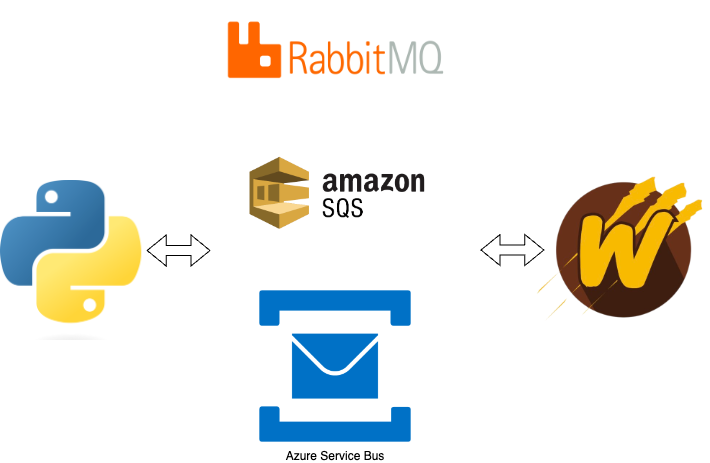
A prospective Wolverine user reached out to us on Discord to tell us about trying to receive pure JSON messages from a service written in Python (hence the image up above). After some internal changes in Wolverine 1.7, you can now receive “just” JSON to a Rabbit MQ queue assuming that that queue will only ever receive one message type by telling Wolverine what the default message type name is like this:
using var host = await Host.CreateDefaultBuilder()
    .UseWolverine((context, opts) =>
    {
        var rabbitMqConnectionString = context.Configuration.GetConnectionString("rabbit");

        opts.UseRabbitMq(rabbitMqConnectionString);

        opts.ListenToRabbitQueue("emails")
            // Tell Wolverine to assume that all messages
            // received at this queue are the SendEmail
            // message type
            .DefaultIncomingMessage<SendEmail>();
    }).StartAsync();
Wolverine has to work with AWS SQS in a much different way than the other transports. Via a pull request in Wolverine 1.7, you can now receive “just” JSON from external systems via AWS SQS like this:
using var host = await Host.CreateDefaultBuilder()
    .UseWolverine(opts =>
    {
        opts.UseAmazonSqsTransport();

        opts.ListenToSqsQueue("incoming").ReceiveRawJsonMessage(
            // Specify the single message type for this queue
            typeof(Message1),

            // Optionally customize System.Text.Json configuration
            o =>
            {
                o.PropertyNamingPolicy = JsonNamingPolicy.CamelCase;
            });
    }).StartAsync();
To send “just” JSON to external systems, use this:
using var host = await Host.CreateDefaultBuilder()
    .UseWolverine(opts =>
    {
        opts.UseAmazonSqsTransport();

        opts.PublishAllMessages().ToSqsQueue("outgoing").SendRawJsonMessage(
            // Specify the single message type for this queue
            typeof(Message1),

            // Optionally customize System.Text.Json configuration
            o =>
            {
                o.PropertyNamingPolicy = JsonNamingPolicy.CamelCase;
            });
    }).StartAsync();
public class CustomSqsMapper : ISqsEnvelopeMapper
{
    public string BuildMessageBody(Envelope envelope)
    {
        // Serialized data from the Wolverine message
        return Encoding.Default.GetString(envelope.Data);
    }

    // Specify header values for the SQS message from the Wolverine envelope
    public IEnumerable<KeyValuePair<string, MessageAttributeValue>> ToAttributes(Envelope envelope)
    {
        if (envelope.TenantId.IsNotEmpty())
        {
            yield return new KeyValuePair<string, MessageAttributeValue>("tenant-id", new MessageAttributeValue{StringValue = envelope.TenantId});
        }
    }

    public void ReadEnvelopeData(Envelope envelope, string messageBody, IDictionary<string, MessageAttributeValue> attributes)
    {
        envelope.Data = Encoding.Default.GetBytes(messageBody);

        if (attributes.TryGetValue("tenant-id", out var att))
        {
            envelope.TenantId = att.StringValue;
        }
    }
}
And apply that to Wolverine endpoints like this:
using var host = await Host.CreateDefaultBuilder()
    .UseWolverine(opts =>
    {
        opts.UseAmazonSqsTransport()
            .UseConventionalRouting()

            .ConfigureListeners(l => l.InteropWith(new CustomSqsMapper()))

            .ConfigureSenders(s => s.InteropWith(new CustomSqsMapper()));

    }).StartAsync();
Interop with Azure Service Bus
You can create interoperability with non-Wolverine applications by writing a custom IAzureServiceBusEnvelopeMapper as shown in the following sample:
public class CustomAzureServiceBusMapper : IAzureServiceBusEnvelopeMapper
{
    public void MapEnvelopeToOutgoing(Envelope envelope, ServiceBusMessage outgoing)
    {
        outgoing.Body = new BinaryData(envelope.Data);
        if (envelope.DeliverWithin != null)
        {
            outgoing.TimeToLive = envelope.DeliverWithin.Value;
        }
    }

    public void MapIncomingToEnvelope(Envelope envelope, ServiceBusReceivedMessage incoming)
    {
        envelope.Data = incoming.Body.ToArray();

        // You will have to help Wolverine out by either telling Wolverine
        // what the message type is, or by reading the actual message object,
        // or by telling Wolverine separately what the default message type
        // is for a listening endpoint
        envelope.MessageType = typeof(Message1).ToMessageTypeName();
    }

    public IEnumerable<string> AllHeaders()
    {
        yield break;
    }
}
The original production usage of Wolverine was replacing NServiceBus for one service within a large constellation of services that all communicated asynchronously with Rabbit MQ. Unsurprisingly, Wolverine launched with a strong, fully functional interoperability between NServiceBus systems and Wolverine systems through Rabbit MQ with this usage taken from a test project within the Wolverine codebase:
Wolverine = await Host.CreateDefaultBuilder().UseWolverine(opts =>
{
    opts.UseRabbitMq()
        .AutoProvision().AutoPurgeOnStartup()
        .BindExchange("wolverine").ToQueue("wolverine")
        .BindExchange("nsb").ToQueue("nsb")
        .BindExchange("NServiceBusRabbitMqService:ResponseMessage").ToQueue("wolverine");

    opts.PublishAllMessages().ToRabbitExchange("nsb")

        // Tell Wolverine to make this endpoint send messages out in a format
        // for NServiceBus
        .UseNServiceBusInterop();

    opts.ListenToRabbitQueue("wolverine")
        .UseNServiceBusInterop()


        .UseForReplies();

    // This facilitates messaging from NServiceBus (or MassTransit) sending as interface
    // types, whereas Wolverine only wants to deal with concrete types
    opts.Policies.RegisterInteropMessageAssembly(typeof(IInterfaceMessage).Assembly);
}).StartAsync();
Interop with MassTransit via Rabbit MQ
A little less battle tested — and much weirder under the covers — is a similar interoperability recipe for talking to MassTransit applications via Rabbit MQ:
Wolverine = await Host.CreateDefaultBuilder().UseWolverine(opts =>
{
    opts.ApplicationAssembly = GetType().Assembly;

    opts.UseRabbitMq()
        .CustomizeDeadLetterQueueing(new DeadLetterQueue("errors", DeadLetterQueueMode.InteropFriendly))
        .AutoProvision().AutoPurgeOnStartup()
        .BindExchange("wolverine").ToQueue("wolverine")
        .BindExchange("masstransit").ToQueue("masstransit");

    opts.PublishAllMessages().ToRabbitExchange("masstransit")

        // Tell Wolverine to make this endpoint send messages out in a format
        // for MassTransit
        .UseMassTransitInterop();

    opts.ListenToRabbitQueue("wolverine")

        // Tell Wolverine to make this endpoint interoperable with MassTransit
        .UseMassTransitInterop(mt =>
        {
            // optionally customize the inner JSON serialization
        })
        .DefaultIncomingMessage<ResponseMessage>().UseForReplies();
}).StartAsync();
Look for details on official support plans for Marten and/or Wolverine and the rest of the “Critter Stack” from JasperFx Software early next week. If you’re looking at Wolverine and wondering if it’s going to be a viable choice in the long run, just know we’re trying very hard to make it so.
Wolverine had a pretty significant 1.7.0 release on Friday. What’s most encouraging to me was how many community contributions were in this one including pull requests, issues where community members took a lot of time to create actionable reproduction steps, and suggestions from our Wolverine Discord room. This always misses folks, but thank you goes to:
A much better interoperability story for Wolverine and non-Wolverine applications using Rabbit MQ, AWS SQS, or Azure Service Bus. More on this later this week
A lot more diagnostics and explanatory comments in the generated code to unravel the “magic” within Wolverine and the message handler / http endpoint method discovery logic. Much more on this in a later blog post this week
Much more control over the Open Telemetry and message logging that is published by Wolverine to tone down the unnecessary noise that might be happening to some users today. Definitely more on that later this week
I’m working with a couple clients who are using Wolverine, and I can’t say that there are zero problems, but overall I’m very happy with how Wolverine is being received and how it’s working out in real applications so far.